12
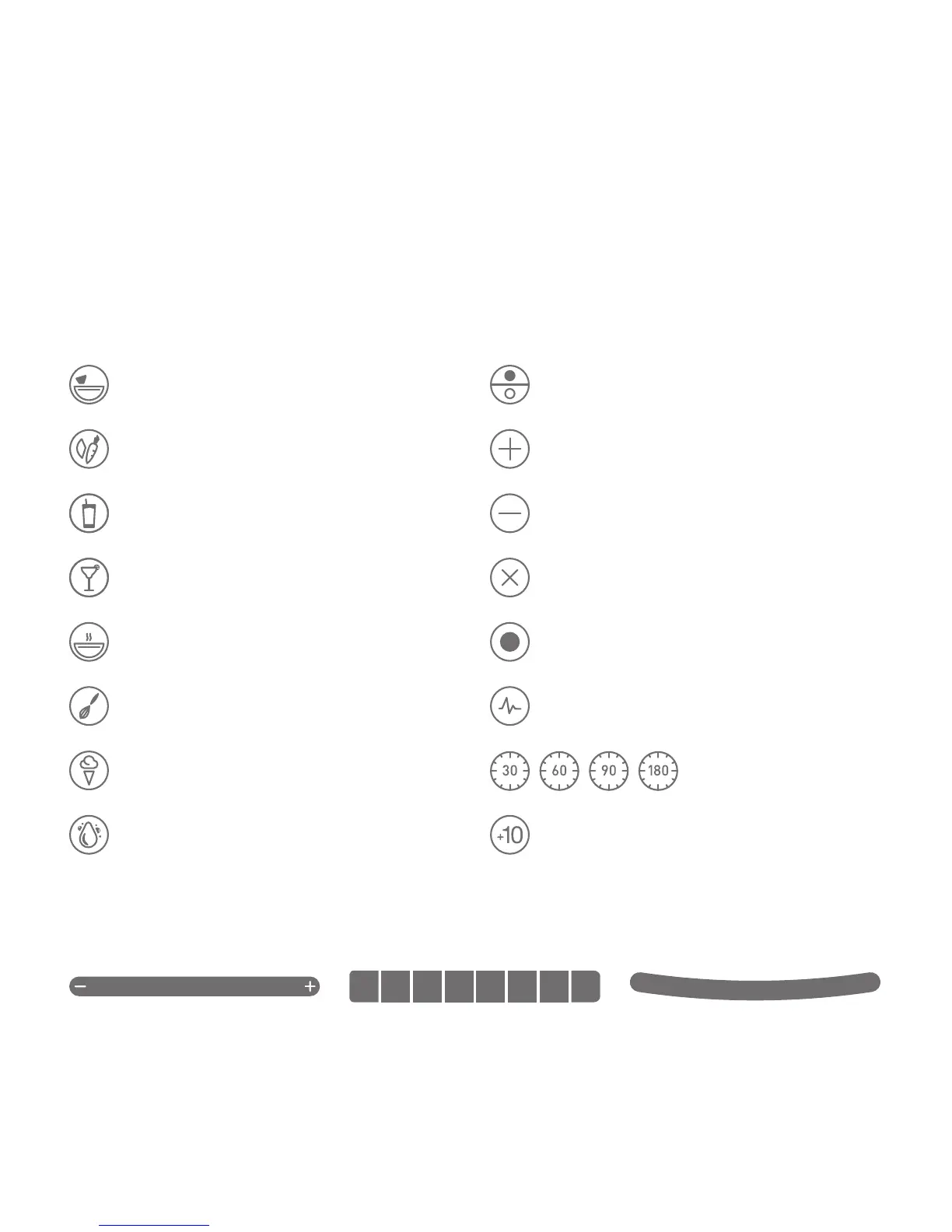
Mode
Switch between manual touch to preprogrammed
blend cycles
Incremental Speed
Cycles that blend at Lo, Med-Lo, Med, Med-Hi
and Hi speeds
Speed Up
Manually increase the speed of the blend
Speed Down
Manually decrease the speed of the blend
Capacitive Touch Sliders
Thecapacitivetouchsliderallowsyoutone-tunethespeedoftheblender.Simplyslideyourngertotherighttoincreasetheblender’sspeed
or the left to decrease speed.
Dips
Dressings, dips, sauces, batters
Ice Cream
Ice cream, frozen yogurt, sorbets
Smoothies
Fruit smoothies, green smoothies
Clean
Automatic cleaning cycle
Hot Soup
Soups, hot chocolate, syrups, fondues
+10
Adds 10 seconds to the cycle
Whole Juice
Juices, green drinks
Timed Cycles
Hot soups, batters
Pulse
Used to quickly stir, chop mince at a high speed
Mixed Drinks
Mixed drinks, milkshakes
Batters
Sauces, dips, dressings, batters
Stop
Used to manually stop blend cycle
Blendcyclesaretimedcyclesdesignedforspecictypesofblends.Theseone-touchcyclesspeedup,slowdownandshutoautomatically
for ease of use. Blenders may feature some of the following pre-programmed cycles and settings to accommodate a wide range of recipes
and functions.
QUICKSTART - TOUCHPAD ICONS









 To Next Page