04.4 Change lament
Changing the lament is one of the most commonly performed procedures for operating
a 3D printer. It will be necessary whenever the lament loaded in the machine is about to
end or when you want to change the material or color from one print to another.
This procedure is similar to lament loading. (For Loading the Filament see page 14.)
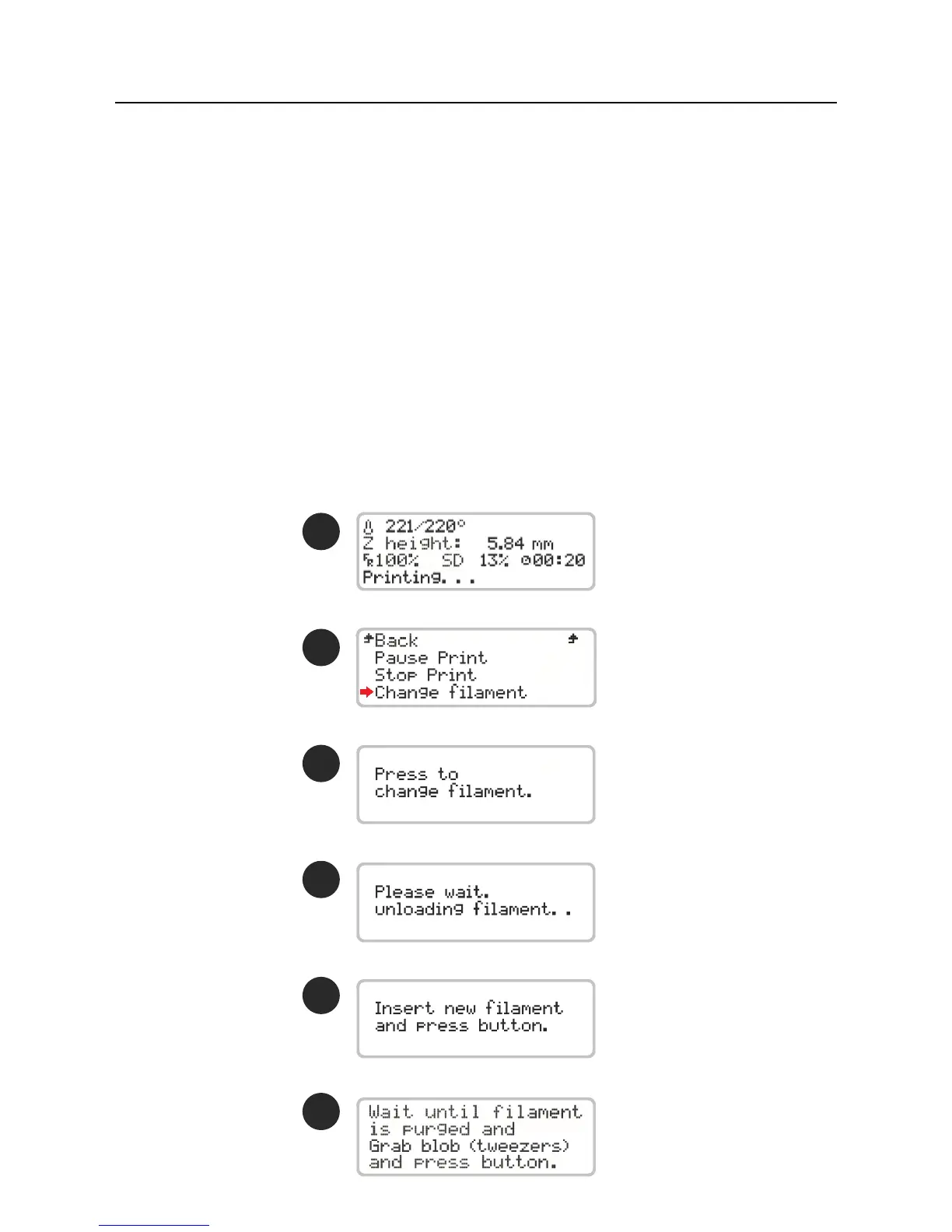
You must only select the Change lament option in the main menu to remove the la-
ment that is loaded. Once the machine has completed this procedure, the user must follow
all the steps that appears on the screen regarding loading the new lament.
With Blocks Zero you can still change lament color during printing, but we recommend
that you always keep the same type of material. Different materials have different printing
characteristics, which can cause poor adhesion between the layers in the change zone or in
some cases a nozzle clogging if they are combined in the same print.
1
2
3
4
5
6
Operation04



 To Next Page