1
04.5 Setting up the printer directly on the screen
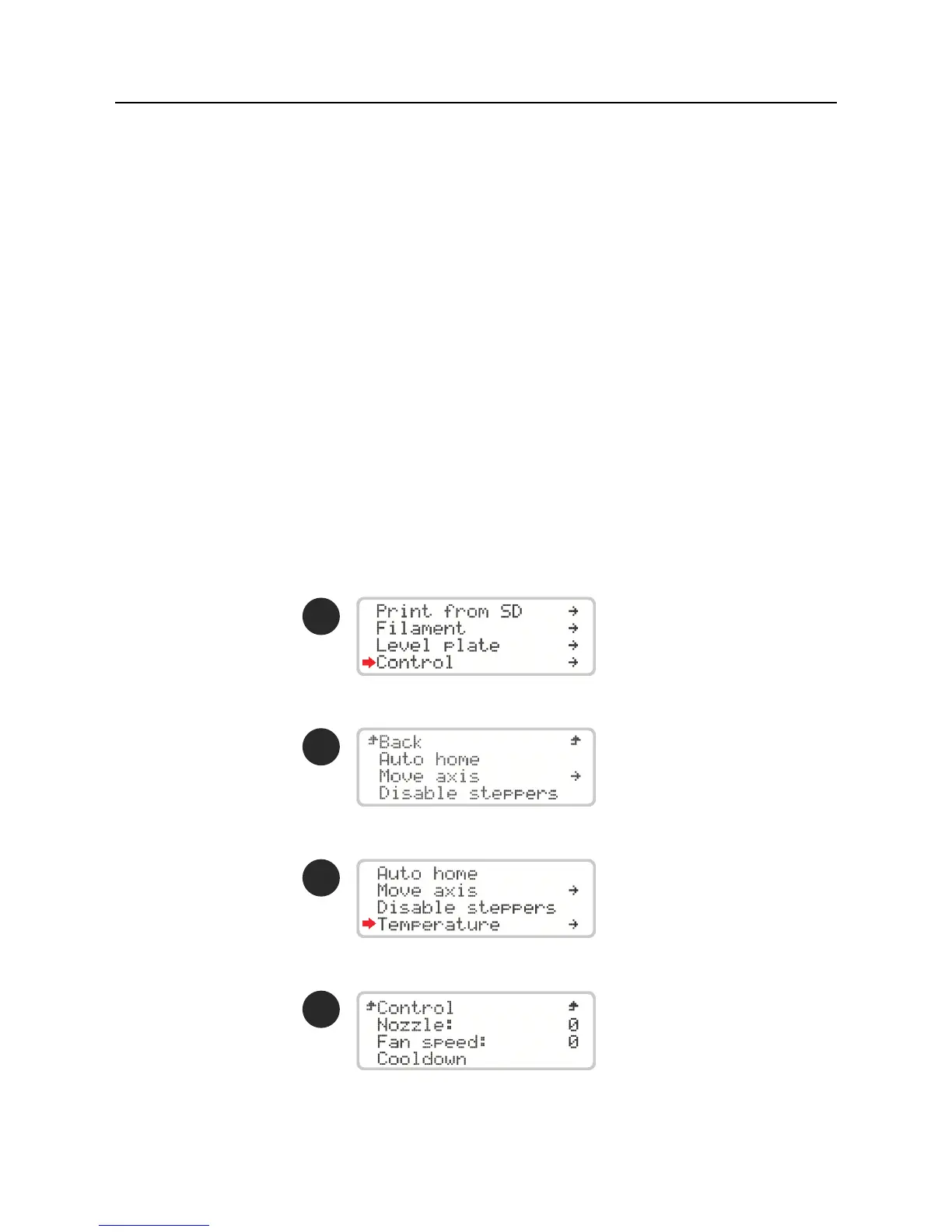
The Blocks Zero printer gives the user the option of controlling various parameters directly
on the machine, either in standby mode or during printing.
1. Auto home - Serves to reposition the print head at the origin of the spatial coordinates.
2. Move axis - Allows the user to activate the motors and thus move the print head on
different axes or the lament extruder. It is only possible to move the motor of the la-
ment extruder if the Hot End is at a temperature which allows extrusion (>180ºC).
3. Disable steppers - this option allows to unblock the stepper motors when they are in standby.
4. Temperature - here the operator can directly change some print parameters. Whether
in standby mode, during printing or in maintenance and cleaning operations, the Hot End
temperature and the cooling blower speed can be set or changed. You can also acceler-
ate the cooldown of the Hot End.
2
3
4
Operation04



 To Next Page