07
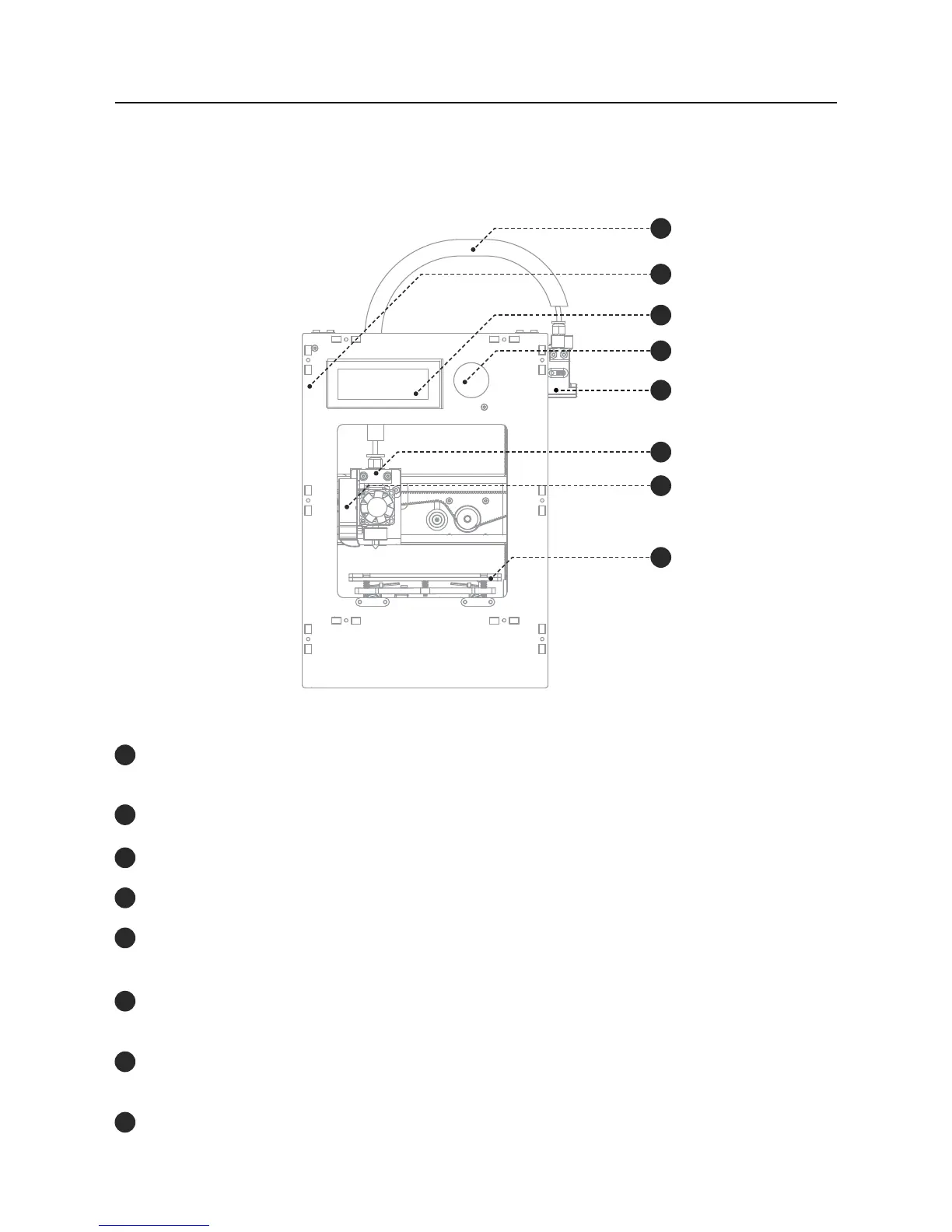
Blocks zero illustration
Introduction02
Bowden
SD card slot
LCD Screen
Selection button
Extruder
Hot End (printing head)
Print Blower
Build platform
Where the wiring and the PTFE tube that feeds the hot end with lament
passes.
To insert the SD card with the gcode le to be printed.
Where you can see information about machine status and printing process.
For navigation and selection in the menus visible on the LCD screen.
Assembly of components that applies the force required for the lament
to move in the system.
Set of components that allow melting, deposition and solidication of the
lament.
Fan responsible for the cooldown and solidication of the plastic at the
nozzle exit.
Set of components that includes the plate that serves as the platform for
the prints.
1
2
3
4
5
6
7
8
1
2
3
4
5
6
7
8



 To Next Page