EasyManua.ls Logo

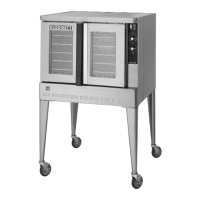
Blodgett ZEPHAIRE-100-G-ES - User Manual

Blodgett ZEPHAIRE-100-G-ES
27 pages
Print Icon
To Next Page IconTo Next Page
Loading...
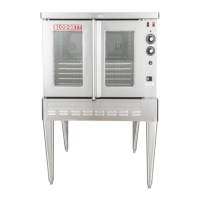
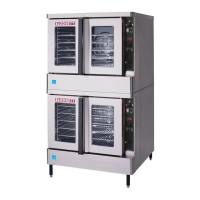
ZEPHAIRE-100-G-ES AND ZEPHAIRE-200-G-ES
CONVECTION OVEN
INSTALLATION - OPERATION - MAINTENANCE
BLODGETT OVEN COMPANY
www.blodgett.com
42 Allen Martin Drive, Essex Junction, Vermont 05452 USA Telephone: (802) 658-6600 Fax: (802) 864-0183
PN 57937 Rev J (8/19)
© 2019 - G.S. Blodgett Corporation

Other manuals for Blodgett ZEPHAIRE-100-G-ES

Questions and Answers

  • R
    robertcummingsAug 12, 2025
    What to do if the convection fan does not run in my Blodgett Convection Oven?
    • A
      Ashley BlackburnAug 12, 2025
      If the convection fan in your Blodgett Convection Oven isn't running, consider the following: * Ensure the oven is plugged in. * Verify the oven is set to the cook mode (COOK or OVEN ON). * Check if the circuit breaker has tripped and reset it if necessary. * Deactivate the fan delay feature if it's active. * Make sure the doors are fully closed.
  • M
    Mrs. Mary SavageAug 20, 2025
    What to do if my Blodgett ZEPHAIRE-100-G-ES will not fire?
    • W
      Warren RobertsonAug 21, 2025
      If your Blodgett Convection Oven won't fire, there are several possible causes: * The gas supply might be off. Turn the gas valve to the ON position. * The oven might not be plugged in. Ensure the electrical supply cord is plugged in. * The power switch on the control panel could be off. Set the control panel to COOK or OVEN ON. * The control might be set below the ambient temperature. Set it to the desired cooking temperature. * The doors might be open. Make sure they are closed.
  • L
    Linda WilsonAug 30, 2025
    Why my Blodgett ZEPHAIRE-100-G-ES does not come to ready?
    • D
      Derek RiddleAug 30, 2025
      If your Blodgett Convection Oven does not reach the ready temperature, here are some things to check: 1. The oven may not have reached the preheat temperature yet. Allow the oven to preheat fully. 2. The gas valve might not be fully turned on. Check the gas valve and turn it on completely if needed. 3. The quick disconnect might not be connected. Reconnect the quick connect. 4. The fan delay feature may be activated. Deactivate the fan delay feature.

Blodgett ZEPHAIRE-100-G-ES Specifications

General IconGeneral
ModelZEPHAIRE-100-G-ES
TypeConvection Oven
Temperature Range200°F to 500°F
Phase1
Power100, 000 BTU

Related product manuals