EasyManua.ls Logo

Blodgett DFG-100 SERIES - User Manual

Blodgett DFG-100 SERIES
81 pages
Print Icon
To Next Page IconTo Next Page
Loading...
BLODGETT OVEN COMPANY
www.blodgettcorp.com
50 Lakeside Avenue, Box 586, Burlington, Vermont 05402 USA Telephone (800) 331-5842, (802) 860-3700 Fax: (802)864-0183
PN 90055 Rev N (6/01)
E 2001 --- G.S. Blodgett Corporation
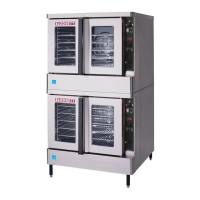
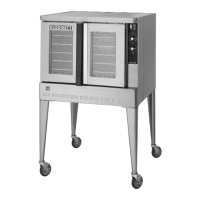
DFG-100 AND DFG-200 SERIES
CONVECTION OVEN
INSTALLATION -- OPERATION -- MAINTENANCE
LA SÉRIE DFG-100 ET DFG-200
FOURS À CONVECTION
MANUEL D’INSTALLATION -- FONCTIONNEMENT -- ENTRETIEN

Table of Contents

Questions and Answers

  • S
    sarajohnsonJul 31, 2025
    What to do if my Blodgett Convection Oven will not fire?
    • L
      Larry WrightJul 31, 2025
      If your Blodgett Convection Oven won't fire, there are several things to check: * Ensure the gas valve is turned ON. * Make sure the oven is properly plugged into the electrical outlet. * Verify the power switch on the control panel is set to COOK or OVEN ON. * Confirm the control is set to the desired cook temperature, above the ambient temperature. * Ensure the doors are fully closed.
  • M
    Megan GreerAug 10, 2025
    What to do if the convection fan does not run in my Blodgett Convection Oven?
    • R
      Robert ChavezAug 11, 2025
      If the convection fan in your Blodgett Convection Oven isn't running, try these steps: * Ensure the oven is plugged into the electrical supply cord. * Make sure the control panel is set to COOK or OVEN ON. * Check the circuit breaker and reset it if it has tripped. * If applicable, deactivate the fan delay feature. * Ensure that the oven doors are fully closed.
  • J
    Julie WoodsAug 20, 2025
    Why is my Blodgett DFG-100 not coming to ready?
    • P
      pnormanAug 20, 2025
      If your Blodgett Convection Oven isn't reaching the ready temperature, consider the following: 1. Allow sufficient time for the oven to preheat. 2. Ensure the gas valve is fully turned on. 3. Check and reconnect the quick connect if it's disconnected. 4. If a fan delay feature is enabled, try deactivating it.

Summary

Introduction

Oven Description and Specifications

Details the product's features, capabilities, and technical specifications.

Oven Components

Identifies and describes the various parts of the oven.

Installation

Site Preparation and Oven Assembly

Guidelines for oven delivery, site preparation, assembly, and leveling.

Ventilation and Utility Connections

Procedures for ventilation, gas, and electrical connections, including standards.

Initial Startup and Adjustments

Final checks, adjustments, and initial startup procedures before operation.

Operation

Safety Information

Essential safety guidelines and precautions for operating the oven.

CH-Pro3 Control Operation

Details on using the CH-Pro3 solid state programmable digital control.

Manual and Specialty Control Operations

Operating manual, cook/hold, pulse plus, and humidaire controls.

Advanced Digital Control Operations

Operating Intelliplus and Intellitouch II advanced digital controls.

General Operating Guidelines

Guidelines for cook/hold process, general operation, and cooking recommendations.

Maintenance

Cleaning and Preventative Maintenance

Procedures for cleaning the oven and performing preventative maintenance.

Troubleshooting Guide

Common issues and their suggested remedies for oven problems.

Blodgett DFG-100 SERIES Specifications

General IconGeneral
BrandBlodgett
ModelDFG-100 SERIES
CategoryConvection Oven
LanguageEnglish

Related product manuals