EasyManua.ls Logo

Blodgett DFG-100 - Service Manual

Blodgett DFG-100
49 pages
Print Icon
To Next Page IconTo Next Page
Loading...
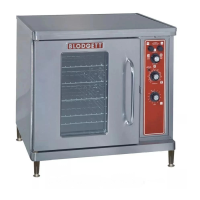
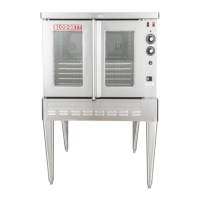
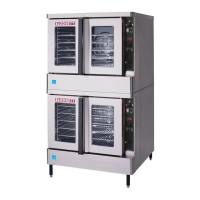
DFG-100 & DFG-200
GAS CONVECTION OVENS
INSTALLATION - OPERATION - MAINTENANCE
BLODGETT OVEN COMPANY
www.blodgett.com
44 Lakeside Avenue, Burlington, Vermont 05401 USA Telephone: (802) 658-6600 Fax: (802)864-0183
PN 90055 Rev AD (8/12)
© 2012 - G.S. Blodgett Corporation

Other manuals for Blodgett DFG-100

Questions and Answers

  • H
    heatherrobertsJul 30, 2025
    What to do if my Blodgett DFG-100 will not fire?
    • M
      Matthew MillerJul 30, 2025
      If your Blodgett Convection Oven won't fire, there are several potential causes: * The gas supply might be off. In this case, turn the gas valve to the ON position. * The oven may not be properly connected to a power source. Ensure the electrical supply cord is plugged in. * The power switch on the control panel could be off. Set the control panel to COOK or OVEN ON. * The control might be set below the ambient temperature. Adjust the control to the desired cooking temperature. * The doors might be open. Make sure the doors are fully closed.
  • S
    Susan GonzalezAug 9, 2025
    Why is the convection fan not running in my Blodgett DFG-100?
    • T
      travisadamsAug 10, 2025
      If the convection fan in your Blodgett Convection Oven isn't running, consider these possibilities: 1. The oven might not be plugged in. Ensure the electrical supply cord is properly connected. 2. The oven may not be set to the cook mode. Set the control panel to COOK or OVEN ON. 3. A circuit breaker may have tripped. Try resetting the breaker. 4. The fan delay feature might be activated (if applicable). Deactivate the fan delay feature. 5. The doors could be open. Close the doors completely.
  • T
    Timothy LuceroAug 19, 2025
    What to do if my Blodgett Convection Oven does not come to ready?
    • A
      Angelica CarterSep 12, 2025
      If your Blodgett Convection Oven isn't reaching the ready state, here are some things to check: * The oven may not have reached the preheat temperature yet. Allow sufficient time for preheating. * The gas valve might not be fully open. Check the gas valve and turn it on completely if needed. * The quick disconnect could be disconnected. Reconnect the quick connect and inspect all gas connections. * The gas pressure to the oven might be too low. Contact your local gas representative to check the pressure. * The fan delay feature may be activated, if applicable. Deactivate fan delay feature.

Summary

Installation Guide

Oven Description and Specifications

Details the specifications and features of the DFG-100 & DFG-200 ovens.

Delivery and Location Requirements

Covers unpacking, inspection, and proper placement for optimal performance.

Oven Assembly Procedures

Instructions for assembling oven components like legs, casters, and stacking units.

Ventilation System Installation

Guidelines for installing canopy exhaust hoods or direct flue arrangements.

Utility Connection Standards and Codes

Details compliance with local and national codes for gas and electrical connections.

Gas Connection and Piping

Proper gas supply sizing, pressure regulation, and hose restraint installation.

Electrical Connection Requirements

Information on electrical specifications and safe connection of the oven.

Initial Startup and Checks

Checklist for qualified personnel before the first appliance startup.

Oven Operation Manual

General Safety Information

Critical safety tips for operating the oven, including gas leak procedures.

Solid State Manual Control with Digital Timer

Operating instructions for manual controls with digital timer.

Solid State Manual Control

Operating instructions for basic manual control settings.

Solid State Digital Control System

Guide to using the advanced digital control system for programming and cooking.

Blodgett IQ2 Vision Control Operation

Detailed operation for the Blodgett IQ2™ Vision control system.

SmartTouch Touchscreen Control

Instructions for using the SmartTouch touchscreen interface for cooking.

General Operating Guidelines

Best practices for preheating, cooking, fan usage, and lighting.

How Cook & Hold Works

Explanation of the Cook & Hold feature for roasting and preserving food.

Suggested Times and Temperatures

Reference table for recommended cooking times and temperatures for various products.

Oven Maintenance and Care

Cleaning and Preventative Maintenance

Procedures for cleaning the oven interior, exterior, and components.

Troubleshooting Common Oven Issues

Guide to diagnosing and resolving common oven operational problems.

Blodgett DFG-100 Specifications

General IconGeneral
ModelDFG-100
TypeConvection Oven
Pan Size18" x 26"
ConstructionStainless Steel
Temperature Range200°F to 500°F
Control TypeDigital
Convection SystemDual-speed fan

Related product manuals