EasyManua.ls Logo

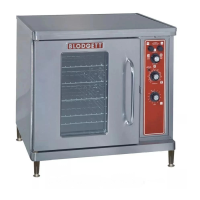
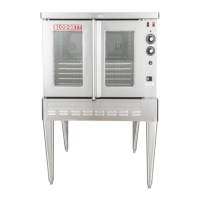
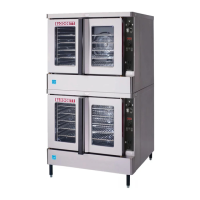
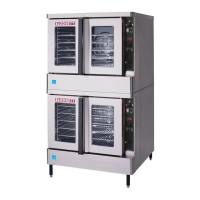
Blodgett CTB SERIES - User Manual

Blodgett CTB SERIES
39 pages
Print Icon
To Next Page IconTo Next Page
Loading...
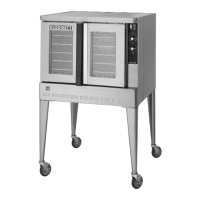
CTB/CTBR SERIES
ELECTRIC CONVECTION OVEN
INSTALLATION -- OPERATION -- MAINTENANCE
BLODGETT OVEN COMPANY
www.blodgett.com
44 Lakeside Avenue, Burlington, Vermont 05401 USA Telephone (800) 331-5842, (802) 860-3700 Fax: (802)864-0183
PN 11361 Rev J (1/03)
E 2003 --- G.S. Blodgett Corporation

Other manuals for Blodgett CTB SERIES

Questions and Answers

  • O
    Olivia MyersAug 9, 2025
    Why is convection fan not running in my Blodgett CTB Convection Oven?
    • M
      marylaraAug 9, 2025
      If the convection fan in your Blodgett Convection Oven isn't running, check the following: * Ensure the oven is plugged into a power source. * Make sure the oven is set to the cook mode by setting the control panel to COOK or OVEN ON. * Check if the circuit breaker has tripped and reset it if necessary. * Deactivate the fan delay feature, if it's enabled. * Ensure the doors are fully closed.
  • J
    josephhurstAug 26, 2025
    What to do if heating elements do not come on in Blodgett CTB Convection Oven?
    • E
      Ernest HawkinsAug 26, 2025
      If the heating elements in your Blodgett Convection Oven aren't turning on, there might be several reasons: * The oven isn't plugged in, so ensure the electrical supply cord is properly connected. * The power switch on the control panel is off; set it to COOK or OVEN ON. * The control is set below the ambient temperature; adjust it to your desired cooking temperature. * The doors are open, so make sure they are fully closed.

Blodgett CTB SERIES Specifications

General IconGeneral
TypeConvection Oven
ConfigurationCountertop
Pan SizeFull-size sheet pans
Power TypeGas or Electric
Gas TypeNatural Gas
ControlsDigital or Manual
Power SupplyVaries by model
ConstructionStainless steel
Control TypeDigital or Manual
Standard FeaturesInterior light

Related product manuals