EasyManua.ls Logo

Blodgett ZEPHAIRE-G - Troubleshoot Manual

Blodgett ZEPHAIRE-G
2 pages
Print Icon
To Next Page IconTo Next Page
Loading...
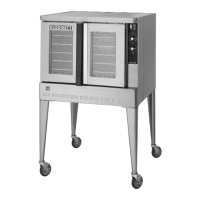
Blodgett Convection Oven
Operating Instructions & Trouble Shooting Guideline
*This unit is designed to be used on a single dedicated 20amp circuit.
Zephaire-G
Control Description
1. BLOWER HI/LO/OFF SWITCH - Controls the operation of the blower. If the blower switch is in the
OFF position the oven will be turned off.
2. COOL DOWN SWITCH - When the switch is in the AUTO position, the oven can be used to cook.
When the switch is in the MAN position, the oven is cooling down for the next bake.
3. OVEN READY LIGHT - When lit, this indicates burners are operating. When the light goes out the
oven has reached operating temperature.
4. THERMOSTAT - Controls the temperature at which the oven will operate. Temperatures can range
from 200-500ºF (93-260ºC).
5. COOK TIMER - Used to time the length of the cooking operation. When the set time expires, a buzzer
will sound.
6. GAS CUTOFF - used to turn gas on or off.
Operation
1. Set the GAS CUTOFF switch to the ON position. Set the COOL DOWN switch to the COOK
position. Turn the THERMOSTAT to the desired operating temperature.
2. Set the BLOWER switch to the ON position. When the OVEN READY light goes out, load the
product and set the COOK TIMER.
3. When the timer sounds, remove the product. If the next product requires a lower operating temperature,
then the cool down mode can be used. Set the BLOWER switch to the LO position. Turn the COOL
DOWN SWITCH to the MAN position. Make sure that the door is open.
4. Turn the oven off by setting the BLOWER switch to the OFF position. Set the GAS CUTOFF switch to
the OFF position.
General safety tips
*DO NOT use tools to turn off the gas control. If the gas cannot be turned off manually do not try to
repair it.
If the oven needs to be moved for any reason, the gas must be turned off and disconnected from the unit before
removing the restraint cable. Reconnect the restraint after the oven has been returned to its original location.
*DO NOT remove the control panel cover unless the oven is unplugged.

615.822.4392

Other manuals for Blodgett ZEPHAIRE-G

Questions and Answers

  • A
    ahendersonJul 26, 2025
    What to do if my Blodgett ZEPHAIRE-G will not fire?
    • A
      Anna BooneJul 26, 2025
      If your Blodgett Convection Oven won't fire, there are several potential causes. First, ensure the gas is turned on. The gas valve should be in the ON position. Next, verify the oven is properly plugged into the electrical outlet. Also, check that the power switch on the control panel is set to COOK or OVEN ON. Make sure that the control is set to the desired cooking temperature and not below ambient temperature. Finally, ensure that the oven doors are fully closed.
  • L
    Lori JonesJul 31, 2025
    Why won't my Blodgett Convection Oven come to ready?
    • J
      Joyce HayesJul 31, 2025
      Your Blodgett Convection Oven might not reach the ready temperature for a few reasons. First, allow sufficient time for the oven to preheat. Then, check that the gas valve is fully turned on. Also, ensure the quick disconnect is properly connected. Low gas pressure can also prevent the oven from reaching temperature, so inspect all gas connections. If none of these steps work, the issue might be with the main temperature control, and you should contact your local gas representative.
  • E
    Emily MccoyAug 7, 2025
    Why Blodgett Convection Oven does not come to ready?
    • B
      Bethany BakerAug 7, 2025
      If your Blodgett Convection Oven does not reach the ready state, consider the following: * The oven may not have finished preheating. Allow sufficient time for the oven to reach the preheat temperature. * The gas valve might not be fully open. Verify that the gas valve is completely turned on. * The quick disconnect could be improperly connected. Reconnect the quick connect and inspect all gas connections. * The gas pressure to the oven may be insufficient. Contact your local gas representative to check the gas pressure. * There might be an internal issue with the main temperature control.
  • K
    Kayla LeeAug 13, 2025
    How to fix convection fan that does not run in Blodgett ZEPHAIRE-G Convection Oven?
    • R
      Randy CrawfordAug 13, 2025
      If the convection fan in your Blodgett Convection Oven isn't running, check these items: 1. Ensure the oven is properly plugged into the electrical outlet. 2. Check the circuit breaker and reset it if it has tripped. 3. Make sure the oven doors are fully closed.
  • K
    Kenneth LopezAug 19, 2025
    How to fix a Blodgett Convection Oven when the convection fan does not run?
    • R
      rachel02Aug 19, 2025
      If the convection fan in your Blodgett Convection Oven isn't running, start by ensuring the oven is plugged into the electrical supply cord. If it is, check the circuit breaker and reset it if it has tripped. Also, make sure that the oven doors are fully closed, as the fan may not operate if the doors are open.

Summary

Convection Oven Control Descriptions

Blower Switch Operation

Controls blower operation; OFF position turns oven off.

Cool Down Switch Functionality

AUTO position enables cooking; MAN position activates cooling.

Oven Ready Light Indicator

Indicates burners are operating; light off means temperature is reached.

Thermostat Temperature Setting

Controls oven temperature from 200-500°F (93-260°C).

Cook Timer Functionality

Times cooking duration; a buzzer sounds when time expires.

Gas Cutoff Switch Operation

Used to turn the gas supply to the oven on or off.

Oven Operation and Safety

Operating the Convection Oven

Step-by-step guide for setup, cooking, cooldown, and shutdown.

General Safety Precautions

Includes gas control, panel access, and moving oven safety tips.

Troubleshooting Oven Issues

Power Failure Response

Turn switches off, wait for power restoration and a five-minute shutdown.

Oven Fails to Fire

Check gas valve, electrical cord, control settings, and doors.

Oven Preheat Delays

Allow preheat time, check gas valve, and connections.

Convection Fan Not Operating

Check electrical supply, reset breaker, and ensure doors are closed.

Blodgett ZEPHAIRE-G Specifications

General IconGeneral
Pan Size18" x 26"
Temperature Range200°F to 500°F
ControlsSolid State
ConfigurationSingle Deck
ConstructionStainless steel front, top, and sides
Warranty1 year parts and labor

Related product manuals