42
Operation
SmartTouch Touchscreen Control
COOL DOWN
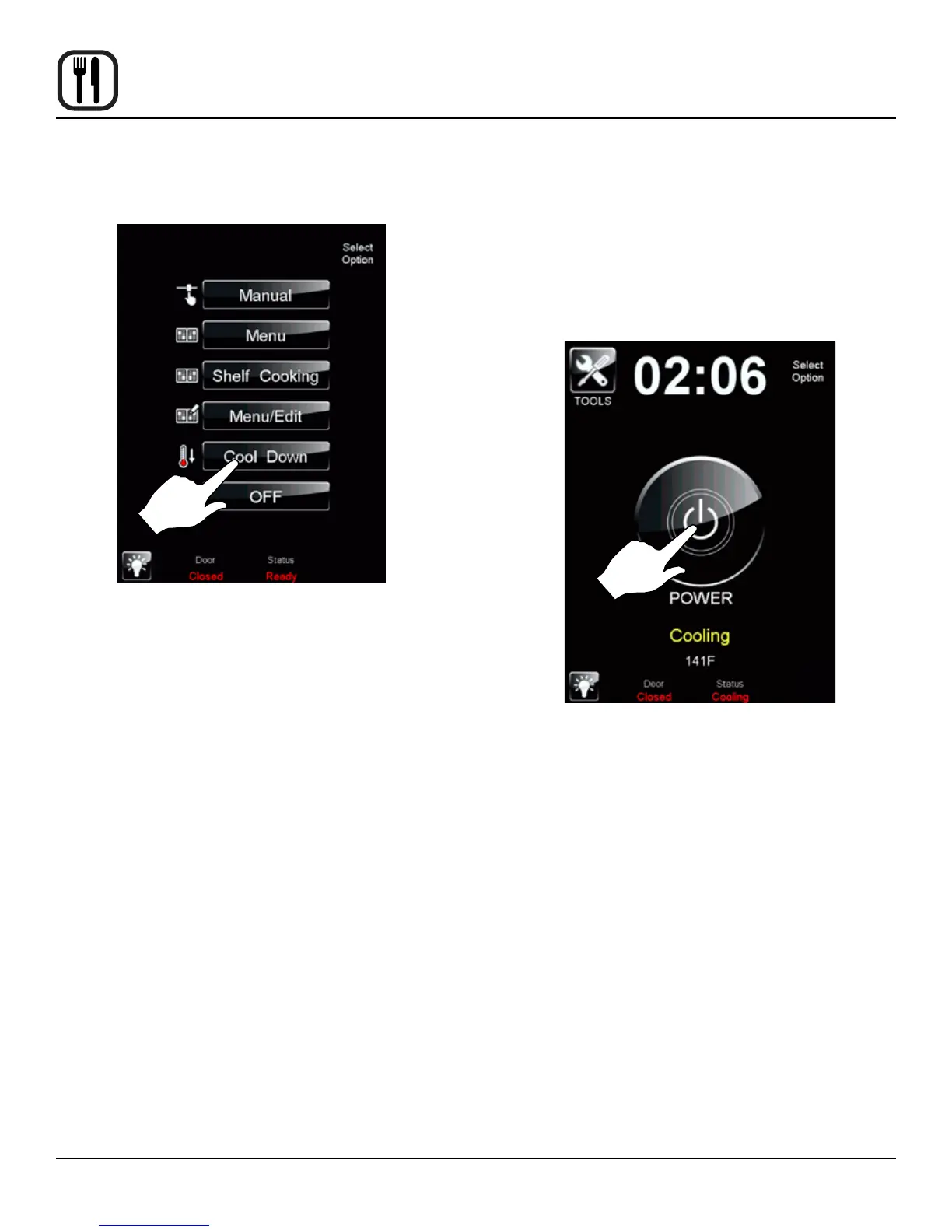
1. To cool down the unit, press the COOL DOWN icon.
Figure 45
2. The oven will toggle between cooling and open door
in yellow until the oven is cool. Once cool, the oven
will go to standby.
NOTE: If the oven is shut down with the circuit
breaker switch at the bottom of the front
panel, the display will return to the power
screen. Select your option to begin.
Figure 46










 To Next Page