
 Need help?
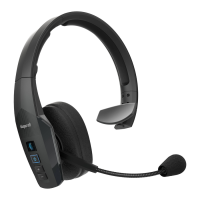
Do you have a question about the BlueParrott S450-XT and is the answer not in the manual?
Important safety guidelines for using the headset to prevent hearing damage and ensure safe operation.
Lists all items included in the product box for the user.
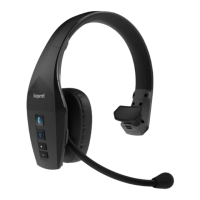
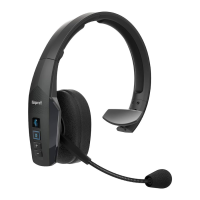
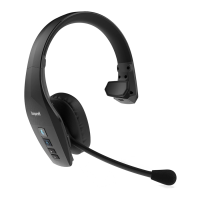
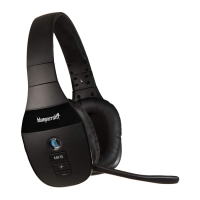
Detailed overview of all physical components, buttons, and ports on the headset.
Guidance on how to wear the headset comfortably and charge its battery.
Steps for powering on/off and initial Bluetooth pairing via NFC or manual methods.
How to connect the headset via Bluetooth, 3.5mm audio cable, or USB.
Instructions for listening to media and managing calls wirelessly or via wired connections.
Explains how to connect and use the headset with multiple Bluetooth devices.
Details on managing incoming/outgoing calls, call waiting, and redialing.
How to use voice commands, mute the mic, and manage indicator lights.
Procedure to clear the headset's list of previously paired devices.
Table outlining operations, LED feedback, and audio prompts in standby.
Table detailing functions and feedback during an active call.
Explains various notifications and their corresponding LED/audio cues.
How to change the function of the dedicated Parrott Button.
Instructions for updating headset firmware and managing settings via software.
 General
| Headset type | Binaural |
|---|---|
| Product type | Headset |
| On/off switch | Yes |
| Product color | Black |
| Wearing style | Head-band |
| Operating keys | Volume +, Volume - |
| Volume control | Button |
| Country of origin | China |
| Recommended usage | Office/Call center |
| Number of simultaneously connected devices (max) | 2 |
| USB connector | Micro-USB |
| Wireless range | 91.44 m |
| Bluetooth version | 4.0 |
| Bluetooth profiles | HSP |
| Connectivity technology | Wired & Wireless |
| Impedance | 32 Ω |
| Driver unit | 36 mm |
| Ear coupling | Circumaural |
| Headphone frequency | 20 - 20000 Hz |
| Headphone sensitivity | 123 dB |
| Microphone type | - |
| Microphone frequency | 100 - 10000 Hz |
| Standby time | 500 h |
| Package depth | 72 mm |
| Package width | 195 mm |
| Package height | 228 mm |
| Package weight | 350 g |
| Master (outer) case width | 410 mm |
| Master (outer) case height | 415 mm |
| Master (outer) case length | 266 mm |
| Master (outer) case weight | 2000 g |
| Harmonized System (HS) code | 85183000 |
| Quantity per master (outer) case | 6 pc(s) |
| Cables included | Audio (3.5mm) |
 Weight and Dimensions
| Weight | 210 g |
|---|

 To Next Page
