EasyManua.ls Logo

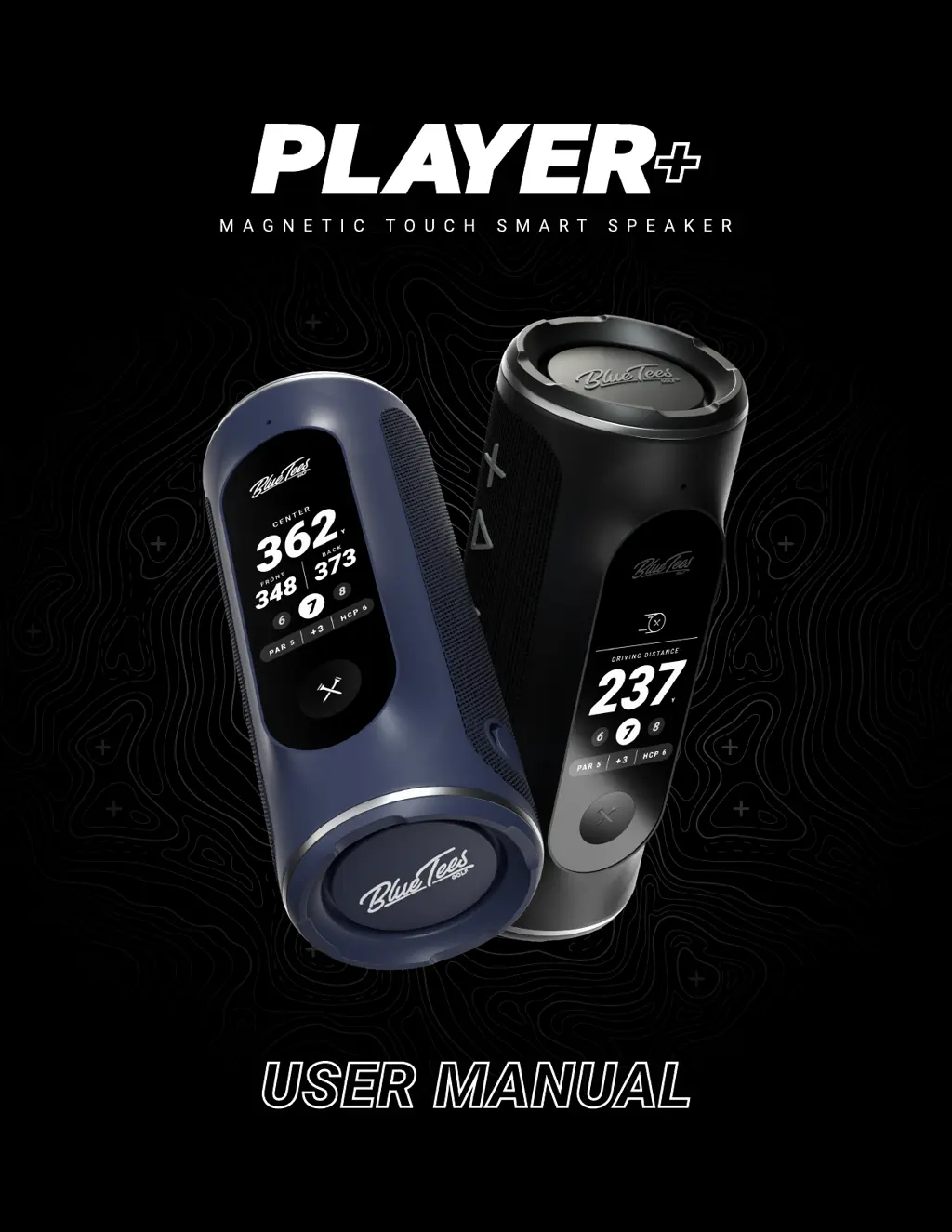
BlueTees PLAYER+ - User Manual

BlueTees PLAYER+
24 pages
Print Icon
To Next Page IconTo Next Page
Loading...
USER MANUAL

Questions and Answers

  • S
    Samuel BerryAug 13, 2025
    What to do if BlueTees PLAYER+ Speakers have no sound?
    • Z
      zkelleyAug 13, 2025
      If your BlueTees Speakers aren't producing any sound, first, check that the speaker is properly connected to your mobile device via Bluetooth. Next, make sure that the volume levels on both your speaker and your mobile device are set to an audible level. As a last resort, you can also try turning the speaker off and then on again: firmly press the ‘Crossed Tees’ Power/Action button for five seconds to turn OFF, keep speaker power OFF for five seconds, firmly press the ‘Crossed Tees’ Power/Action button for five seconds to turn ON.
  • J
    Joseph PatrickAug 16, 2025
    Why do BlueTees PLAYER+ Speakers turn off while being used?
    • T
      Thomas GatesAug 17, 2025
      Your BlueTees Speakers might be turning off during use because the battery charge level is low. To resolve this, recharge the battery for 3-4 hours.
  • T
    Thomas FloresAug 20, 2025
    How to fix BlueTees Speakers not pairing via Bluetooth?
    • S
      Stephen SandersAug 20, 2025
      If your BlueTees Speakers are not pairing via Bluetooth, try these steps: First, ensure that the speaker and your mobile device are within three (3) feet or one (1) meter of each other. Then, check that Bluetooth is turned ON in both your speaker and mobile device settings, and confirm that your speaker is in pairing mode.
  • M
    Matthew SmithAug 25, 2025
    What to do if BlueTees Speakers have poor sound?
    • L
      Larry WalkerAug 25, 2025
      If your BlueTees Speakers are producing poor sound quality, try moving the speaker and your mobile device closer together, ensuring they are within 15 feet or 3 meters of each other.
  • J
    Jason BurkeAug 28, 2025
    How to fix BlueTees Speakers if they do not power on?
    • J
      Jordan BrownAug 28, 2025
      If your BlueTees Speakers are not powering on, first, firmly press the ‘Crossed Tees’ Power/Action button for five (5) seconds. If that doesn't work, ensure your unit is fully charged; if the power button still doesn't respond after being fully charged, contact customer support.
  • K
    Katrina ArnoldSep 1, 2025
    How to fix BlueTees Speakers if LCD touchscreen does not turn on?
    • B
      Brandon PerezSep 1, 2025
      If your BlueTees Speakers turn on but the LCD touchscreen doesn't, try this: firmly press the ‘Crossed Tees’ Power/Action button for five (5) seconds to turn OFF, keep speaker power OFF for five (5) seconds, firmly press the ‘Crossed Tees’ Power/Action button for five (5) seconds to turn ON.
  • L
    Larry WarrenSep 5, 2025
    What to do if BlueTees PLAYER+ disconnected from mobile app?
    • R
      roger17Sep 5, 2025
      If your BlueTees Speakers disconnect from your mobile app, the speaker will enter auto-pair mode and reconnect once in range of your mobile device. If your device does not reconnect, navigate to your device settings in the mobile app and select “CONNECT”.
  • D
    Deborah ClarkSep 8, 2025
    What to do if BlueTees PLAYER+ Speakers are playing music, but not displaying yardages?
    • W
      Wendy JohnsonSep 9, 2025
      If your BlueTees Speakers are playing music but not displaying yardages, ensure your device is registered and connected to the Blue Tees Game mobile app. After connecting to the mobile app, select ‘Start Round’.

Summary

Features Overview

Built-in Magnetic Strip

Details the magnetic strip attachment for golf carts and surfaces.

Whats In The Box

Charging the Device

Provides instructions on how to charge the Player+ speaker using USB.

Basic Operation

Button Functions

Explains operations of Power, Action, Play/Pause, and Volume buttons.

Player+ Setup

Bluetooth Pairing

Guides on turning on and pairing the speaker with a mobile device via Bluetooth.

Game App Connection

Instructions for connecting to the Blue Tees Game app to play golf.

Navigating Utility Screens

Battery and Device Settings

Navigating Golf Screens

Round Control

Driving Distance Tracking

How to track your tee shot distance using the app and speaker.

Score Display

Action Button Customization

Mobile App Player+ Settings

Troubleshooting

Important Safety Information

Enhanced Warranty

BlueTees PLAYER+ Specifications

General IconGeneral
BrandBlueTees
ModelPLAYER+
CategorySpeakers
LanguageEnglish