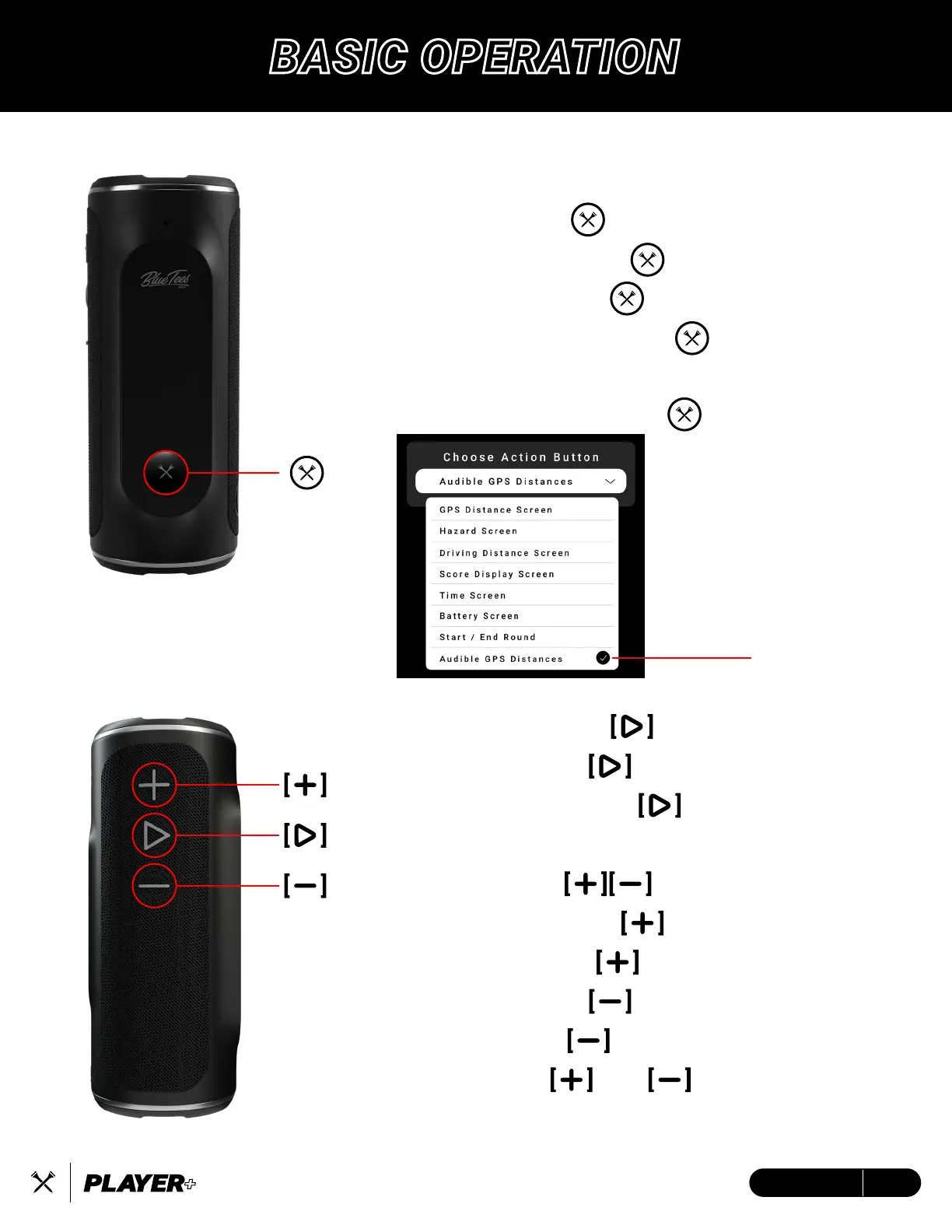
Programmable Action Button:
Power Button/Multi-function Button
Long press for 5s to Power On/Off
Short press for Action Button
Short press to Answer/End Call
Long press to Reject Call
Play/Pause Button
Short press to Play/Pause music
Long press to Activate TWS
Plus/Minus Button
Short press to turn volume up
Long press to skip to next track
Short press to turn volume down
Long press to go to previous track
Long press and simultaneously
to disconnect Bluetooth
Once you have connected
your Player+ to both your
phone and Blue Tees Game
app, go to Device Settings
on the home screen of the
app and swipe down until
you see “Choose Action
Button”. You will be
presented with a list of
different actions to select
(left)
5ENGLISH
BASIC OPERATION


 To Next Page