9ENGLISH
Swipe up or down to navigate to the battery screen.
Toggle ON/OFF for Low Power Mode
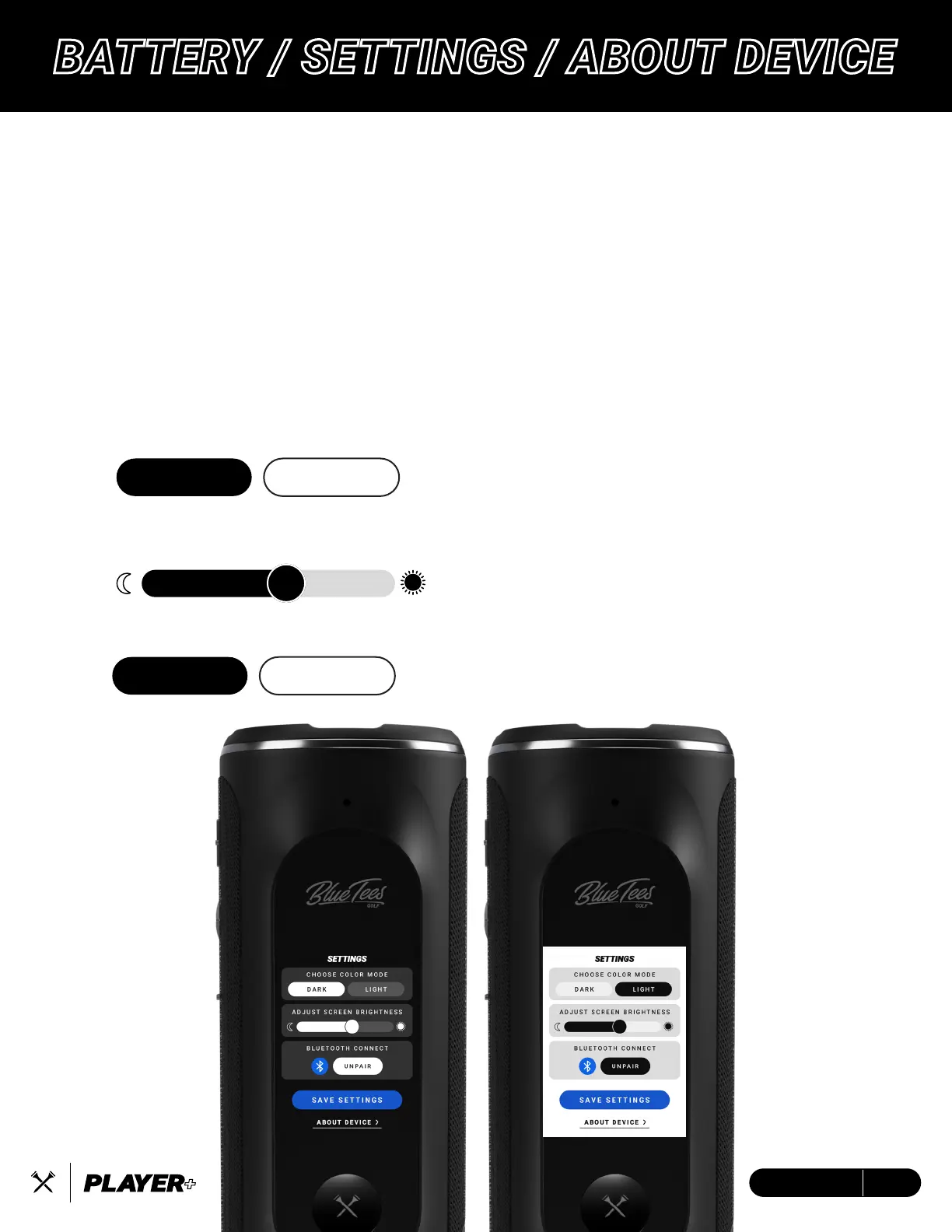
Tap ‘Settings’ to change your color mode, brightness, and Bluetooth connectivity.
Tap ‘About Device’ to view your device serial number and firmware version.
LOW POWER MODE
Reduce brightness to 70%
Reduce max volume to 70%
Screen goes to sleep after five (5) seconds of inactivity, tap to wake
COLOR MODE - DARK is Default: Choose color mode
BRIGHTNESS – MAX is Default: Select device screen brightness
BLUETOOTH – Connect to the Blue Tees Game Mobile App
DARK LIGHT
ON OFF
BATTERY / SETTINGS / ABOUT DEVICE


 To Next Page