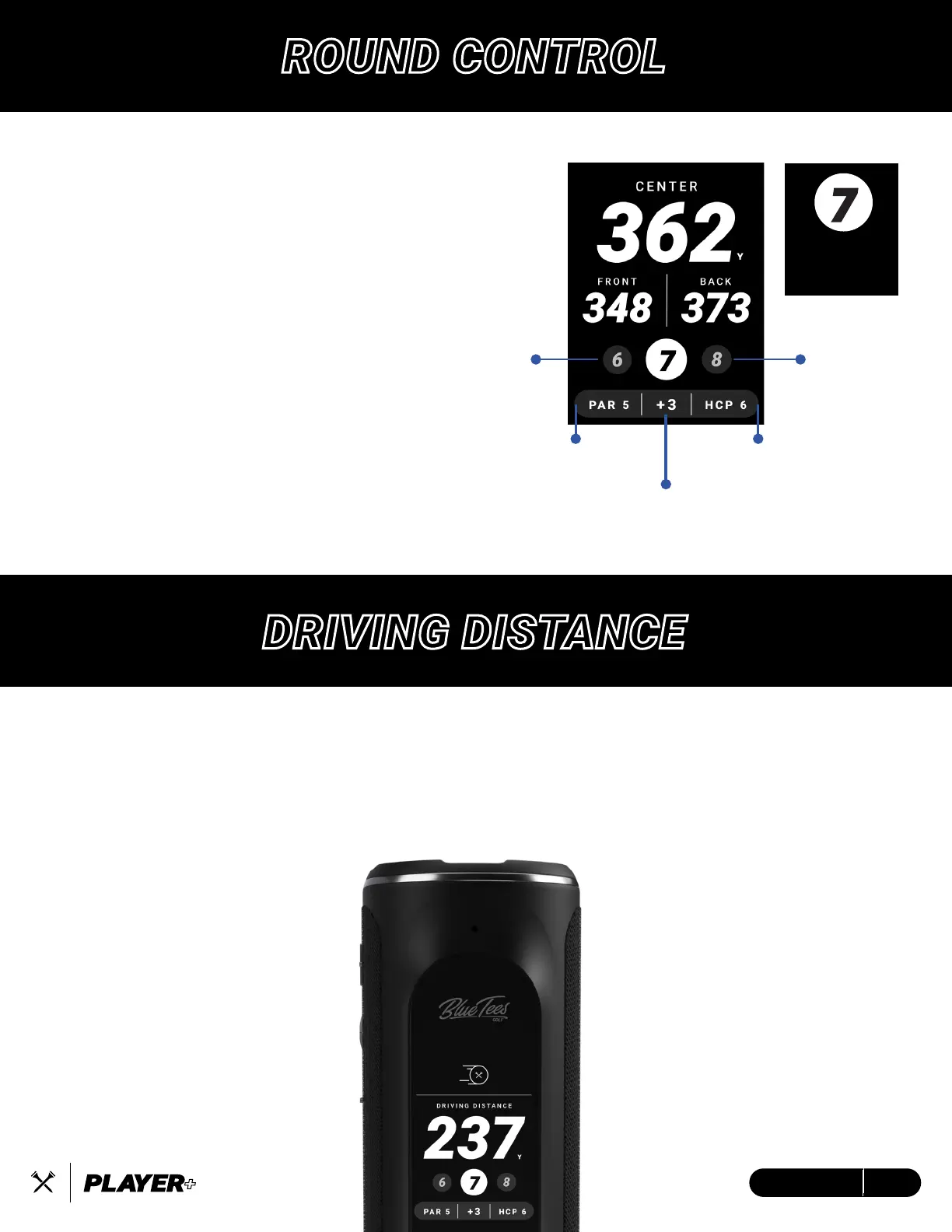
PREVIOUS
HOLE
ROUND
SCORE
HOLE
PAR
HOLE
HANDICAP
NEXT
HOLE
Easily navigate the Player+ by clicking the
next hole and previous hole buttons to
manually change holes. The Player+ will
auto-advance to the next hole. (Note: when
connected to the Blue Tees Game App)
Below the Hole Selection is the Summary
Bar which shows the Hole Par, Round Score,
and the Hole Handicap.
CURRENT
HOLE
DRIVING DISTANCE
View the precise distance from the tee box to track how far you hit your tee shot. Select your desired tee
box when starting a round of golf in the mobile app for the most accurate measurements. After you hit
your tee shot, the Player+ powered by the Blue Tees Game App will do a reverse calculation from your
selected tee box to give you your Driving Distance.
ROUND CONTROL
11ENGLISH


 To Next Page