14ENGLISH
PAIRING MULTIPLE PLAYER+ SPEAKERS:
1. Turn on the Player+ Speakers (2) you would like to pair.
2. On your mobile device, connect via Bluetooth to the Host/Main Player+
Speaker, ensure that the Guest Speaker is NOT Bluetooth connected to any
mobile device.
3. Place the Player+ Speakers within 3 feet (1 meter) away from each other.
4. Links Party Pairing (TWS) options:
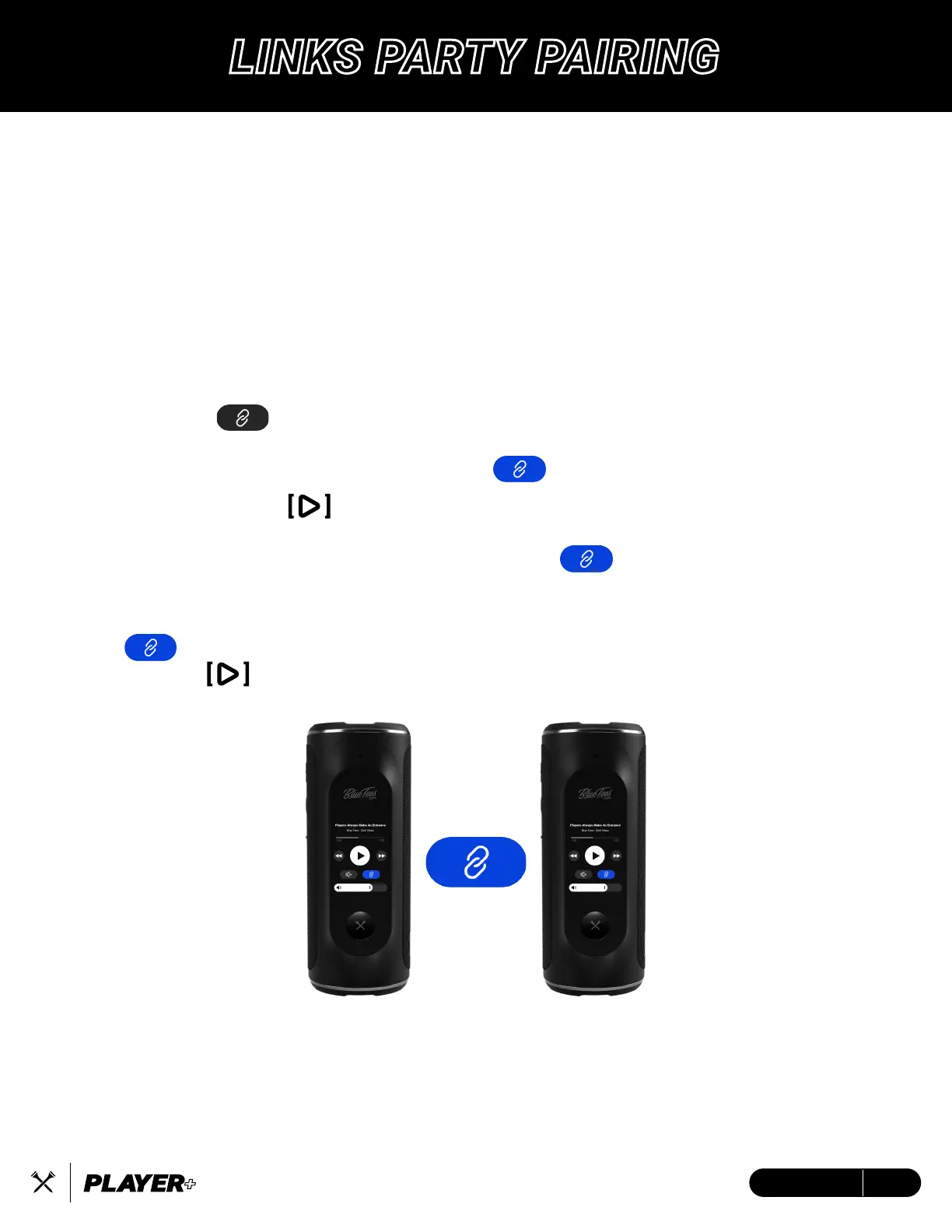
A. Tap the icon to activate TWS pairing on the Host/Main Player+
Speaker. The Player+ Speaker will provide an audible sound once paired
and both devices will display a BLUE icon.
B. Long press the button to activate TWS pairing on the Host/Main
Player+ Speaker. The Player+ Speaker will provide an audible sound once
paired and both devices will display a BLUE icon.
TO DISCONNECT TWS PAIRED DEVICES:
Tap on the LCD screen on both speakers until it is unhighlighted (gray)
or HOLD the button.
NOTE:
• If the Host Speaker is connected to the mobile device playing music, then after TWS disconnects,
Host Speaker will continue to play music and Guest Speaker will turn to pairing mode.
• If the Host Speaker does not connect to your phone, then after TWS disconnects, BOTH speakers
(Host and Guest) will turn to pairing mode.
• Player+ Speaker cannot TWS link with the Player Speaker.
LINKS PARTY PAIRING


 To Next Page