42
Just Power On
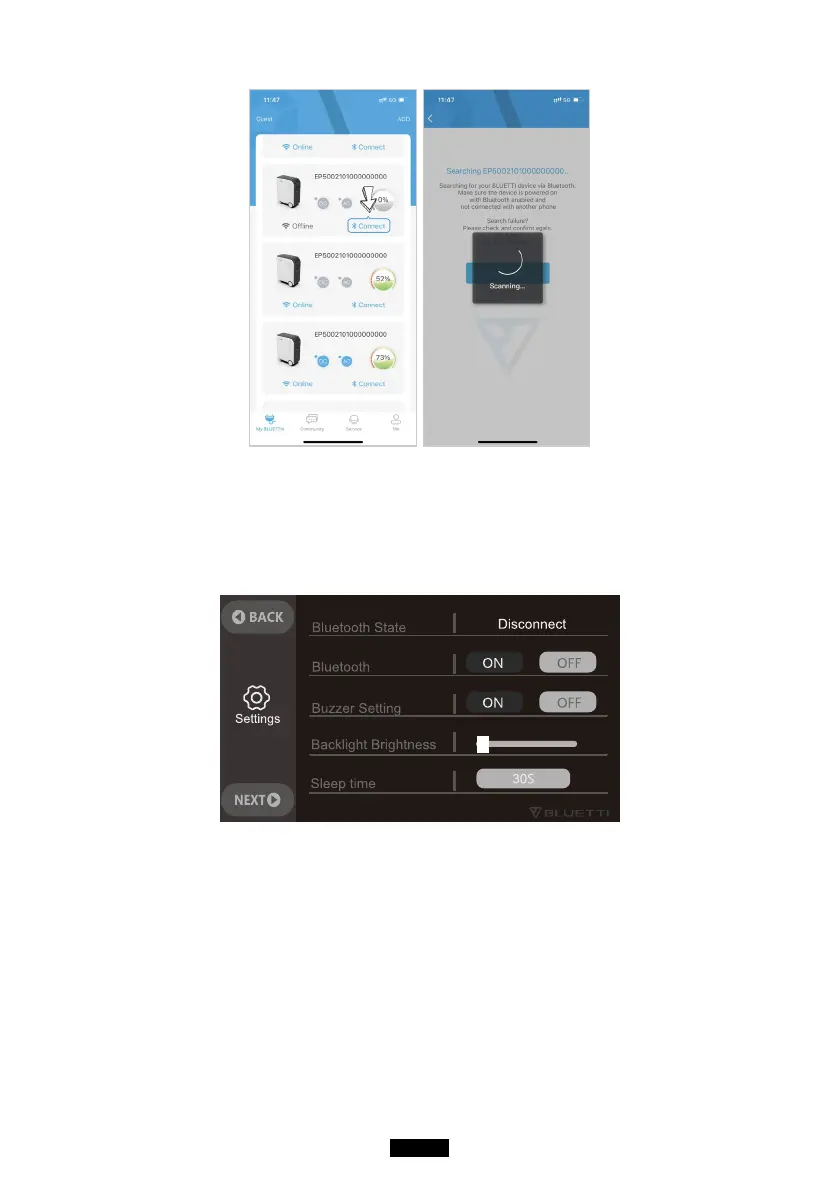
ٴAfter pairing, follow the instructions to monitor and control the BLUETTI
product.
ٴ,Iyou want to disable the Bluetooth of BLUETTI product,
(1) Power it oí.
(2) Disable Bluetooth on the LCD screen.
Notes
ٴ,I%OXHWRRWKRI%LUETTI product is not found, check its Bluetooth status.
ٴ,I%OXHWRRWKFRQQHFWLRQLVSRRr, please try:
1) Get closer to BLUETTI product and move the obstacles between it and
your phone.
2) Use the unit as far away as possible from a microwave oven, ticket gates,
other Bluetooth device or places that generate electromagnetic radiation.
ٴ,IWKHV\PSWRPSHUVLVWVUHVWDrt BLUETTI product and reconnect.
ٴKeep BLUETTI product surface clean, as it will aíHFt the performance of
Bluetooth connection.



 To Next Page