43
BLUETTI
(2) Tap 'Settings' on the homepage to enter the setting section (Figure 1).
kindly Note: Please enter the setting section to set the date and time according
to the local time zone, and check the output voltage, frequency, and other
parameters for the first-time startup.
Voltage and Frequency Reference:
JP: 100V/50Hz
US: 120V/60Hz
EU: 230V/50Hz
UK: 230V/50Hz
DC Input Source: Select the right method you choose to charge AC200MAX.
ECO Mode: When it's on, the AC power will automatically turn off over 4 hours
low (≤50W) or no load to save power drain.
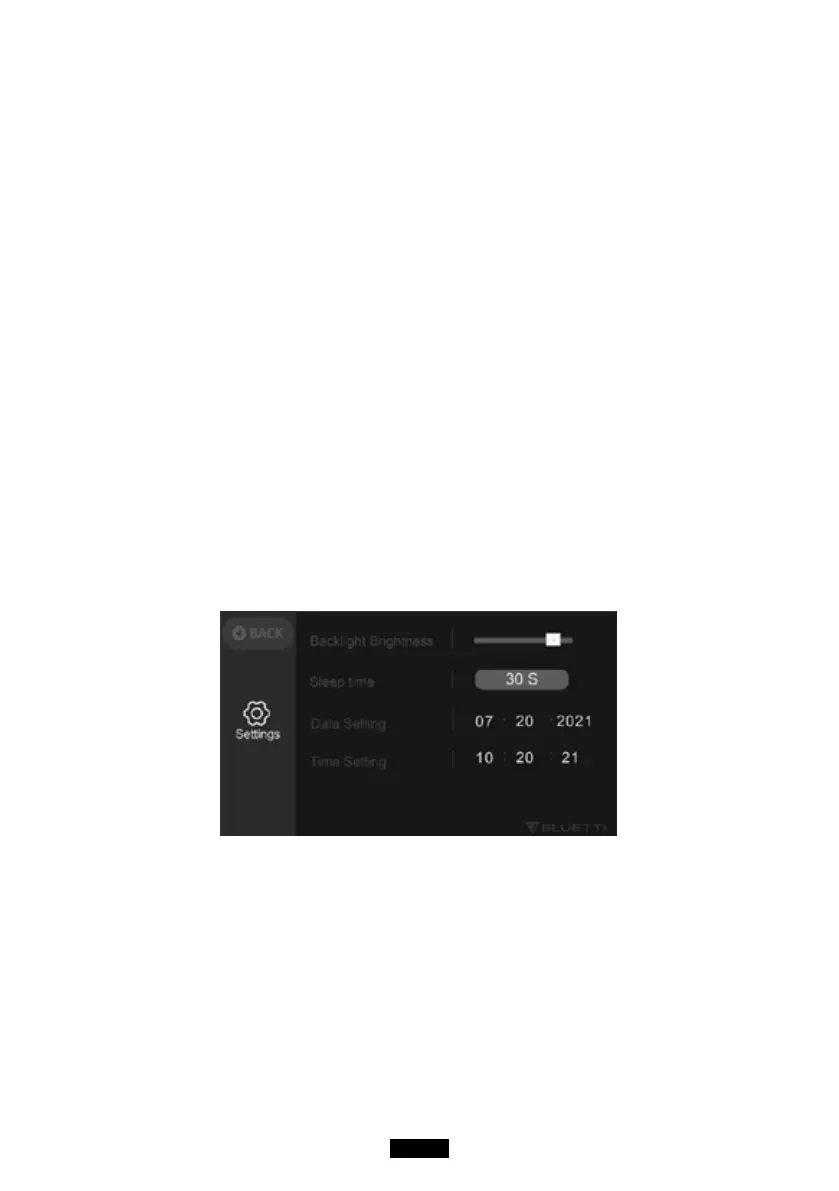
Press the 'Next' to enter the data setting (Figure 2):
Backlight Brightness and Sleep Time: Set the proper value as your need for
power saving.
Date and Time: 2000-00-00; 00: 00: 00, make adjustments to set it right.
(Figure 2)
(3) Back to the Homepage, tap the 'Data' to enter the Data page (Figure 3).
● Tap the 'product Info' to view the product model, software version, BMS
version, etc.
● Tap the 'Inverter & Charger Info' to view input and output information which
can also be accessed directly from the shortcut on the Homepage.
● Tap the 'BMS Maintenance' to view the battery status, which can also be
accessed directly from the shortcut on the Homepage.



 To Next Page