32
BLUETTI
●Launch Split Phase Function:
Note: Only one touchscreen will be active when two EP500 units are
connected.
If one of the EP500 is out of power, the Split Phase Bonding function will be
invalid.
Step 1: Plug the output cables from each of the two EP500 to the Split Fusion box.
Step 2: Plug the communication cables from each of the two EP500’s to the
Split Fusion box.
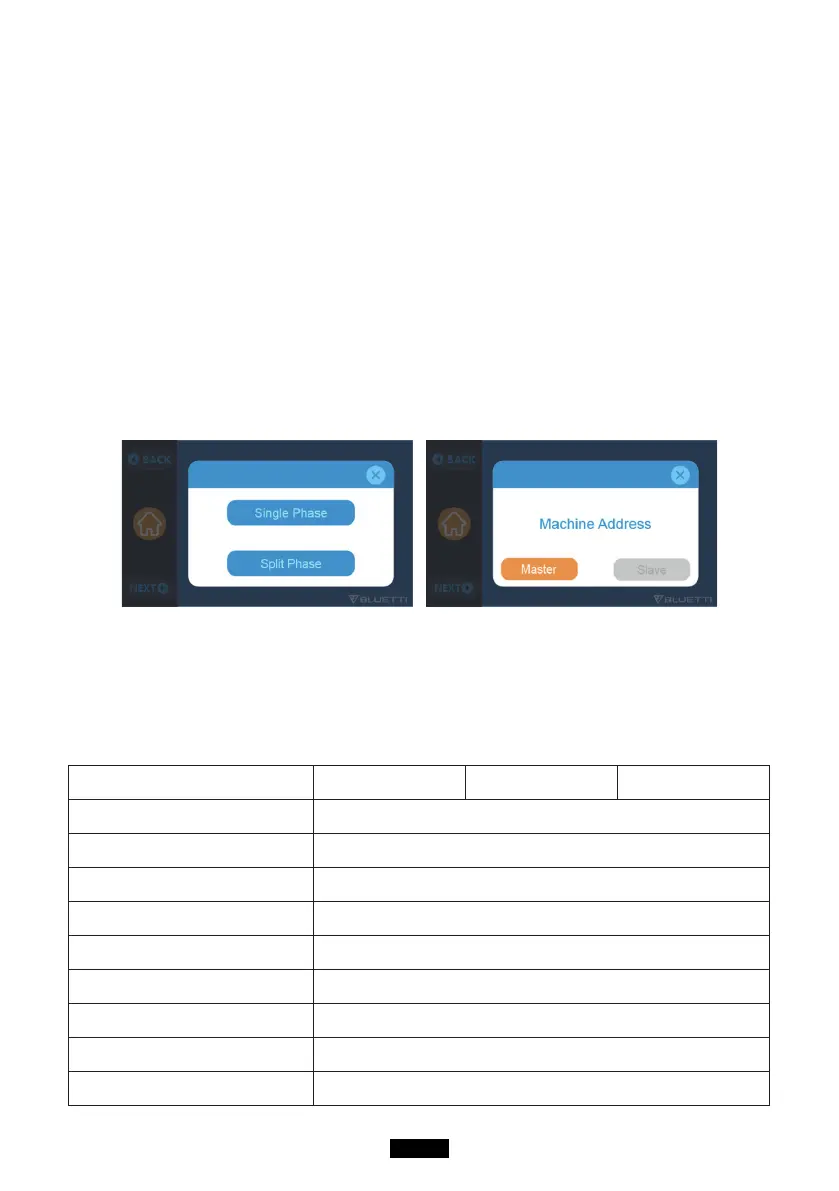
Step 3: Set the Machine Type to "Split Phase" on EP500 either.
Step 4: Select "Master" or "Slave" on the operating EP500. Select "Master" will set
the operating EP500 as the one to control both two EP500. Select "Slave"
will set the operating EP500 as the other EP500 as the "Master" one.
12. Technical Specication
Model EP500-JP EP500-US
EP500-EU/UK/AU
Net Weight 76kg (167.5lbs)
Dimensions 580*300*760mm (22.8*11.8*29.9in)
Charge Temperature 0-40℃ (32-104 ℉ )
Discharge Temperature -20-40℃ (-4-104 ℉ )
Storage Temperature -25-40℃ (-13-104 ℉ )
Working Environment Humidity 10-90%
Certication PSE, FCC, CE, UN38.3, msds, UL, SAA and ROHS
Capacity 5120Wh (50Ah)
Battery Type LiFePO4



 To Next Page