Press button 1 until desired
state is shown.
ON: engine speed warning ac-
tivated.
OFF: engine speed warning
deactivated.
To confirm setting, press and
hold button 1 and button 2
simultaneously until display
changes.
The settings are applied and
the last display is shown.
If no confirmation is made, the
last setting is retained.
Tire Pressure Control
TPC
OE
Selecting TPC display
Switch on ignition.
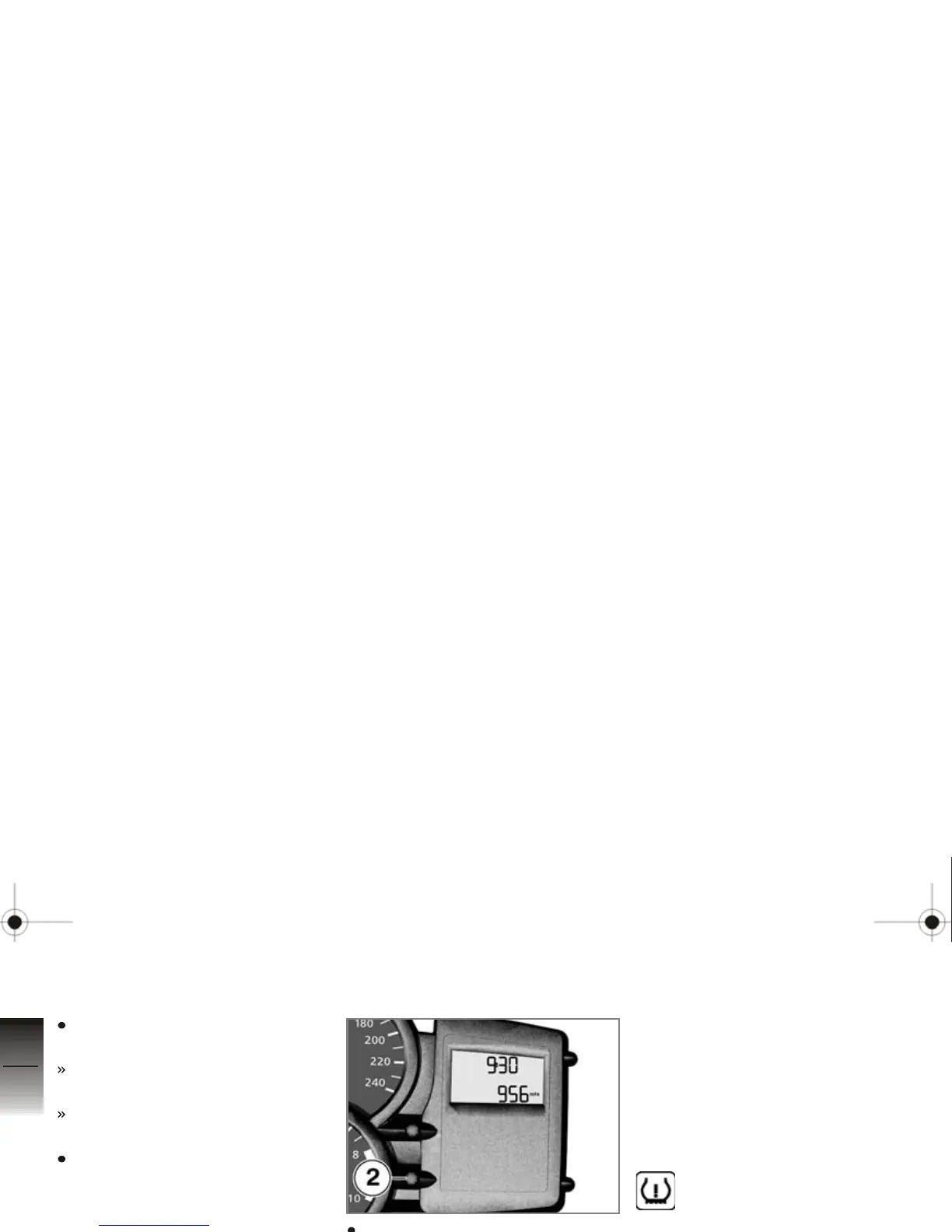
Press button 2 repeatedly until
tire pressures are shown.
The tire pressures are shown
alternately with the mileage dis-
play. The left-hand value indi-
cates the air pressure of the front
wheel, and the right-hand val-
ue the air pressure of the rear
wheel. Immediately after switch-
ing on the ignition,
-- -- is
displayed, as the transfer of the
air pressure values does not be-
gin until a speed over 20 mph
(30 km/h) is reached.
Indicates the display of the
tire pressure.
Lights
Parking lights
The parking lights switch on au-
tomatically when the ignition is
switched on.
The parking lights are a
strain on the battery. Do
not leave the ignition switched
on longer than absolutely
necessary.
4
46
z
Operation







 To Next Page