with on-board computer
OE
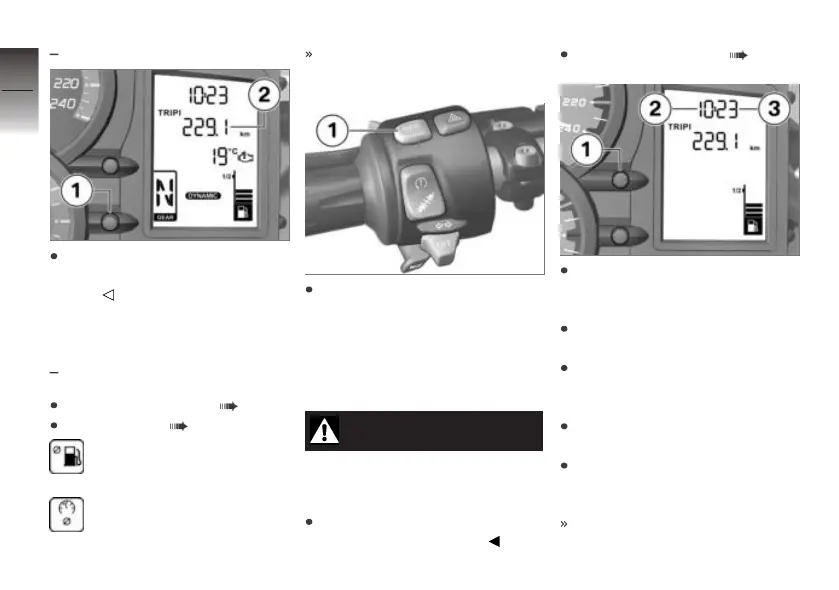
Press and hold down button 1
until the tripmeter 2 reading is
reset.
Resetting the average
values
with on-board computer
OE
Switching on ignition ( 42).
Select display ( 46).
Average consumption
Average speed
The symbol of the desired av-
erage value is displayed.
Press and hold INFO 1 until
the displayed average value
has been reset.
Clock
Setting the clock
WARNING
Adjusting the clock while rid-
ing
Risk of accident
Set the clock only when the
motorcycle is stationary.
Switching on ignition ( 42).
Press and hold down button 1
until the hours number 2
flashes.
Repeatedly press button 1 until
the hours number is correct.
Press and hold down button 1
until the minutes number 3
flashes.
Repeatedly press button 1 until
the minutes number is correct.
Press and hold button 1 un-
til the minutes number stops
flashing.
This completes the setting pro-
cess.
4
48
z
Operation



 To Next Page