G12�Driver�Assistance�Systems
15.�Cameras
74
15.2.�Overview�of�exterior�camera�operating�menu
Once�the�camera�systems�have�been�activated�successfully�the�driver�has�the�option�of�selecting�the
appropriate�view�or�camera�via�iDrive.
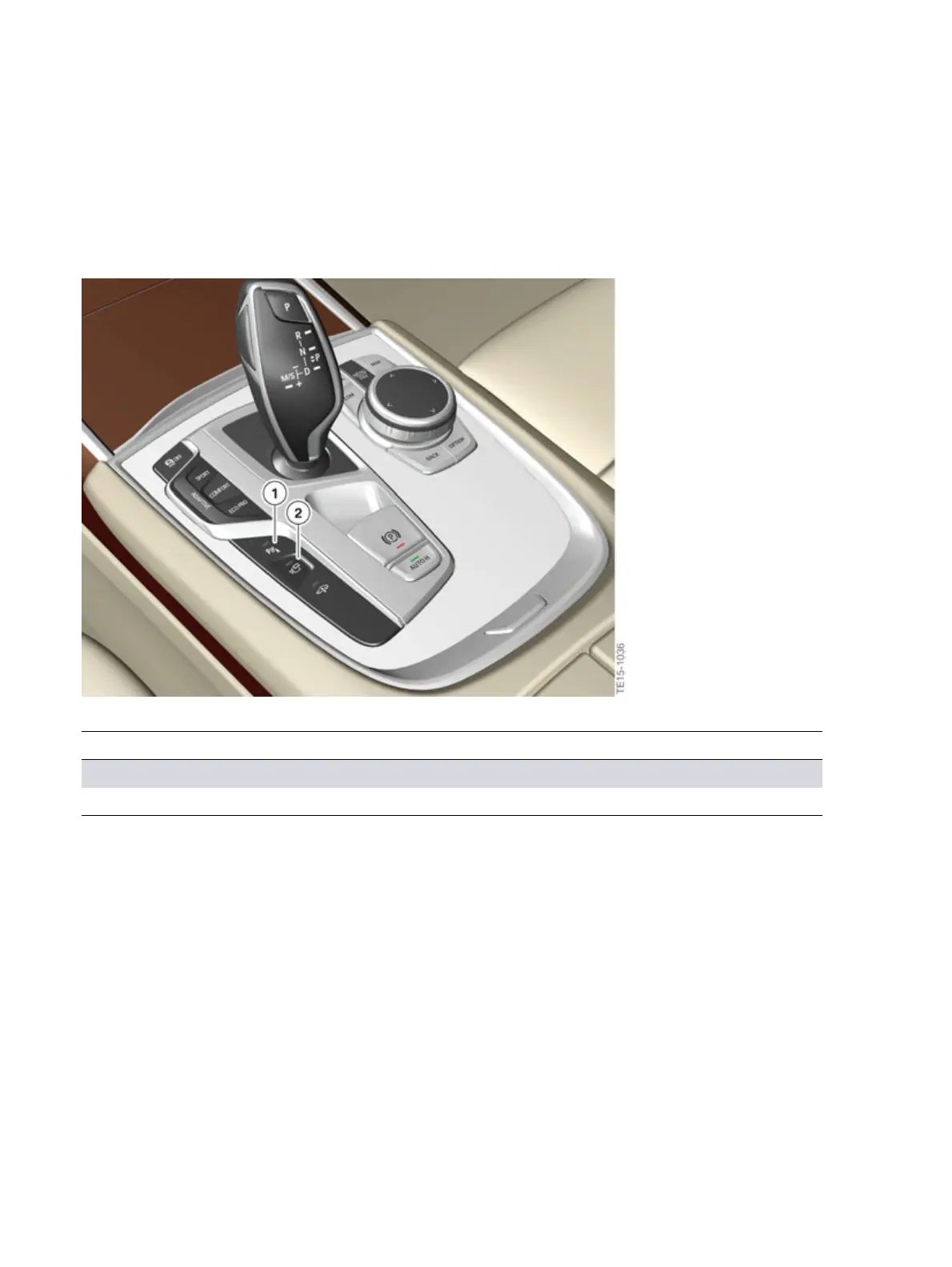
G12�switch�block�with�Panorama�View�button
Index Explanation
1 Parking�assistance�button
2 Panorama�View�button
The�camera�systems�can�be�activated�(depending�on�the�vehicle�equipment)�as�follows:
• Manually�by�pressing�the�parking�assistance�button�or�the�camera�button�(Panorama�View)
• By�engaging�drive�position�"R"
• Automatically�via�the�"Auto�PDC"�function
• Automatically�via�the�GPS-supported�automatic�activation�of�the�Panorama�View�function,
provided�that�activation�points�have�been�saved



 To Next Page