4
EN
Charging the Flight Battery
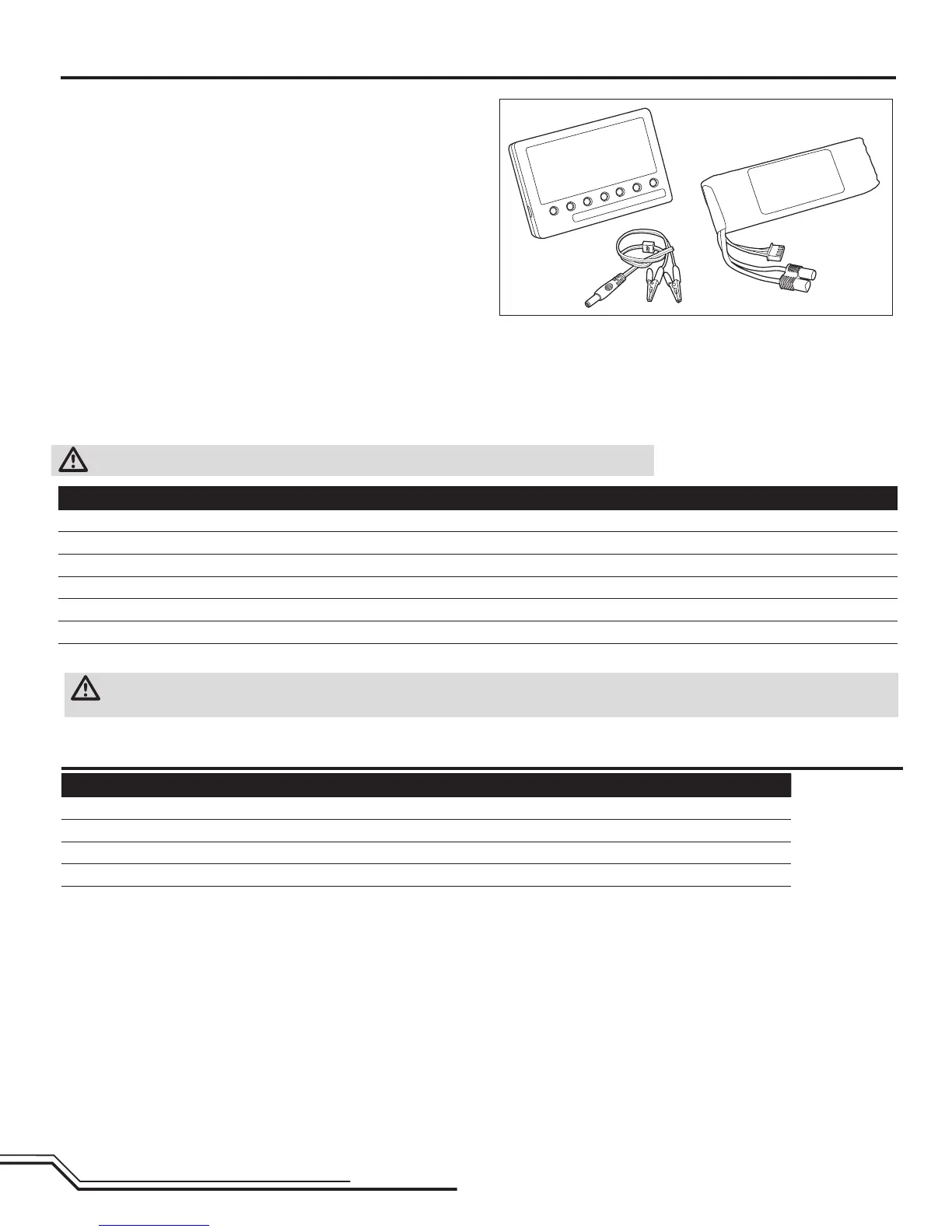
The Blade® 500 3D BNF comes with a Li-Po DC balancing charger and 6S Li-Po
battery.
UseonlyHorizonHobbyapprovedbatterypacksandchargerscompatiblewiththis
product.
Never leave the battery and charger unattended during the charge process. Failure
to follow the instructions properly could result in a fire. When charging, ensure the
batteryisonaheat-resistantsurface.Chargetheightbatterybeforebindingthe
helicopter and performing control tests.
DC Li-Po Balancing Charger Features
•Charges6-celllithiumpolymerbatterypacks
•2.5Achargerate
•LEDchargestatusindicator
•LEDcellbalanceindicator
•12Valligatorclipinputcord
Specifications
•Inputpower:10.6–15VDC,minimum10.0amp
•Charges6-cellLi-Popackswithminimumcapacityof2500mAh
6S 22.2V 2900mAh Li-Po Battery Pack
TheBlade5003D6SLi-PobatterypackfeaturesabalancingleadthatallowsyoutosafelychargeyourbatterypackwhenusedwiththeincludedBlade500Li-
Po balancing charger. The included battery is safe to charge up to 3C (8.7A).
WARNING: The balance connector must be inserted into the correct port of your charger prior to charging!
The Battery Charging Process
1. Chargeonlybatteriesthatarecooltothetouchandarenotdamaged.Makesurethebatteryisnotswollen,bentorpunctured.
2. Connect the charger to a 12V power source (minimum 10A power supply), noting proper polarity.
3. The CHARGE STATUS LED glows solid red.
4. ConnecttheLi-Pobatterybalanceleadtothecharger.Thebalanceconnectoriskeyedtopreventreversepolarity.
5. The CELL STATUS LEDs glow solid green or yellow and the CHARGE STATUS LED glows solid red when the battery is charging.
6. Battery charging is complete when all LEDs glow solid red.
7. Disconnect the battery from the charger when the charging process is complete.
CAUTION: Never overcharge a Li-Po battery or use a battery charger not designed to charge Li-Po batteries. Doing so may result in a fire that causes
injury or property damage.
Battery Charging Codes
Cell Status LEDs Charge Status LED Instruction
Off Red Solid Battery charger is powered. Li-Po battery is not connected.
Yellow Red Solid Li-Pobatteryisconnected.Chargerisbalancingthebatterypackcells
Green Red Solid Li-Po battery is connected and charging
Red Red Solid Li-Po battery is connected and charging is complete
Off BlinkingRed
No Li-Po battery connected: Voltage is outside the input voltage range
Li-Po battery connected: At least one battery cell voltage is below 2.6V


 To Next Page