Tableau 2: Alarm systems
* The punctual loss is indicated by a black star; a long loss is indicated by an orange star.
7 e-Performance Manager
®
software
e-Performance Manager software is designed to visualize and export temperature data from a
measurement cycle.
Main functions
To use the e-Viewer
®
performance monitor with e-Celsius
®
performance Manager
software, you must install the application and the BodyCap drivers (provided on the
USB key BodyCap). When the installation in completed, the monitor and the application
may automatically interface.
7.1.1 Unload and consult the temperature data on the e -Performance
Manager software
On the main screen of the e-Performance Manager software, select the menu "Unloading"
(Picture 2: Start screen of e-Performance
®
Manager ).
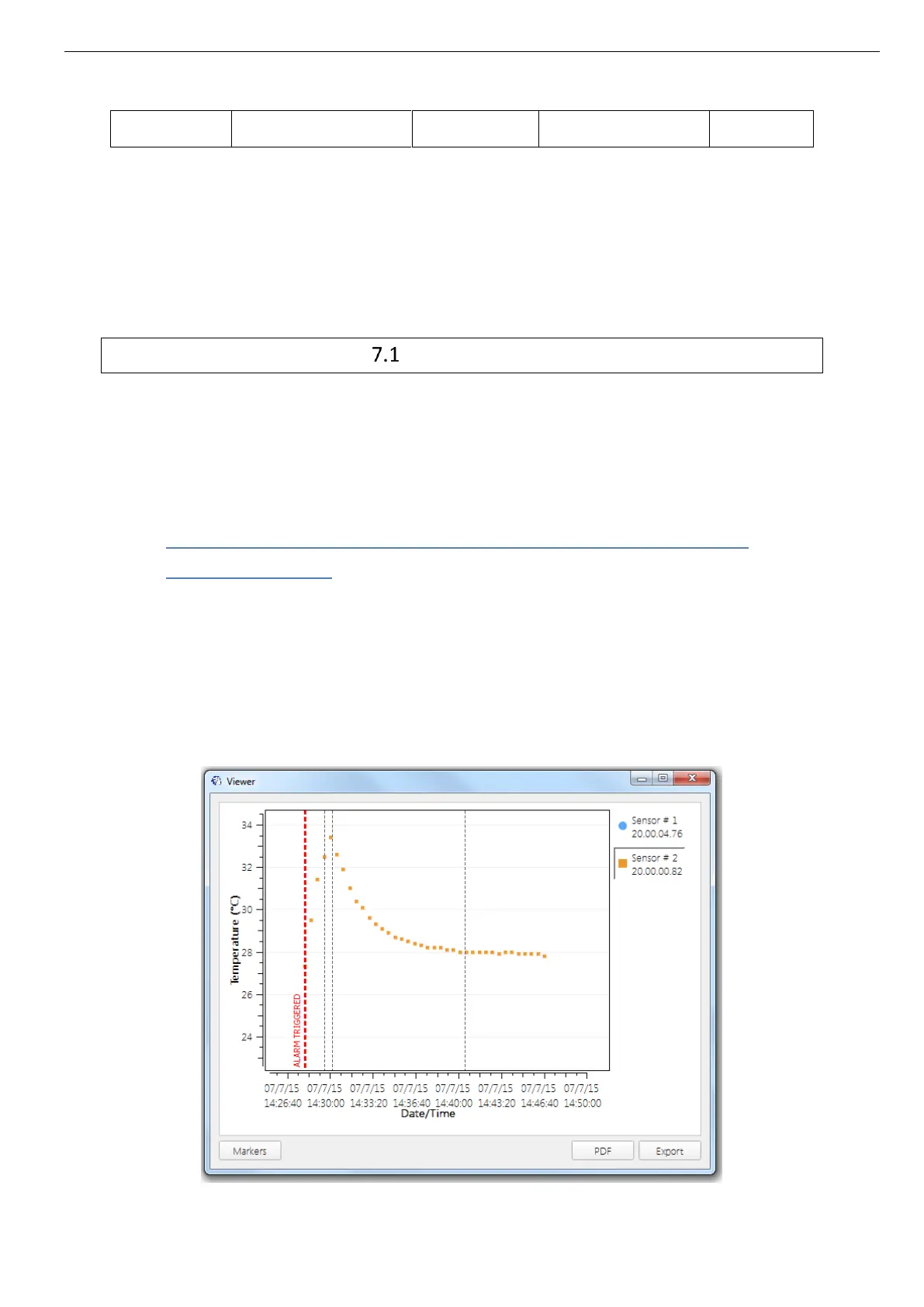
An unloading progress window appears. At the end of the process, the temperature data
appear graphically (Picture 26: Picture of the curves obtained on the e-performance Manager
software after the data unloading.)



 To Next Page