User Guide e-CELSIUS Performance.2
EN
The connection between the
monitor and the PC/MAC do not
work.
The monitor may require a
maintenance action
Return to the manufacturer
The green LED of the monitor
does not switch on or blink.
Association to the capsule does
not work.
3 capsules maximum per monitor
Check that a location is free on the
monitor.
The monitor may require a
maintenance action
Please contact the manufacturer
Perform a hardware reset. Press
with a small pin into the reset
button placed on the backside of
the monitor. You will find it at the
label place.
Return to the manufacturer
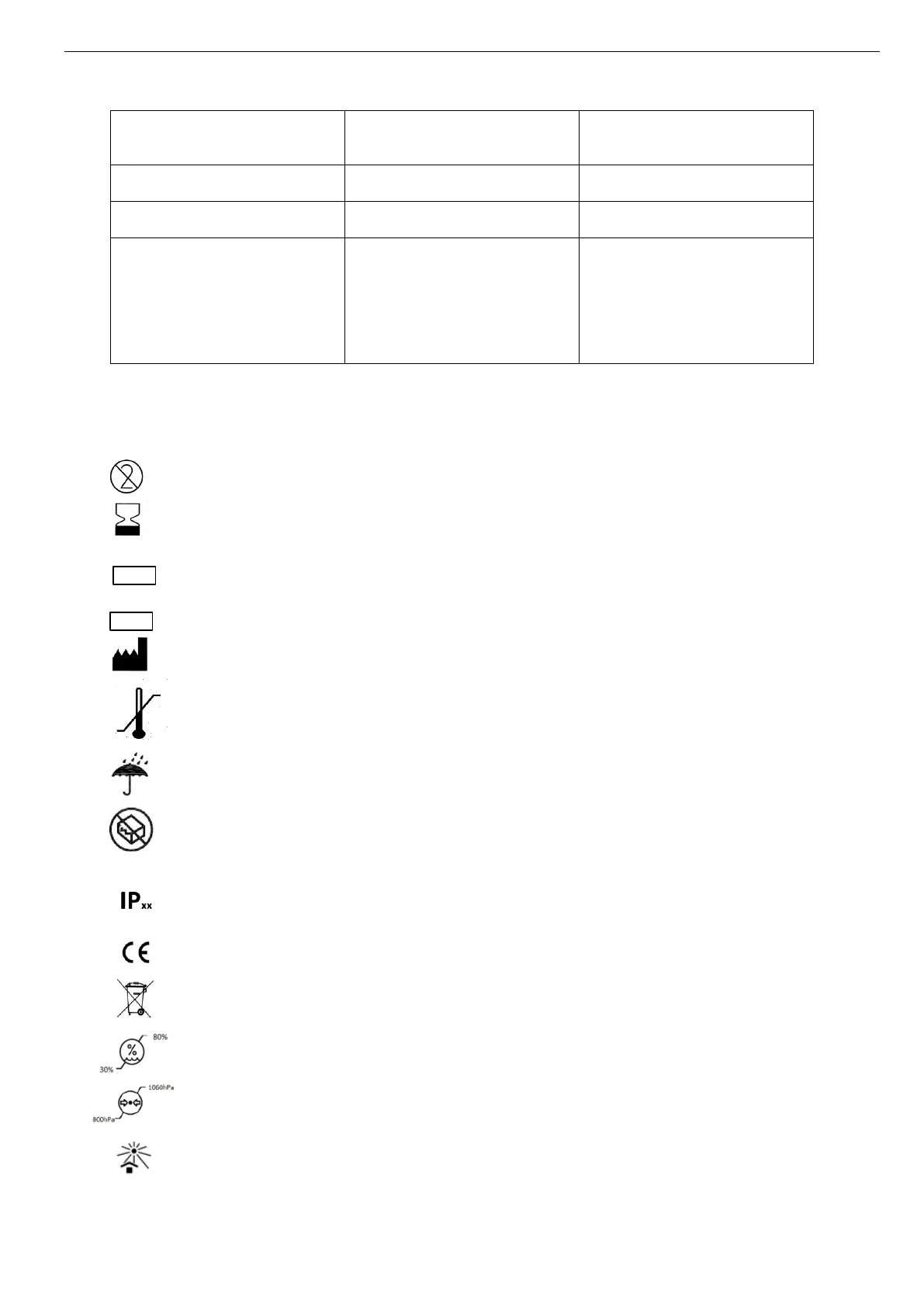
11 Symbols
"Do not reuse"
"Use until"
"Batch code"
"Catalogue number"
"Manufacturer"
"Storage temperature limit"
"Keep dry"
"Do not use if the packaging is damaged"
"Protection indice"
"CE marked"
“Do not put the system in municipal waste””
“Hygrometry level for storage “
“Atmospheric pressure for storage“
“Keep away from sunlight”



 To Next Page