Advanced Settings
This section explains how to set individual features of your Trip, and how to set
advanced features including a second wheel size.
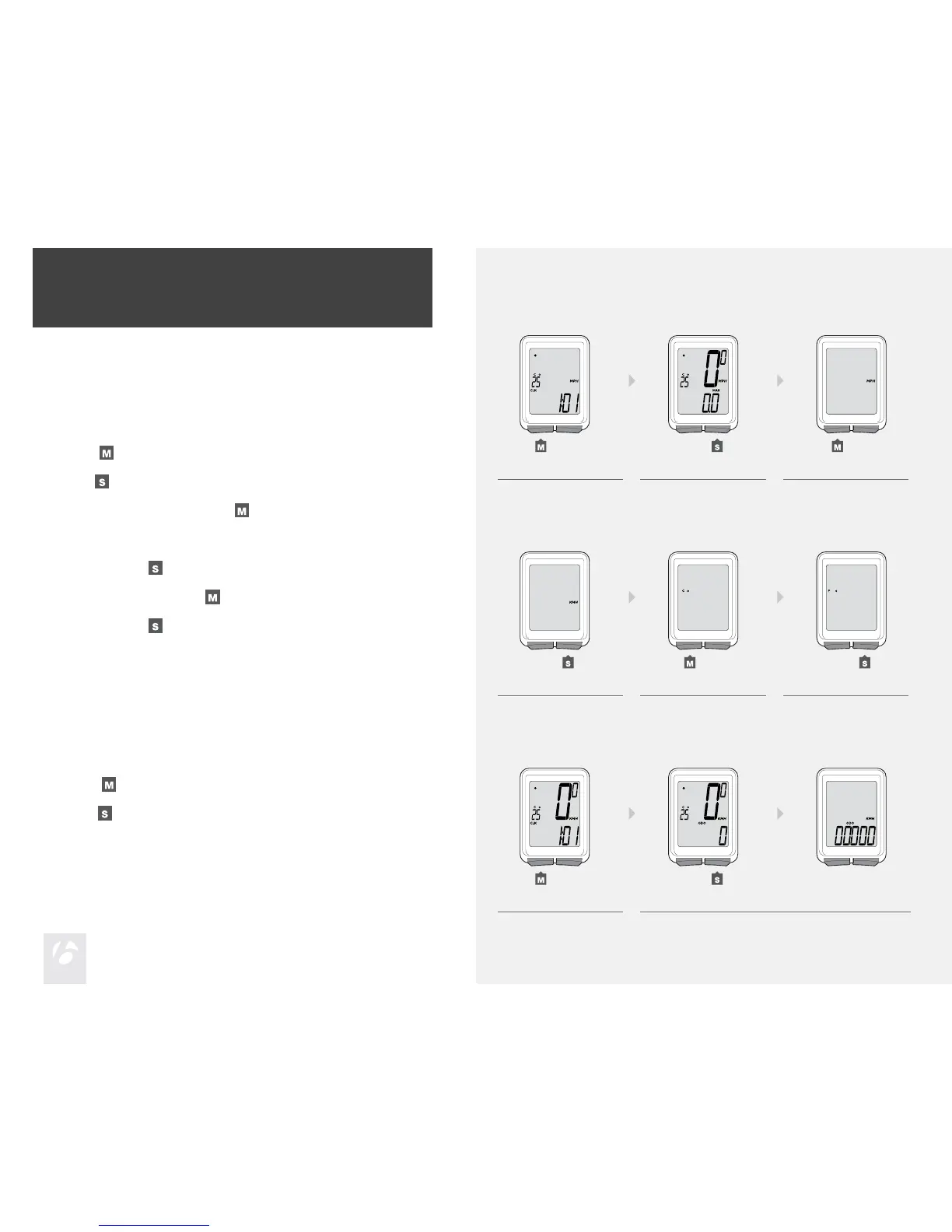
To Set the Units of Measurement
Scroll
to MAX.
Hold
for two seconds.
To change to MPH or KMH, press
.
1.
2.
3.
1. 2. 3.
4. 5. 6.
1. 2.
To select, press
.
To change to ˚F or ˚C, press
.
To select, press
.
The Trip returns to MAX.
4.
5.
6.
(for 2 seconds)
To Set the Odometer
Scroll
to ODO.
Hold
for two seconds.
The odometer appears.
1.
2.
(for 2 seconds)











 To Next Page