Installation, Operation & Application Manual Bosch 3H/2C Touch-TechnologyThermostat | 17
Bosch Thermotechnology Corp. | 08.2016
Data subject to change
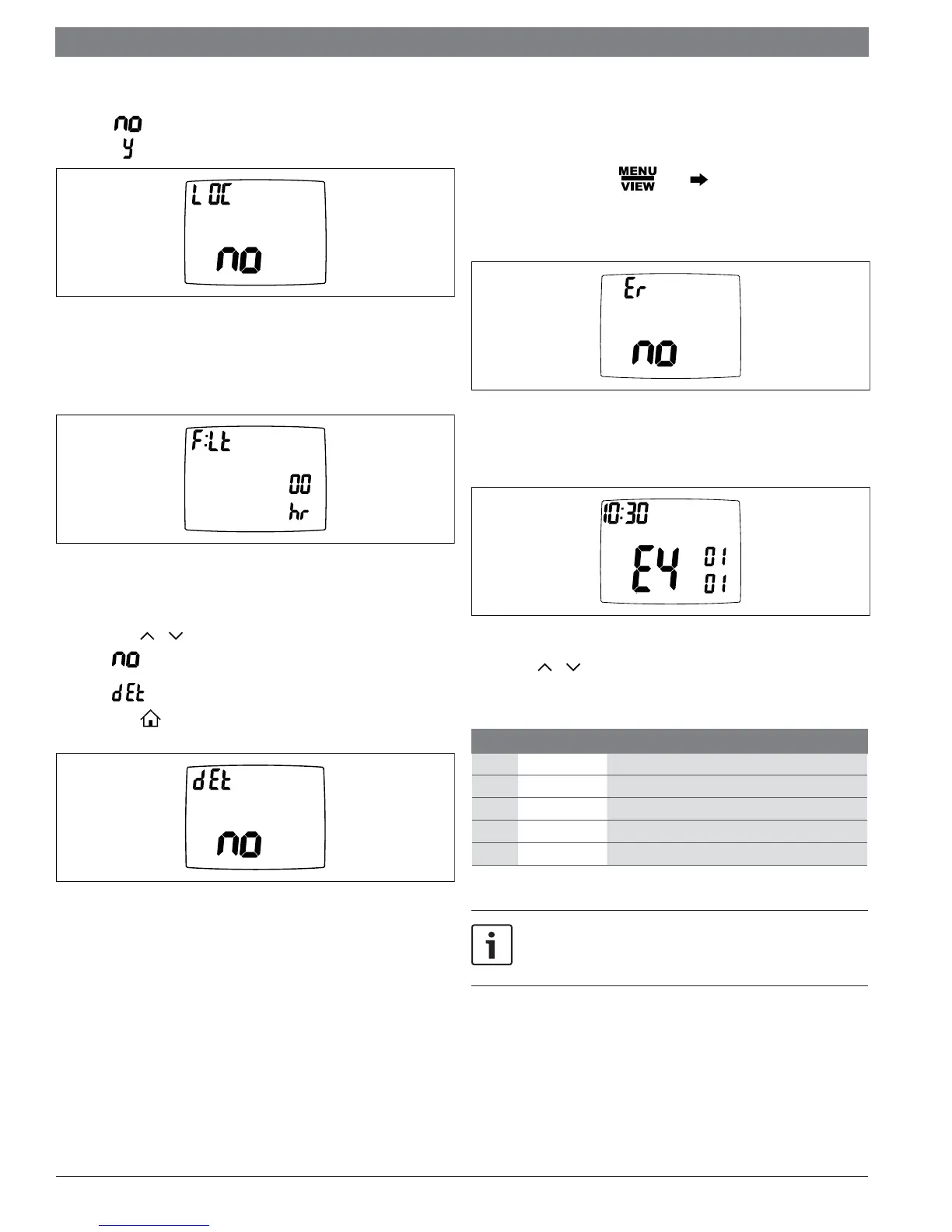
View if locked or unlocked
— = Unlocked
—
= Locked
VIEW
Figure 34
View fi lter status
— Accumulated fan run time displays.
VIEW
Figure 35
Display setpoints, fan, and program information
— Press or to select.
= Don’t display setpoints and program schedule information.
= Always display setpoints and program schedule information.
— Press to exit.
VIEW
SLEEP
Figure 36
6.7 Viewing fault codes
When one of the faults listed below causes a hard lockout on the UPM the unit
compressors are disabled and the “Call Service Tech” light is illuminated.
To view UPM’s fault code, go to . Press multiple times to the last menu
item.
If no fault history is recorded, screen will show “VIEW Er no”.
VIEW
Figure 37
If fault history is recorded, screen will show “VIEW E{x} {month} {date} {time}”
indicating the fault code, date and time of the fault.
VIEW
Day
Month
Figure 38
You can press or button to browse fault history. The thermostat records the
latest 20 faults.
Code Fault Fault Condition
1 HPC High Pressure Switch lockout
2 LPC Low Pressure Switch lockout
3 FRE1 Freeze sensor 1 lockout
4 CON Condensate lockout
6 FRE2 Freeze sensor 2 lockout
Table 3
The fault codes listed in Table 3 are not representative of all units /
models. Please refer to the unit instruction and maintenance manual for
additional information.


 To Next Page