Installation, Operation & Application Manual Bosch 3H/2C Touch-TechnologyThermostat | 9
Bosch Thermotechnology Corp. | 08.2016
Data subject to change
5.6 Changing the lock code
To change the lock code, do the following:
1. Press , then press until Lock menu displays.
2. Enter the current lock codes. To fi nd the current lock codes, follow the
instructions under “Confi guration and Thermostat Lock”.
3. Press to enter new lock codes.
4. Enter new lock codes.
5. Press . The Lock Codes have been updated.
Upon subsequent power ups, new lock codes will display.
5.7 Confi guration mode
The confi guration mode is used to set the thermostat to match your heating/cooling
system. The thermostat functions with heat pump, air conditioning, gas, oil, or
electric heat systems. To confi gure the thermostat, perform the following steps:
1. Press , then press repeatedly until is selected.
2. Press to advance from one screen to the next.
Pressing will return you to the previous screen.
3. Press the or to change settings within each screen. Changes are
saved automatically.
4. To exit confi guration mode, press . Auto exit occurs after two minutes
with no icons touched.
5.8 Confi guration Mode Settings
The setup screens for Confi guration Mode are as follows:
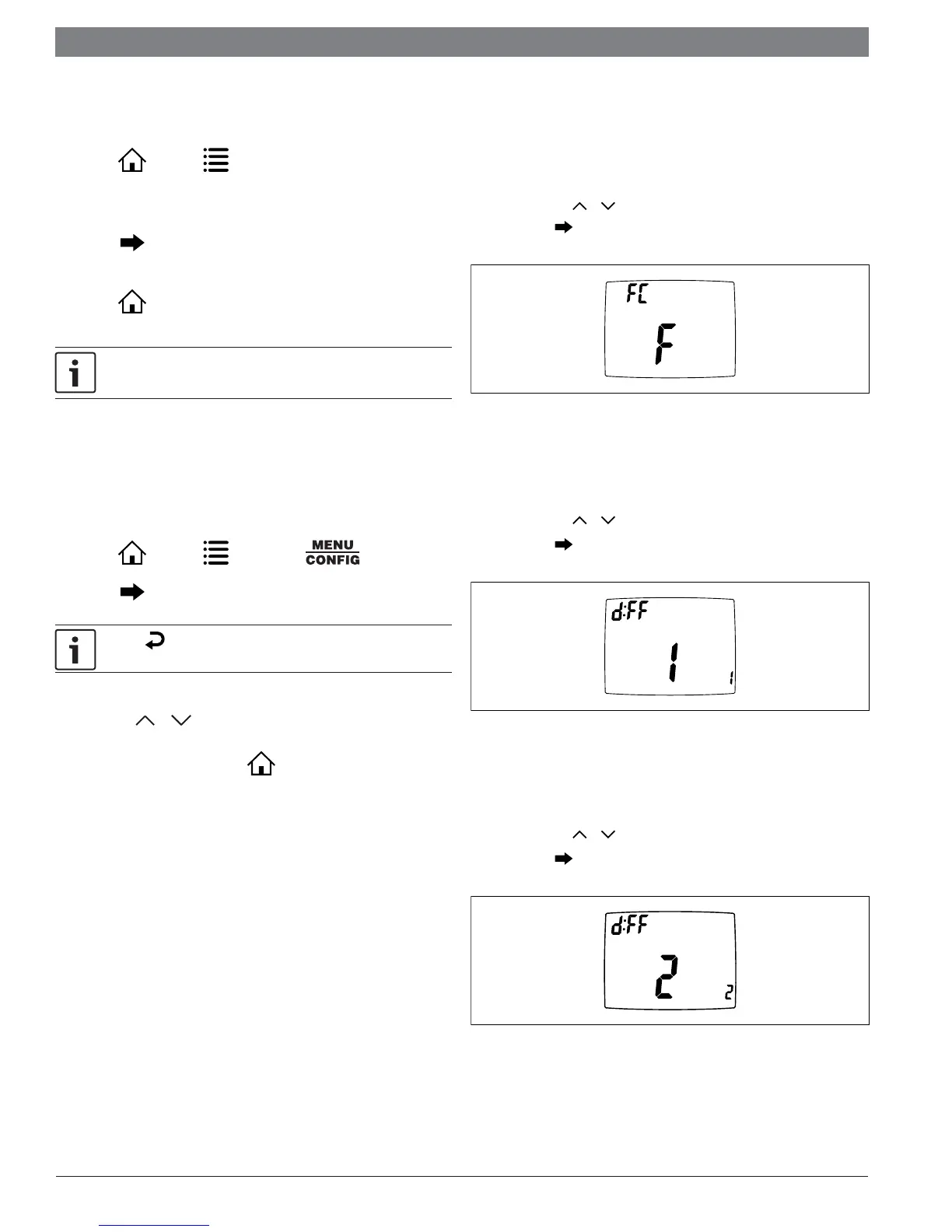
Temperature Scale
(F or C)
— Choose Fahrenheit or Celsius.
— Press the or to select.
— Press to advance to the next screen.
CONFIG
Figure 5
1st Stage Temperature Differential
(1°F to 5°F) (0.5°C to 2.5°C)
— Set the number of degrees between your “setpoint” temperature and
your “turn on” temperature.
— Press the or to set differential value.
— Press to advance to the next screen.
CONFIG
Figure 6
2nd Stage Temperature Differential
(1°F to 5°F) (0.5°C to 2.5°C)
— Set the number of degrees between when stage 1 turns on and when
stage 2 turns on.
— Press the or to set differential value.
— Press to advance to the next screen.
CONFIG
Figure 7


 To Next Page