EasyManua.ls Logo

Bosch 7736504945 - User Manual

Bosch 7736504945
48 pages
Print Icon
To Next Page IconTo Next Page
Loading...
For: T9800SE 160/T9800SE 199/T9800SEO 160/T9800SEO
199/T9900SE 160/T9900SE 199/T9900i SE 199
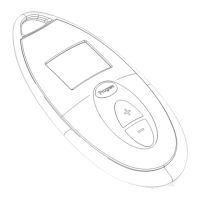
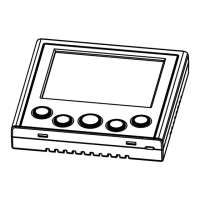
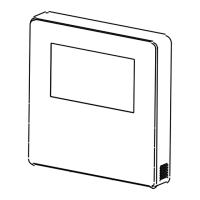
Bosch Remote Control
7736504945 [with Wi-Fi] | 7736504946
6 720 813 643 (2018/04) US

Other manuals for Bosch 7736504945

Question and Answer IconNeed help?

Do you have a question about the Bosch 7736504945 and is the answer not in the manual?

Summary

Explanation of symbols and safety instructions

Guideline to symbols

Explains warning symbols, keywords (DANGER, WARNING, CAUTION, NOTICE) and their meanings.

Safety instructions

Covers installation, designated use, electrical work, and handover to the operator.

Remote control Kit

Scope of delivery, 7736504945 with Wi-Fi

Lists the components included with the Wi-Fi enabled remote control model.

Scope of delivery, 7736504946 without Wi-Fi

Lists the components included with the non-Wi-Fi remote control model.

Certification

Displays the Wi-Fi certification logo for the product.

Technical data

Dimensions

Provides the physical dimensions of the Bosch remote control unit.

Installation

Proper location for installation

Advises on selecting an optimal location, considering Wi-Fi signal and potential hazards.

Mounting the remote control on the wall

Details the process of physically attaching the remote control to a wall.

Power connection

Explains how to connect the communication cable to the remote control and water heater.

Controls

Basic Operation

Guides on powering the device, selecting temperatures, and setting default values.

Menu Navigation and Information

Explains menu structures, access to information, and basic settings like Purge and SA.

System Configuration

Details configuration of time, recirculation, vacation mode, language, and display settings.

Connectivity and Network Settings

Covers connecting to Wi-Fi, network setup, hotspot creation, password management, and remote access.

Advanced Technical Settings

Details advanced technical adjustments, parameter limits, and calibration procedures for optimal performance.

Troubleshooting

Error codes diagnostics

Explains how to interpret and clear error codes displayed on the remote.

Remote control doesnt turn on

Provides steps to diagnose why the remote control may not power on.

Error symbol

Describes the meaning of the error symbol and potential causes.

Environment; disposal

Packaging

Information regarding the environmental friendliness and recyclability of packaging materials.

Old electrical and electronic appliances

Guidelines for the proper disposal of old electrical equipment.

Summary

Explanation of symbols and safety instructions

Guideline to symbols

Explains warning symbols, keywords (DANGER, WARNING, CAUTION, NOTICE) and their meanings.

Safety instructions

Covers installation, designated use, electrical work, and handover to the operator.

Remote control Kit

Scope of delivery, 7736504945 with Wi-Fi

Lists the components included with the Wi-Fi enabled remote control model.

Scope of delivery, 7736504946 without Wi-Fi

Lists the components included with the non-Wi-Fi remote control model.

Certification

Displays the Wi-Fi certification logo for the product.

Technical data

Dimensions

Provides the physical dimensions of the Bosch remote control unit.

Installation

Proper location for installation

Advises on selecting an optimal location, considering Wi-Fi signal and potential hazards.

Mounting the remote control on the wall

Details the process of physically attaching the remote control to a wall.

Power connection

Explains how to connect the communication cable to the remote control and water heater.

Controls

Basic Operation

Guides on powering the device, selecting temperatures, and setting default values.

Menu Navigation and Information

Explains menu structures, access to information, and basic settings like Purge and SA.

System Configuration

Details configuration of time, recirculation, vacation mode, language, and display settings.

Connectivity and Network Settings

Covers connecting to Wi-Fi, network setup, hotspot creation, password management, and remote access.

Advanced Technical Settings

Details advanced technical adjustments, parameter limits, and calibration procedures for optimal performance.

Troubleshooting

Error codes diagnostics

Explains how to interpret and clear error codes displayed on the remote.

Remote control doesnt turn on

Provides steps to diagnose why the remote control may not power on.

Error symbol

Describes the meaning of the error symbol and potential causes.

Environment; disposal

Packaging

Information regarding the environmental friendliness and recyclability of packaging materials.

Old electrical and electronic appliances

Guidelines for the proper disposal of old electrical equipment.

Bosch 7736504945 Specifications

General IconGeneral
BrandBosch
Model7736504945
CategoryRemote Control
LanguageEnglish

Related product manuals