Product description | ACS 810 | 43 | en
1 689 989 601 2020-12-01| Robert Bosch GmbH
4.4.3 Display and control panel
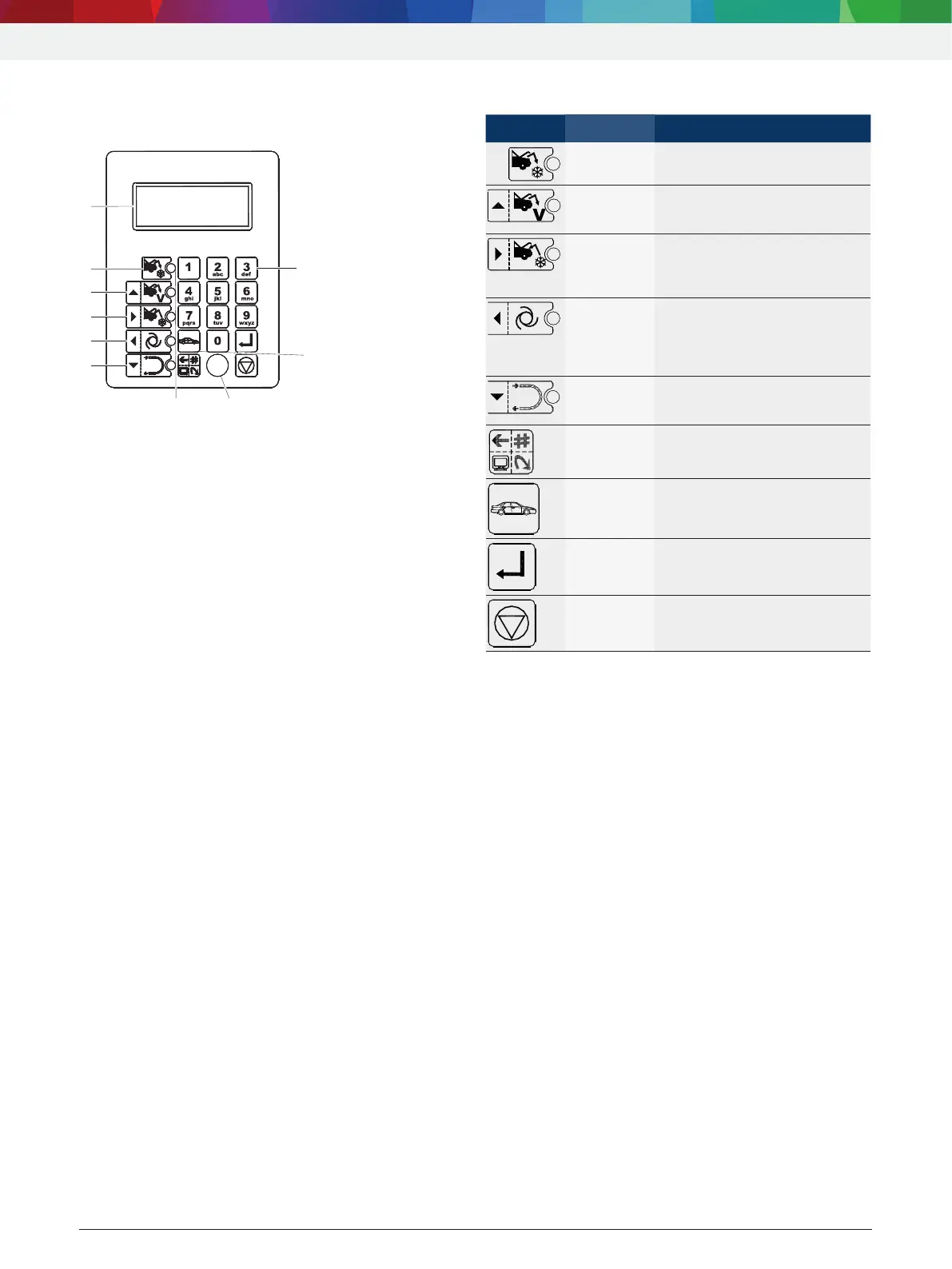
The display and control panel of the operating unit
control the menus and the service phases.
7
1
4
3
2
5
6
Fig. 3: Display and control panel
1 Flushing
2 Automatic service
3 Filling
4 Vacuum
5 Removal by suction
6 LCD display
7 Key panel
8 Vehicle database
9 PS2 interface
1)
10 Function light
1)
For updating firmware/software or database
4.4.4 Selection and function keys
Keys Name Operation
Evacuation
Refrigerant is extracted from the
vehicle.
R Control up
R Vacuum
R Upward cursor movement.
R A vacuum is generated.
R Control
right
R Filling
R Cursor movement to the right.
R Vehicle air conditioning system
is filled with refrigerant.
R Control
left
R Automatic
R Cursor movement to the left.
R Automatic service run: Air
conditioning service is carried
out according to saved
parameters.
R Control
down
R Flushing
R Downward cursor movement.
R Flush components of the
vehicle air conditioning.
Menu
Call up various function for
service
and data management.
Database
Call up databases:
R USER SPECS
R VEHICLE DATAS
Enter (E)
Confirm and take over.
Stop Terminate and return.
Various functions are assigned to the <MENU>
function key in the ACS 810 software. The functions of
the keys are defined in the menu line of the ACS 810
software.



 To Next Page