en
|
6
|
User Manual
|
ADS 325
582819 | REV. A | 07.2018
Bosch Automotive Service Solutions Inc
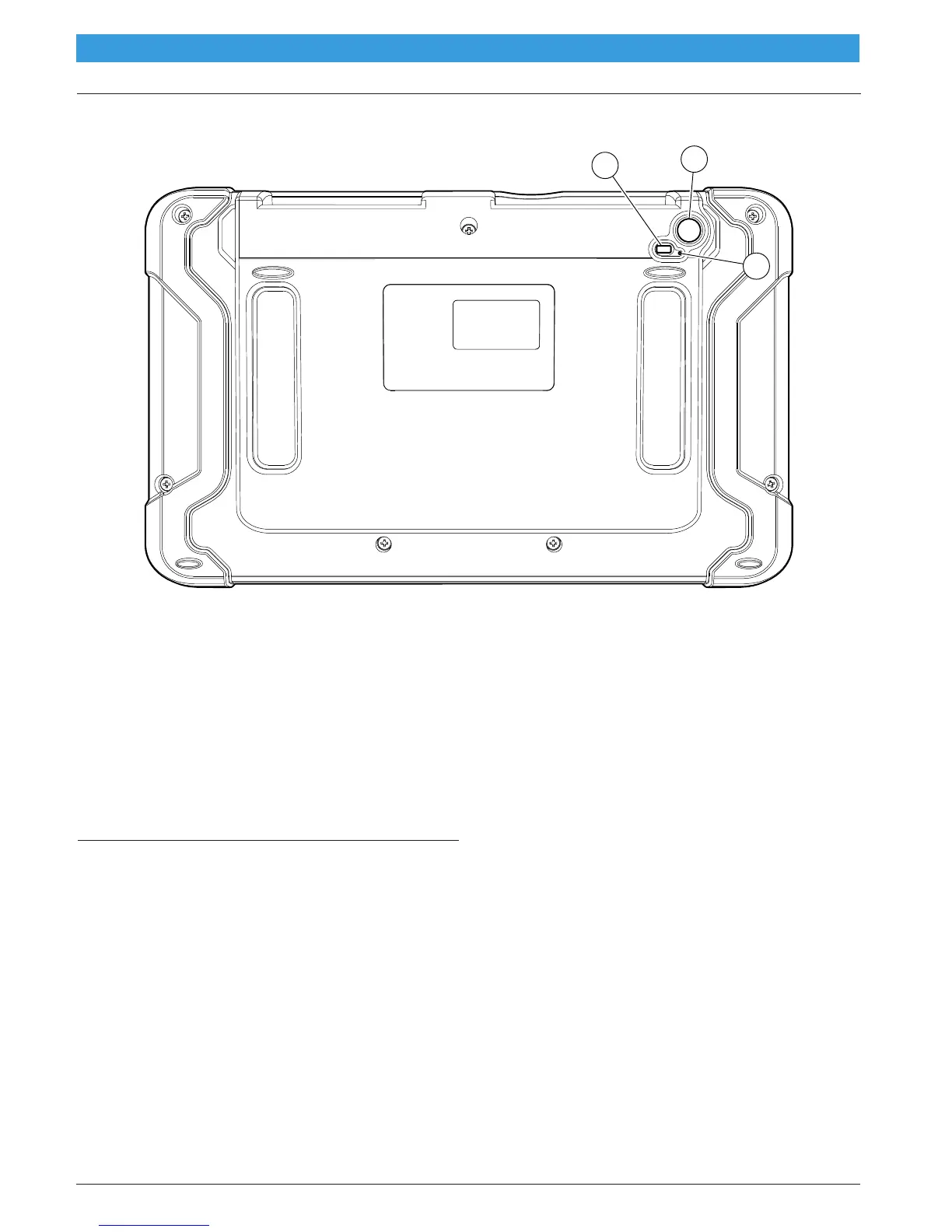
Handset Back
ss02880
1
2
3
Handset Back
1. Light
• The light has two functions
• Camera flash mode
• Flash light mode
2. Camera
• 5MP rear facing camera.
• Rear racing microphone.
3. Microphone
Software Descriptions
Handset Software
The handset comes with the diagnostic software pre-
loaded. Set up Docking Station, attach power supply
provided with kit and charge battery before use.
The first time the handset is powered up, the user needs
to accept the license agreement. Then, the user will
have three choices:
• Register Now: Unlocks all functions of handset.
• Trial mode: Unlocks all functions for 30 days.
• Demo Mode: Displays what functions may look
like.
Periodically, updates will become available and the user
will be notified by an icon on the screen. To update the
handset, there must be Wi-Fi connection available.
Software Applications Overview
The handset allows users to diagnose problems on a
wide variety of vehicles. Users are able to perform com-
mon service procedures, maintenance tests, and special
tests to find deficiencies with vehicle systems or compo-
nents.
The handset will display DTCs from OBDI or OBDII
systems. Real-time sensor data can be viewed in data
stream mode. The user can also obtain diagnostic infor-
mation regarding repairs.
Browser mode allows the user to connect to the internet
to find websites that may help with the repair of the
vehicle. The handset comes with wireless communica-
tion for ease of use and on-screen help when desired.
to indicate contact has been made.



 To Next Page