en
|
4
|
User Manual
|
ADS 325
582819 | REV. A | 07.2018
Bosch Automotive Service Solutions Inc
General Information
Introduction
May 16, 2018
Connected
Select Vehicle
All Apps
System Settings
See What’s New
Web BrowserSaved Diagnostic Data
OBDII
Main Menu
10:22
ss02864
2
1
8 7 5 346
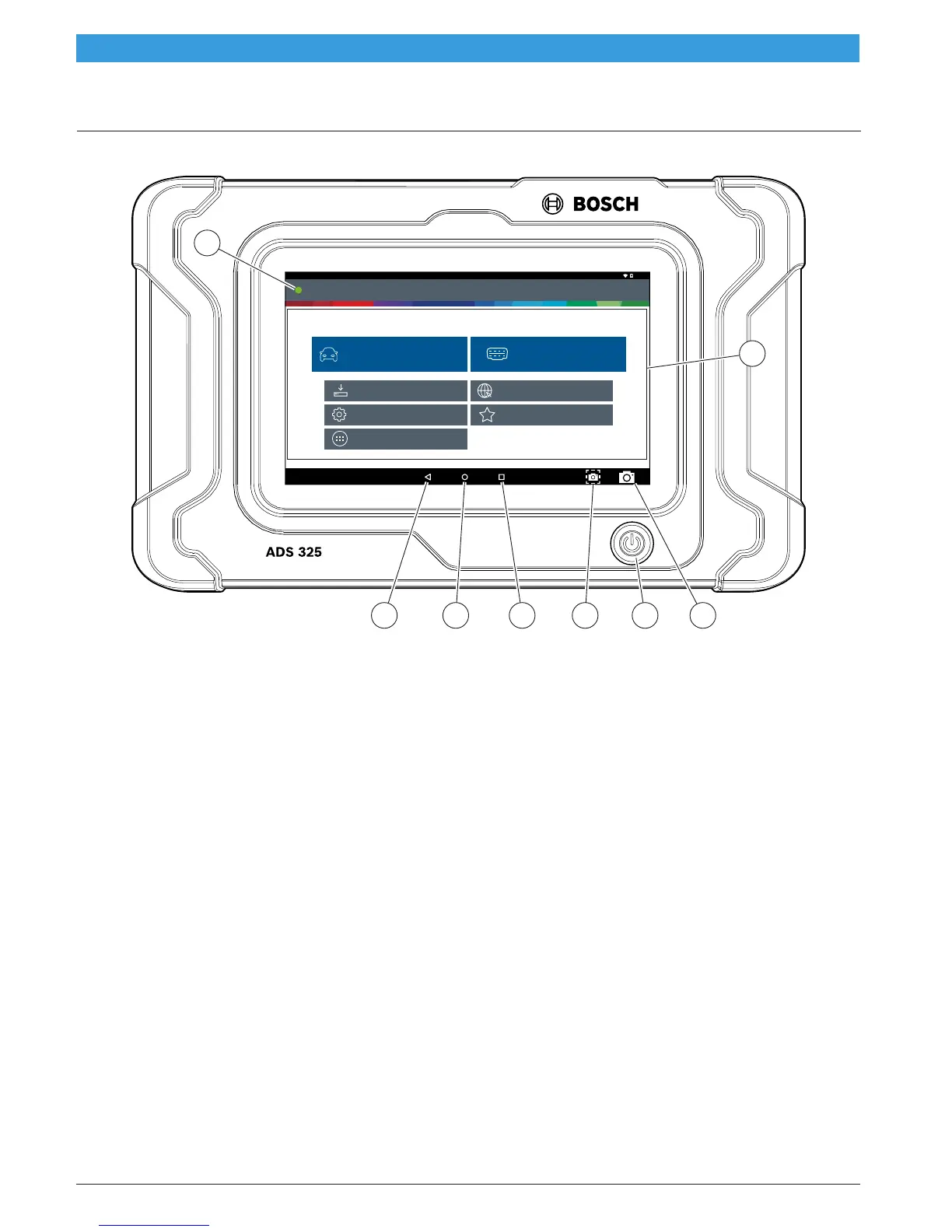
Handset Front
1. Vehicle Connection Indicator
• GREEN - Connected to vehicle.
• RED - Not connected to vehicle.
• AMBER - Demo mode.
2. Main Menu Functions
• Select Vehicle - Shortcut to the select vehicle
screen.
• OBDII - Access global OBDII emission-related ECU
information.
• Saved Diagnostic Data - Locate saved vehicle
scan reports and data stream recordings.
• Web Browser - Full internet access and shortcuts
to repair information and OEM websites.
• System Settings button - Access tool settings,
printer setup, subscription information, software
updates, and more.
• See what’s New - Preview scan tool features and
operation.
• All Apps Button - Access other available Android
applications.
3. Camera
• 5MP front facing camera.
4. Power Button
• Press to power ON handset or if running press to
access menu to: Power Down.
5. Screen Shot Button
• Press to take a picture of the current screen.
6. Recent apps button
• Opens a list of thumbnail images of currently
running apps.
7. Home Button
• Displays the Main Menu screen.
8. Back Button
• Returns to the previous screen or option.



 To Next Page