582819 | REV. A | 07.2018
Bosch Automotive Service Solutions Inc
ADS 325
|
User Manual
|
21
|
en
Data Stream Button Definitions
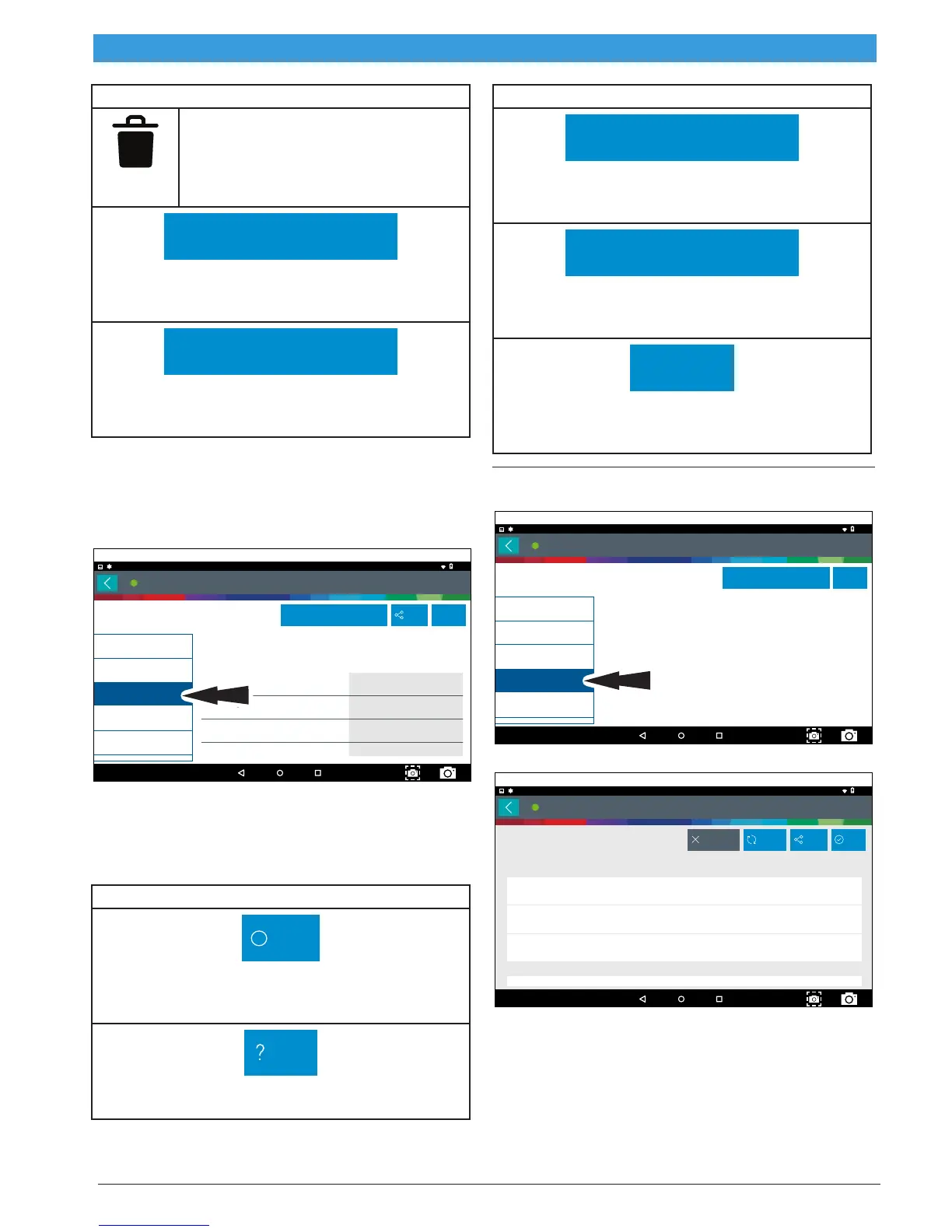
Clear All Data
Select Clear Data to clear displayed
data stream. This function will reset the
timeline frame counter and clear graphed
data.
Use Metric Units
Use Metric Units
Selecting Metric Units will switch from English/Stan-
dard Units to Metric Units.
Use English/Standard Units
Use English/Standard Units
Selecting English/Standard Units will switch from
Metric Units to English/Standard Units.
Freeze Frame
Mode 2 views data captured when a fault occurred.
Freeze frame shows a data stream snapshot that was
automatically recorded by the ECU when one or more
DTCs occurred.
Generic OBDII
10:58
Readiness Mode 1
Freeze Frame Description
Mode 2 Freeze Frames
Diesel Particulate Filter Bank 1 Delta Pressure
Diesel Particulate Filter Bank 2 Delta Pressure
Diesel Particulate Filter Bank 1 Inlet Pressure
Diesel Particulate Filter Bank 2 Inlet Pressure
Value
Data Stream Mode 1
DTCs Modes 3, 4, 7, A
Freeze Frame Mode 2
02 Sensors Mode 5
Use Metric Units Share Help
?
May 31, 2018
Connected
-25.2 psi
-9.5 psi
-93.8 psi
-80.8 psi
ss03111
Freeze frame records each sensor’s current information
at the time a DTC sets. This feature could be used when
diagnosing an intermittent condition that requires cer-
tain conditions are met before the fault is active.
NOTE: DTCs are not always stored in Mode 2 freeze frame.
Freeze Frame Button Definitions
Other
Other Button
Tapping the Other button displays a pop-up link that
takes the user to more buttons.
Help
Help
Selecting Help will open an online user manual.
Freeze Frame Button Definitions
Use Metric Units
Use Metric Units
Selecting Metric Units will switch from English/Stan-
dard Units to Metric Units.
Use English/Standard Units
Use English/Standard Units
Selecting English/Standard Units will switch from
Metric Units to English/Standard Units.
Screen Capture
Screen Capture
Selecting Screen Capture will save a copy of the cur-
rent open screen.
DTCs Modes
Modes 3, 4, 7, and A read and clear DTCs.
Generic OBDII
10:59
Readiness Mode 1
TAP 'DTCs MODES 3, 4, 7, A' TO REOPEN
Data Stream Mode 1
DTCs Modes 3, 4, 7, A
Freeze Frame Mode 2
02 Sensors Mode 5
Use Metric Units Help
?
May 31, 2018
Connected
ss03112
1. Select DTCs Modes from the Generic OBDII screen.
DTCs
10:59
B0001
B0001
B0002
B0003
Driver Frontal Stage 1
Deployment Control (Subfault)
Driver Frontal Stage 1
Driver Frontal Stage 2
Deployment Control (Subfault)
Driver Frontal Stage 3
Deployment Control (Subfault)
RefreshClear DTCs Share Save
May 31, 2018
Connected
for Global OBDII
OBDII CURRENT CODES
OBDII PENDING CODES
ss03113
2. Use the buttons and follow the prompts on the
screen.



 To Next Page