EasyManua.ls Logo

Bosch B520 - User Manual

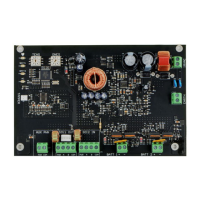
Bosch B520
3 pages
Print Icon
To Next Page IconTo Next Page
Loading...
1 | Overview
3.2 | Attaching the grounding wire
(models B10, D2203, AE1, and AE2)
1. Put the grounding wire lug onto the bolt
2. Attach it with a nut and a washer.
3. Put the other end of the wire onto the door hinge.
2 | SDI2 address settings
3 | Installation
The enclosure holds the module. Wires attach the module to the
control panel, SD12 expansion modules, and any other device.
NOTICE!
Remove all power (AC and battery) before making any
connections. Failure to do so might result in personal
injury and/or equipment damage.
3.1 | Install the module in the enclosure
(models B10, D2203, AE1, and AE2)
Callout ― Description
1 ― Mounting screws
2 ― B10, D2203, AE1, and AE2 enclosures
3 ― Standoff locations
4 ― Plastic mounting clips
5 ― Batteries (up to two 7 Ah or one 18 Ah batteries)
6 ― B520 module
1. Install the mounting clips onto the appropriate standoff
locations inside the enclosure. Callout # 3 in the
following illustration.
2. Put the module onto the mounting clips.
3. Attach the module with mounting screws.
Callout ― Description
1 ― B8103 enclosure (also applicable for BATB-40)
2 ― Support posts
3 ― Mounting plate
4 ― Lock down tab
5 ― Plate mounting hole
6 ― Mounting plate hooks
2.1 | Setting the address settings
NOTICE!
Finland: Laite on liitettävä suojakoskettimilla
varustettuun pistorasiaan.
Norway: Apparatet må tilkoples jordet stikkontakt.
Sweden: Apparaten skall anslutas till jordat uttag.
1. Set the switches using a screwdriver.
2. For single-digit address numbers 1 through 9, set the
tens switch to 0 and the ones switch to the appropriate
number.
The following illustration shows an example of address “12.”
NOTICE!
Do not use B10 or D2203 enclosures for Commercial
Fire applications.
3.4 | Mount the B12 mounting plate
in the enclosure (model B8103)
1. Put the mounting plate in the back of the enclosure.
2. Set the tabs of the enclosure into the two mounting
skirt hooks.
3. Attach the tab to mounting hole with the screw. Refer to
the following illustration.
3.3 | Attach the module in the enclosure
(model B8103)
The enclosure attaches to a B12 mounting plate.
Callout ― Description
1 ― Mounting screws
2 ― B520 module
3 ― B8103 Enclosure (applicable for BATB-40 as well)
4 ― B12 mounting plate
5 ― Plastic mounting clips
6 ― Batteries (holds up to two 7 Ah or two 18 Ah batteries)
3.5 | Attaching the module onto the
mounting plate
Refer to Section 3.1 for installation steps as well as the fol-
lowing illustration.
7
7
NOTICE!
To help prevent damage from electrostatic charges or
other transient electrical surges, connect the system
to earth ground before making other connections.
1. Use 14 AWG (1.6 mm) to 16 AWG (1.3 mm) wire for the
connection. Do not use telephone or electrical ground.
2. Use a grounding rod or a cold water pipe.
3. Install the wire as close as possible to the grounding
device.
NOTICE!
The module reads the address switch setting only
during power up. Cycle the power to the module in
order for the new setting.
The control panel uses the address for communications. Use
the control panel configuration to set the address switches. If
multiple modules are on the same system, each module must
have a unique address.
This module adds a maximum of 2A of 12 VDC power for Fire
and Burglar standby power applications.
Callout ― Description
1 ― Address switches
2 ― EARTH ground connector terminal
3 ― 18 VAC transformer input terminal
4 ― BATT 1 and BATT 2 terminals
5 ― SDI2 IN terminals (from control panel)
6 ― SDI2 OUT terminals and interconnect wiring connector
7 ― Auxiliary power terminals
8 ― Tamper switch connector
9 ― AC LED
10 ― BATT 1 and BATT 2 LEDs
11 ― Heartbeat LED
Question and Answer IconNeed help?

Do you have a question about the Bosch B520 and is the answer not in the manual?

Summary

Overview of Auxiliary Power Module

SDI2 Address Settings

Setting the Address Settings

Explains how to set the address switches on the module for system communication using a screwdriver.

Module Installation

Install Module in Enclosure (B10, D2203, AE1, AE2)

Steps to install the module using mounting clips and screws in specific enclosures.

Attaching Grounding Wire

Procedure for attaching the grounding wire lug to the bolt and door hinge.

Attach Module to Mounting Plate

Instructions for attaching the module to a mounting plate using screws.

Attach Module in Enclosure (B8103)

Steps for attaching the module to an enclosure that mounts to a B12 mounting plate.

Mount B12 Mounting Plate in Enclosure (B8103)

Procedure for mounting the B12 plate into the B8103 enclosure using tabs and screws.

Grounding Connection

Guidance on connecting the system to earth ground using appropriate wire and grounding devices.

Tamper Switch Connection

Connecting to Control Panel

Connecting to Non-SDI2 Devices

Connecting to SDI2 Devices

Battery Installation and Configuration

Attaching Batteries

Steps for attaching Battery 1 and Battery 2 to the module, ensuring correct capacity.

Battery Configurations and Calculations

Guidance on selecting battery sizes for commercial fire and burglar applications based on current draw.

Transformer Connection

LED Descriptions

Displaying Firmware Version

Troubleshooting Guide

Troubleshooting Flash Patterns

Corrective actions for specific LED flash patterns like Heartbeat and BATT 1/2.

AC LED Troubleshooting

Steps to diagnose AC LED issues, including voltage measurement and transformer checks.

Control Panel Configuration

Certifications and Compliance

Technical Specifications

Summary

Overview of Auxiliary Power Module

SDI2 Address Settings

Setting the Address Settings

Explains how to set the address switches on the module for system communication using a screwdriver.

Module Installation

Install Module in Enclosure (B10, D2203, AE1, AE2)

Steps to install the module using mounting clips and screws in specific enclosures.

Attaching Grounding Wire

Procedure for attaching the grounding wire lug to the bolt and door hinge.

Attach Module to Mounting Plate

Instructions for attaching the module to a mounting plate using screws.

Attach Module in Enclosure (B8103)

Steps for attaching the module to an enclosure that mounts to a B12 mounting plate.

Mount B12 Mounting Plate in Enclosure (B8103)

Procedure for mounting the B12 plate into the B8103 enclosure using tabs and screws.

Grounding Connection

Guidance on connecting the system to earth ground using appropriate wire and grounding devices.

Tamper Switch Connection

Connecting to Control Panel

Connecting to Non-SDI2 Devices

Connecting to SDI2 Devices

Battery Installation and Configuration

Attaching Batteries

Steps for attaching Battery 1 and Battery 2 to the module, ensuring correct capacity.

Battery Configurations and Calculations

Guidance on selecting battery sizes for commercial fire and burglar applications based on current draw.

Transformer Connection

LED Descriptions

Displaying Firmware Version

Troubleshooting Guide

Troubleshooting Flash Patterns

Corrective actions for specific LED flash patterns like Heartbeat and BATT 1/2.

AC LED Troubleshooting

Steps to diagnose AC LED issues, including voltage measurement and transformer checks.

Control Panel Configuration

Certifications and Compliance

Technical Specifications

Overview

The B520 Auxiliary Power Supply Module is designed to provide additional 12 VDC power for Fire and Burglar standby power applications, supplying a maximum of 2A. This module is compatible with various Bosch control panels and enclosures, offering flexibility in installation and system integration.

Function Description

The B520 module serves as an auxiliary power supply, augmenting the power capabilities of a security system. It supports both Fire and Burglar standby power requirements, ensuring continuous operation of critical components during power outages. The module integrates with the control panel via the SDI2 bus, allowing for communication and power distribution to other SDI2 devices. It accepts a 18 VAC transformer input and can connect to one or two 12 V lead-acid batteries (7 Ah or 18 Ah) for backup power. The module's design includes terminals for auxiliary power output, a tamper switch connector, and an earth ground connection for enhanced safety and system integrity.

Usage Features

Installation: The module can be installed in various enclosures, including B10, D2203, AE1, AE2, B8103, and BATB-40. For B10, D2203, AE1, and AE2 enclosures, the module is secured using mounting clips and screws. A grounding wire is attached to the enclosure bolt and door hinge to ensure proper grounding. For the B8103 enclosure, the module attaches to a B12 mounting plate, which is then mounted within the enclosure using skirt hooks and a screw. It is crucial to remove all power (AC and battery) before making any connections to prevent injury or equipment damage. The module should be connected to earth ground before making other connections to prevent damage from electrostatic charges or transient electrical surges.

SDI2 Address Settings: The module uses address switches for communication with the control panel. These settings are configured via the control panel. Each module in a system must have a unique address. The module reads the address switch setting only during power-up, requiring a power cycle for any new settings to take effect. For single-digit addresses (1-9), the tens switch should be set to 'O' and the ones switch to the appropriate number.

Wiring: The module connects to the control panel using the SDI2 IN terminal strip (PWR, A, B, and COM). It also provides SDI2 OUT terminals and interconnect wiring connectors for connecting to other powered SDI2 devices. For non-SDI2 devices, the AUX PWR terminal strip (PWR and COM) is used. Battery connections are made to BATT 1 and BATT 2 terminals, ensuring that if two batteries are used, they have the same capacity rating. The plug-in transformer connects to the 18 VAC B520 terminal. It is important to keep 0.25 inches (6.4 mm) space between power-limited and non-power-limited wiring.

Battery Configurations: The module supports various battery configurations based on the enclosure type and desired standby hours. For commercial fire applications, battery size is determined by current calculations against required standby hours. For burglar applications, similar calculations are performed. If the current load exceeds the capacity of a single B520, a second B520 can be used to split the load.

Maintenance Features

LED Indicators: The module features on-board LEDs for troubleshooting and status monitoring:

  • Heartbeat LED (blue): Flashes to indicate normal operation. A specific flash pattern (3 quick flashes every 1 second) indicates an SDI2 communication error, suggesting issues with wiring, control panel programming, or address selections.
  • BATT 1 and BATT 2 LEDs: These LEDs indicate the status of the connected batteries. A flash pattern (3 quick flashes every 1 second) suggests a battery charger failure or that the module may be damaged if the voltage is below 13.3 VDC. If the voltage is above 13.3 VDC and the battery is fully charged, the module returns to normal after some energy is removed.
  • AC LED (green): On steady to indicate normal operation. A flash pattern indicates low or failed AC power. If there is voltage before the transformer but none after, the transformer should be replaced.
  • Battery Missing LED: Flashes to indicate that a battery is missing.

Firmware Version Display: The firmware version can be displayed by briefly activating the tamper switch (push and release with the enclosure door open, or briefly short the tamper pins if no switch is present). The heartbeat LED will turn off for 3 seconds, then pulse to show the major, minor, and micro digits of the version, with a 1-second pause between each digit. For example, version 1.4.3 would be shown as one flash, then a pause, then four flashes, then a pause, then three flashes.

Configuration: The module can be programmed using Remote Programming Software (RPS) to integrate with the control panel. RPS Help provides detailed information on programming parameters, options, and defaults.

Bosch B520 Specifications

General IconGeneral
ModelB520
TypeControl Unit
Operating Voltage12 VDC
No. of On-Board Zones8
Max Zones8

Related product manuals