39
CTL636E.. | 07/2014
en
When the fully automatic coffee machine
is rst used, a suitably thick and stable
“crema” is only achieved after the rst few
cups have been dispensed�
Switch off appliance
● Press I�
The appliance rinses and switches to
energy saving mode�
Exception: If only hot water is dispensed,
the appliance switches off without rinsing �
● To switch the appliance off completely,
open the appliance door and set the
mains switch to h�
F
Important: Do not press the mains
switch while the appliance is in use�
Switch off the appliance only when
it is in energy saving mode, so it can
rinse automatically�
F
The factory settings of the fully
automatic coffee machine are
programmed for optimal perfor-
mance� The appliances switches
automatically to the energy saving
mode after a congured time and
rinses (duration can be set, see
“Switch off after” in the section
“Menu”)�
F
The appliance is equipped with a
sensor� If there is a milk container,
this will be correspondingly shown
on the display when switching to the
energy saving mode� If there is milk
in the container, please keep in the
fridge�
Control panel
Information is shown on the display or
settings can be entered by touching the
touchscreen and the control ring�
Display
The control panel shows the selected
drinks, settings and setting options, as well
as messages about the appliance’s oper-
ating status�
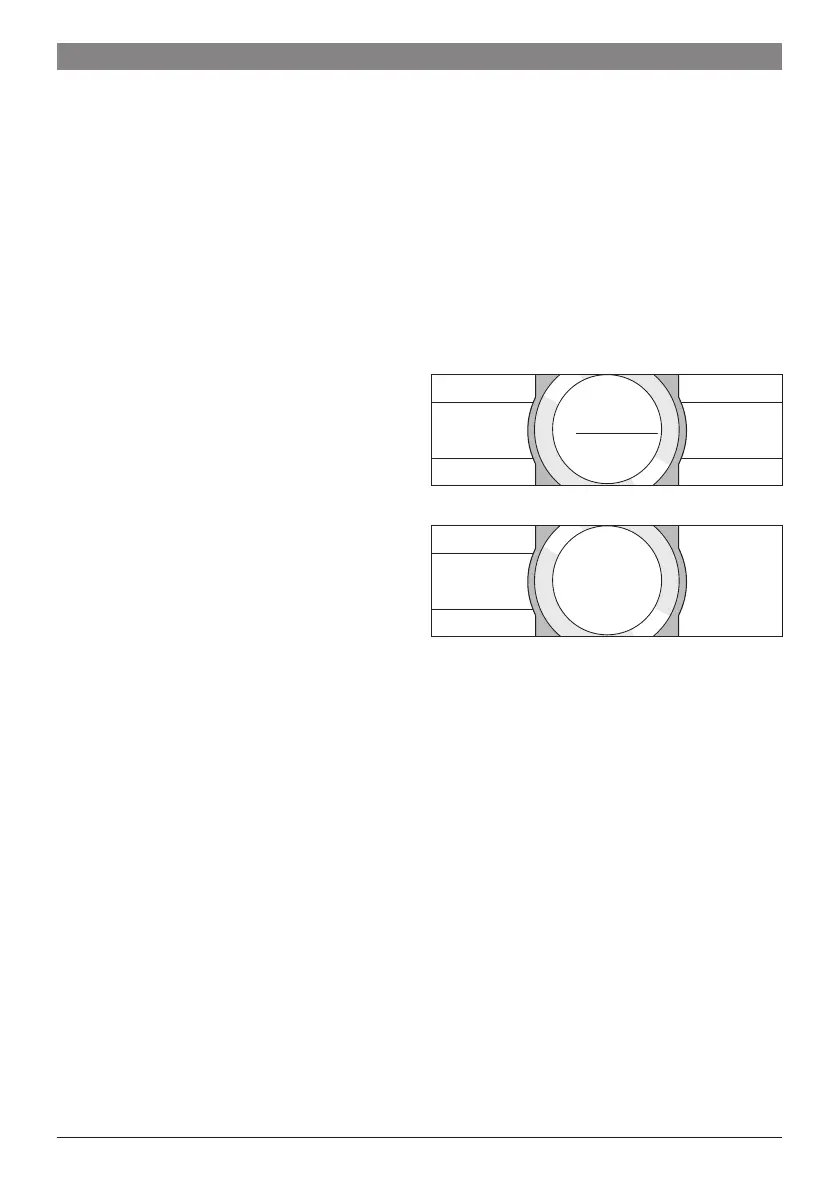
e�g� Drink selection
Y very strong
Ristretto
high O
R 25 ml off ^
e�g� Information
Water tank
almost empty
Information disappears after operating the
appliance or after a short time�
The information remains however in the
information display in the form of a small
symbol�
a
Bean container almost empty
b
Water tank almost empty
c
Replace water filter
d
Cleaning programme necessary
e
Descaling programme necessary
f
Calc'nClean programme necessary




 To Next Page