46
Robert Bosch Hausgeräte GmbH
en
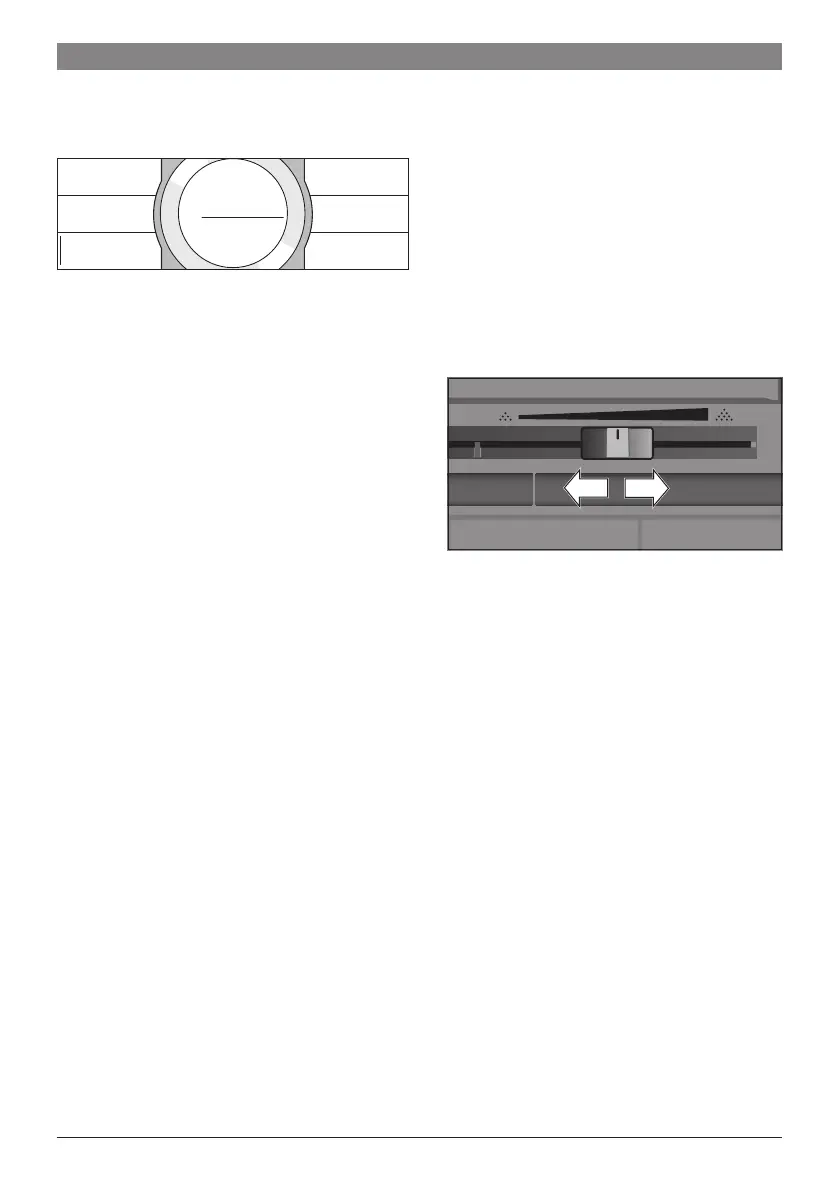
● The settings can be stored under an indi-
vidual name� Touch [ Name ]� The mask
for entering the name opens�
Back
to Details
Anna
m
Delete
letter
SaveName
Save
letter
● Turn the control ring and select a letter or
a symbol�
● Touch [ Save letter ] to conrm the letter
selected or [ Delete letter ] to delete it�
● Select other letters or symbols and
conrm.
● With [ Save ] the entry is adopted� The
selection menu opens�
● Touch B to exit the menu�
Deleting a drink
● Touch B
● Turn the control ring and select the
occupied memory location�
● Touch [ Details ] and [ Further details|
Save ].
● Touch [ Delete beverage ] and then
[ Delete ]�
The memory location is again free�
Select a personalised drink and
dispense
Touch B� The selection of memory
locations opens�
● Turn the control ring and select the
desired memory location�
● Place a cup or glass underneath the
beverage outlet�
● Press C to start dispensing�
Adjusting the
grind setting
This fully automatic coffee machine has an
adjustable grinding unit� This enables the
grinding level of the coffee to be individually
changed�
● Open the appliance door�
● Slide the regulator to select the grinding
degree setting between nely ground
coffee V and coarsely ground coffee W�
● Close the appliance door again�
F
For dark roast coffee beans, choose
a finer grind, for lighter beans a
coarser grind�
F
Tip: Only make small changes to the
grinding degree setting�
F
The new setting will not become
apparent until after the second cup
of coffee�
F
If the display shows the message
“Select a coarser degree of grinding”,
this means that the beans are being
ground too finely� Adjust the grinding
level to a coarser setting�




 To Next Page