DIVAR IP all-in-one 4000 Installing a SATA hard drive | en 21
Bosch Security Systems B.V.
Installation manual
2022-10 | V02 | F.01U.407.904
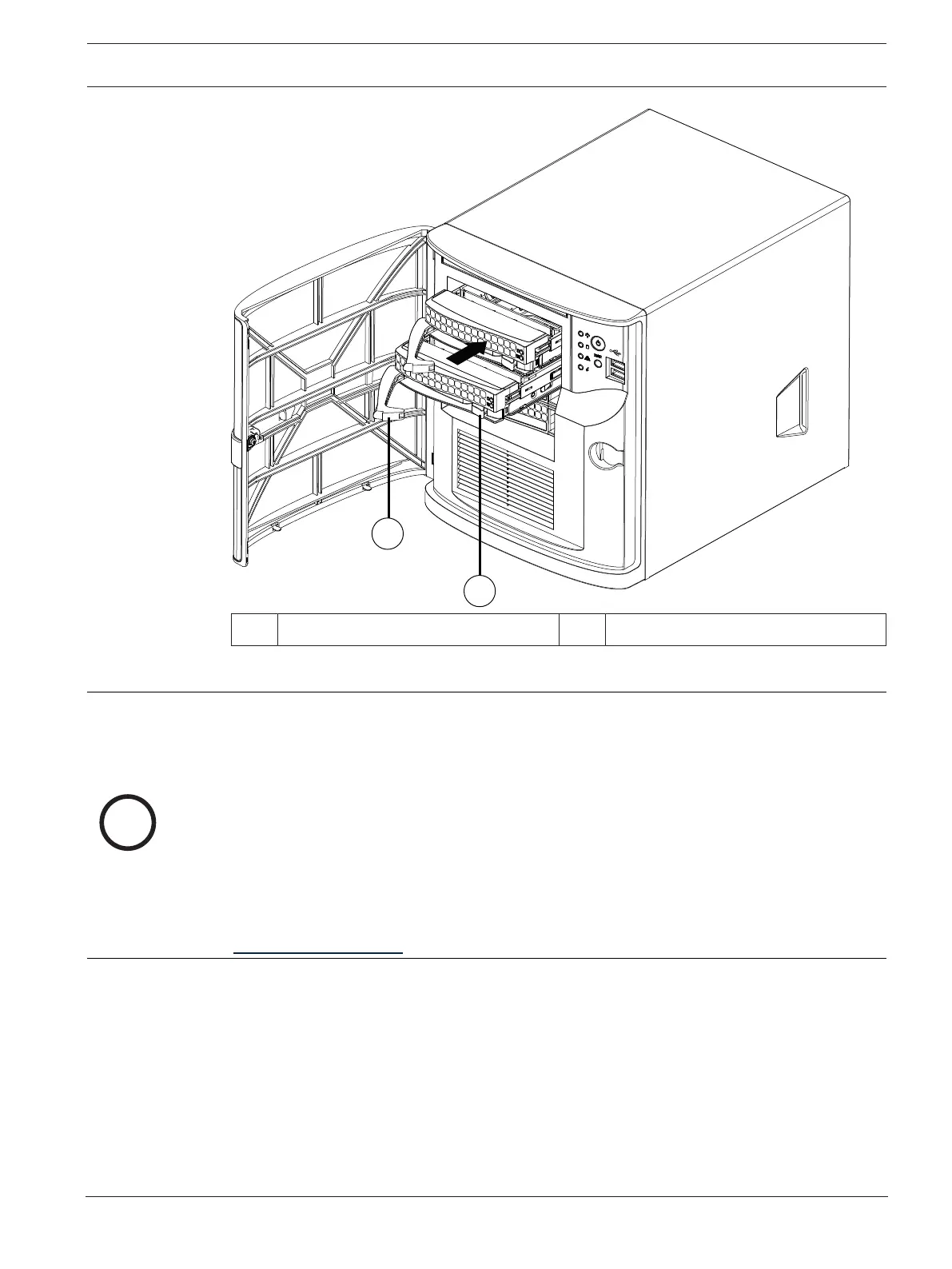
1 Release button 2 Hard drive tray handle
4.2 Installing a non-Bosch-supplied hard drive
Notice!
Bosch strongly recommends to use hard drives approved and supplied by Bosch. The hard
drives as one of the critical component are carefully selected by Bosch based on available
failure rates.
Bosch is not liable for any data loss or damages, or system failures of units equipped with
hard drives that are not supplied by Bosch.
Bosch cannot provide support if non-Bosch-supplied hard drives are considered to be the
cause of the problem. To troubleshoot potential hardware issues, Bosch will require Bosch-
supplied hard drives to be installed.
For more information about Bosch-supplied hard drives, see the datasheet in the Bosch
online product catalog under:
www.boschsecurity.com
To install a non-Bosch-supplied hard drive, you must do the following:
1.
Removing a hard drive tray from a hard drive bay, page 19
.
2.
Installing a hard drive into a hard drive tray, page 22
.
3.
Installing a hard drive tray into a hard drive bay, page 20
.
Removing a hard drive tray from a hard drive bay
To remove a hard drive tray from a hard drive bay:
1. Unlock the front cover and swing it open.
2. Press the release button to the right of the hard drive tray. This extends the hard drive
tray handle.



 To Next Page