www.pivotcycles.com info@pivotcycles.com
1.877.857.4868
7
SYSTEM INFORMATION
Riding Mode Customization
In the eBike Flow App you can adapt selected riding modes exactly to your needs: You can fine-tune rid-
ing modes so that they offer you more support or consume less power.
Error Messages
The control unit shows whether critical errors or less critical errors occur in the eBike system. The er-
ror messages generated by the eBike system can be read via the eBike Flow app or by your Pivot dealer
along with support for fix the error.
• The warning code will clear once the issue is resolved.
• If any issues persist after the suggestions below, contact your Pivot dealer.
• Less critical errors are shown by the assistance level LED flashing orange. Press the select button on
the Mini Remote or mode button on the System Controller to confirm the error. The assistance level
LED will once again continuously show the color of the set assistance level.
• Critical errors are shown by the assistance level LED and the battery charge indicator flashing red.
LESS CRITICAL ERRORS CRITICAL ERRORS
523005
The indicated error numbers show that there is inter-
ference with the speed sensor. See if you have lost the
magnet while riding. Make sure your rim magnet does
not have any magnetic interference in the vicinity of the
drive unit. (magnetic pedals, cadence sensors, etc.)
660001
Do not charge the battery and do not continue to use!
Please contact your Pivot dealer.
514001 660002
514002
890000
Acknowledge the error code. Restart the system.
If the problem persists: Acknowledge the error code.
Perform a software update. Restart the system
If the problem persists: Please contact your Pivot dealer.
514003
514006
Display Options
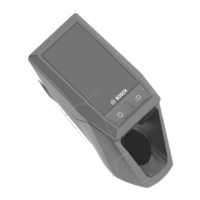
Bosch offers a few different display options you can integrate with your Shuttle AM. Bosch also offers
different mounts if you would like to use your smart phone as a display with the eBike Flow App.
eBike Lock
Using the eBike Flow App you can activate the eBike Lock feature for your Shuttle AM. The lock feature
allows you to disable the assist and your smart phone works like a key to unlock your bike. The settings
for this feature can be turned on, off, or adjusted in the settings of the eBike Flow App.
ConnectModule
The Shuttle AM is built to accomodate the ConnectModule. This unit can be added to your bike by your
dealer. The ConnectModule features an audible alarm if your bike is moved. It also will send you a mes-
sage alert if your bike is moved a lot. This unit also features GPS tracking so you will always know where
your bike is.
System Updates
Like most modern devices, system improvements and features are developed over time. You can keep
your Shuttle AM current with the lastest updates through the eBike Flow App. In the app you can install
the updates to your bike. You can also take your bike in to your local Pivot Dealer for them to install any
updates.




 To Next Page