EasyManua.ls Logo

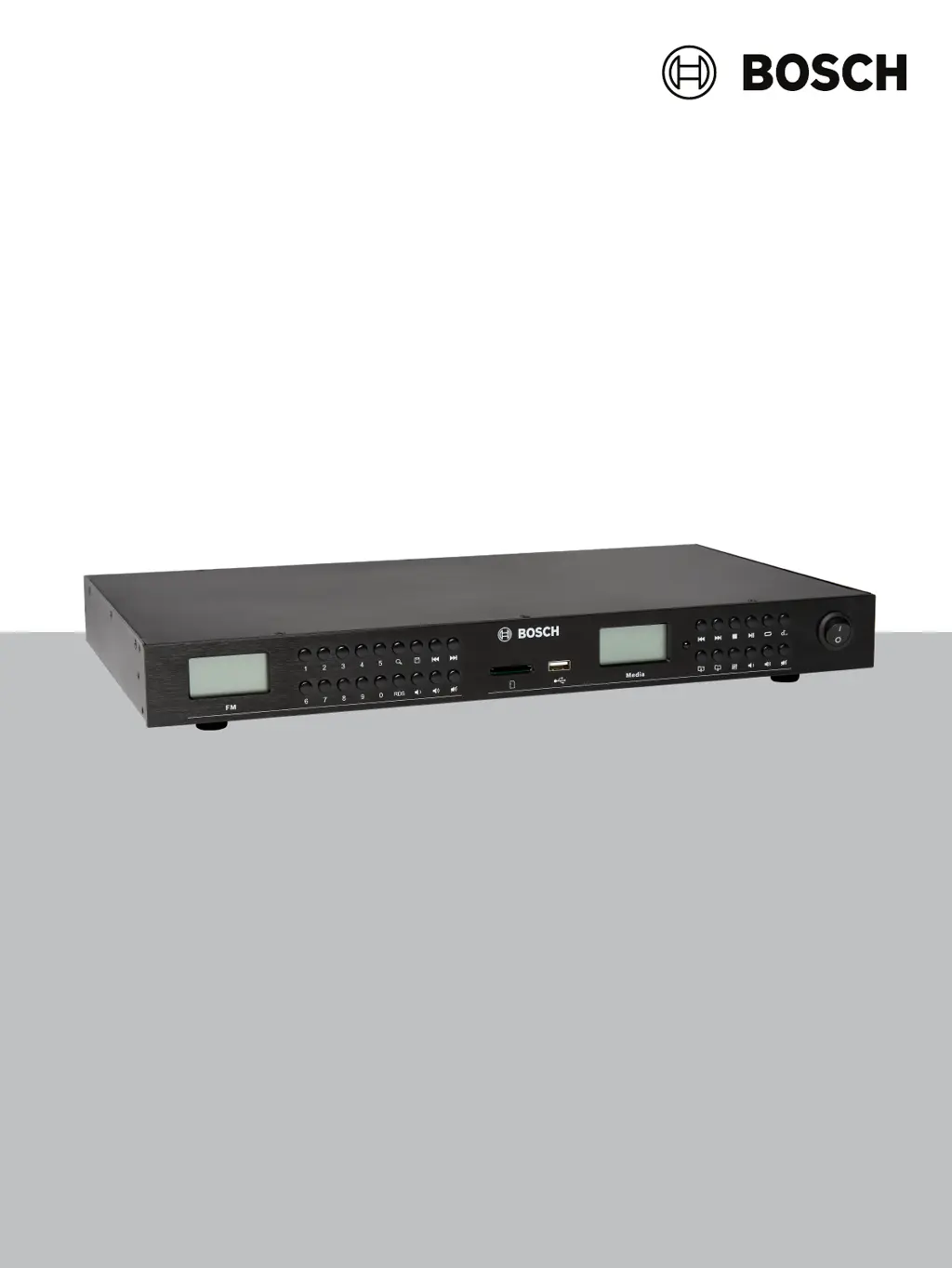
Bosch PRM-UST - User Manual

Bosch PRM-UST
24 pages
Print Icon
To Next Page IconTo Next Page
Loading...
PRM‑UST | PRM‑USTB
en
User manual

Questions and Answers

  • J
    Jeanette MartinezAug 15, 2025
    What to do if there is no audio output from my Bosch PRM-UST Tuner?
    • G
      George BrownAug 15, 2025
      If your Bosch Tuner isn't producing any audio, ensure the audio output cable is properly connected. Check the output control setting on the rear panel. Clean any dust or dirt from the audio output connectors or plugs. Also, verify that the selected source is not in pause or mute mode; if it is, press the play or mute button.
  • R
    rodriguezdanielleAug 18, 2025
    Why is the audio output distorted on my Bosch PRM-UST?
    • V
      Vanessa DennisAug 18, 2025
      If the audio output from your Bosch Tuner is distorted or noisy, ensure the audio output cable is properly plugged into one of the stereo RCA output connectors. Also, make sure the connectors and plugs are clean; wipe away any dust or dirt and reinsert the plug.
  • P
    parkerchristopherAug 21, 2025
    What to do if my Bosch PRM-UST doesn't detect USB or SD storage device?
    • C
      Carrie SmithAug 21, 2025
      If your Bosch Tuner isn't detecting a USB or SD storage device, it might not comply with USB mass storage standards. Try using a device that does. Avoid USB hubs, or connect the storage device directly to the USB port. Ensure you're using FAT, FAT32, or exFAT file structure. If an electrical current stronger than allowable was applied to the unit’s USB socket, wait several minutes. The rating (allowable current) for this unit is 500 mA or less per USB port. Reformat the USB or SD card with a PC that has been known to give good results.
  • T
    Tamara NavarroAug 25, 2025
    Why won't my MP3 tracks play on my Bosch Tuner?
    • D
      Dr. Christopher Chambers MDAug 25, 2025
      If your MP3 tracks aren't playing on your Bosch Tuner, the format might not be supported. Ensure your MP3s are up to 320 kbps.
  • L
    Laura BrownAug 28, 2025
    Why is there no audio output from my Bosch Tuner?
    • J
      Jamie WilsonAug 28, 2025
      If your Bosch Tuner has no audio output, ensure the audio output cable is properly connected. Check if the audio output is muted and adjust the volume settings. Clean any dust or dirt from the audio output connectors or plugs. Also, verify that the selected source is not in pause or mute mode; if it is, press the play or mute button.
  • P
    Patricia MaldonadoAug 31, 2025
    What to do if my Bosch Tuner doesn't recognize USB or SD storage device?
    • D
      Dana CampbellAug 31, 2025
      If your Bosch Tuner isn't detecting your USB or SD storage device, it could be due to several reasons. First, ensure the device complies with USB mass storage standards. Some USB hubs may not operate correctly, so try a different hub or connect the storage device directly. Use only FAT, FAT32, and exFAT file structures. Wait several minutes if the connection was terminated due to excessive electrical current. Reformat the USB or SD card with a PC to ensure proper partitioning.
  • K
    Kelsey JonesSep 4, 2025
    How to fix distorted or noisy audio output on a Bosch Tuner?
    • F
      fieldszacharySep 4, 2025
      If the audio output from your Bosch Tuner is distorted or noisy, make sure the audio output cable is properly plugged into one of the stereo RCA output connectors. Also, ensure that the connectors or plugs are clean by wiping away any dust or dirt and reinserting them.
  • J
    Jesse CooperSep 7, 2025
    How to troubleshoot a Bosch Tuner that does not work?
    • J
      James PenningtonSep 7, 2025
      If your Bosch Tuner is not working, ensure the power cord is properly inserted and the unit is switched on. Also, check the mains fuse to see if it is broken and replace it if necessary.
  • J
    John GuzmanSep 12, 2025
    What to do if MP3 tracks do not play on my Bosch Tuner?
    • A
      ascottSep 12, 2025
      If MP3 tracks are not playing on your Bosch Tuner, ensure that the MP3s are supported (up to 320 kbps). Also, make sure the media is not in "Stop" or "Pause" mode; change the mode to "Play".

Summary

Important Product Information

Safety Information

Essential safety instructions for installation, operation, and maintenance of the PRM-UST/PRM-USTB unit.

Disposal Instructions

Guidelines for the environmentally responsible disposal of old electrical and electronic equipment.

FCC and ICES Class A Notice

Compliance statement for FCC and Canadian ICES-003 requirements for commercial use.

Compliance to Directive 2014;53;EU

Declaration of conformity with essential requirements of EU Directive 2014/53/EU.

About This Manual

Intended Audience

Specifies that the user manual is intended for professionals familiar with audio systems.

Copyright Notice

States the copyright ownership and reserved rights for the publication.

Trademarks

Explains the usage of trademark names within the document.

Notice of Liability

Disclaims liability for inaccuracies or damages arising from document information.

Document History

Provides a log of document versions and release dates.

Product Introduction

Parts Included

Lists all components and accessories found in the product packaging.

Installation

Instructions on how to place or mount the unit, including rack mounting.

Front Panel Controls and Indicators

Detailed description of the front panel controls and indicators on the PRM-UST/PRM-USTB unit.

Rear Panel Connections and Ports

Detailed description of the rear panel connections and ports on the PRM-UST/PRM-USTB unit.

Remote Control Features

Explanation of buttons and functions of the included remote control for the PRM-UST/PRM-USTB.

Product Function

FM Tuner

Instructions for operating the FM radio tuner, including scanning and preset functions.

USB or SD Media Playback

Guide to playing audio files from USB drives or SD cards using the device.

Bluetooth Streaming

Steps for pairing and using Bluetooth® for music streaming with the PRM-USTB.

Troubleshooting

Technical Data

Electrical Specifications

Details electrical properties including voltage, power, and fuse requirements.

Mechanical Specifications

Information on unit dimensions, weight, and mounting options.

Environmental Conditions

Operating and storage temperature ranges, and humidity limits.

Bosch PRM-UST Specifications

General IconGeneral
Audio Output Level775 mV
Frequency Range87.5 MHz - 108 MHz
Output Impedance600 Ω
ConnectorsRCA
Harmonic Distortion< 0.3% (Mono)

Related product manuals