Troubleshooting | en 17
Bosch Security Systems B.V.
User manual
06.2022 | V01 | F01U397942
5 Troubleshooting
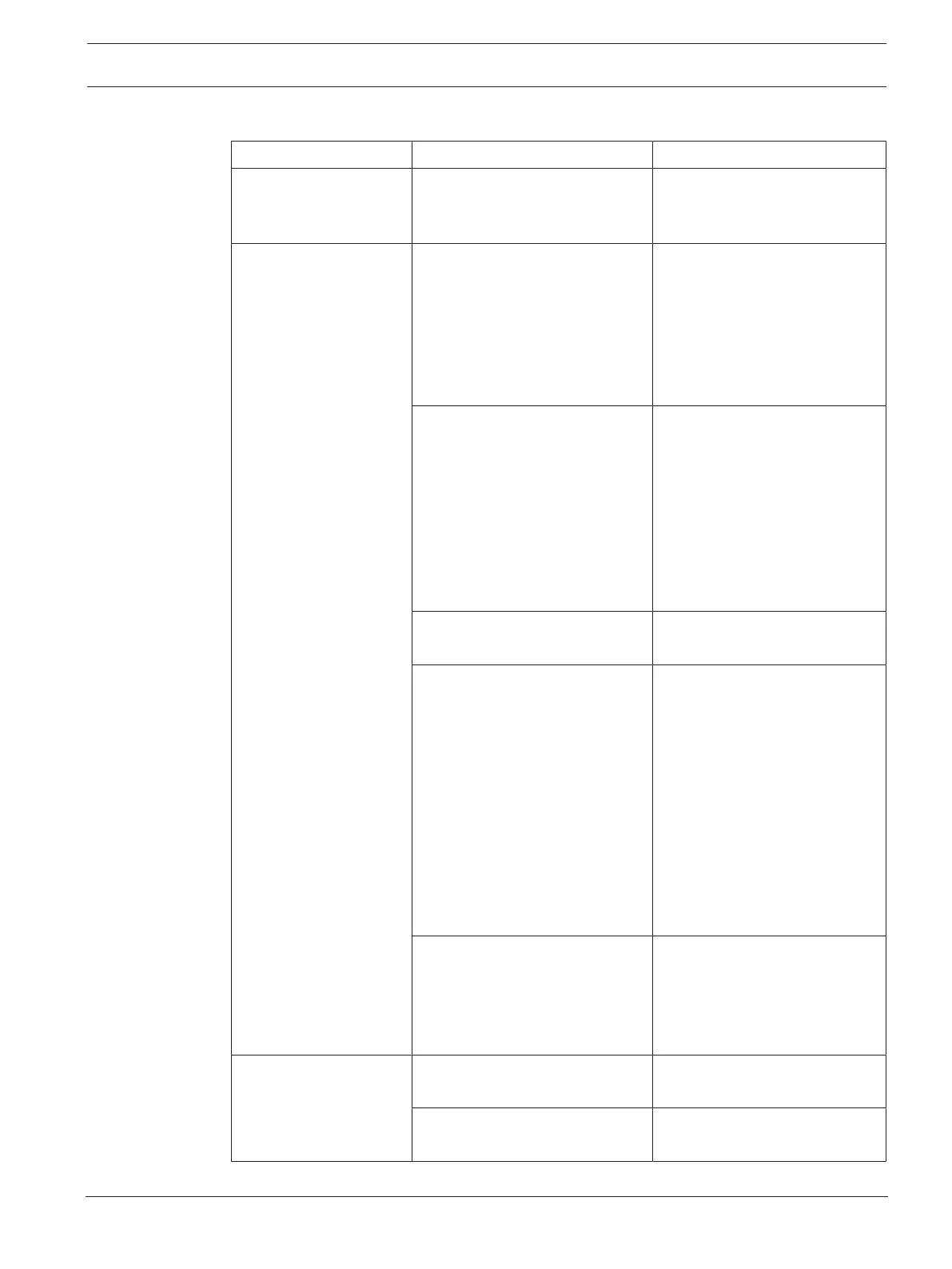
Problem Possible cause Possible solution
The unit does not work. Power (plug) disconnected, the
unit is switched off or the mains
fuse is broken.
Insert power cord and switch
on the unit. Check the mains
fuse.
USB or SD storage
device not detected.
Device does not comply with
USB mass storage.
Use a device complying with the
class of USB mass storage
(some portable audio players
included in the class of image
devices are not supported. Also,
some flash card readers cannot
be detected)
USB hub in use. Some USB hubs will not
operate properly. Try a different
USB hub, or connect the
storage device directly to the
USB port. Also, if multiple
devices for USB storage are
connected through a USB hub,
only one of the devices will be
recognized.
Format not supported. Use only FAT, FAT32 and exFAT
file structure.
The connection with the unit has
been terminated because an
electrical current higher than
allowed was taken from unit’s
USB socket.
Wait several minutes. The rating
(allowable current) for this unit
is 500mA or less per USB port.
Use USB storage devices that
meet these standards. If you
have a USB storage device
connected through a
buspowered USB hub, connect
the USB storage device directly
to this unit port. If shorted a
long time the USB port will
become defective.
Partitioning of SD card is wrong.
Apart from SD, SDHC and class
of SD cards, it is also possible
that the card has a different
partition table than expected.
Reformat the USB or SD card
with a PC that is known to give
good results.
MP3 tracks do not play.
Format not supported. MP3s are supported up to
320kbps.
Media is in "Stop" or "Pause"
mode.
Change the mode to "Play".


 To Next Page