Product introduction | en 9
Bosch Security Systems B.V.
User manual
06.2022 | V01 | F01U397942
3.2 Installation
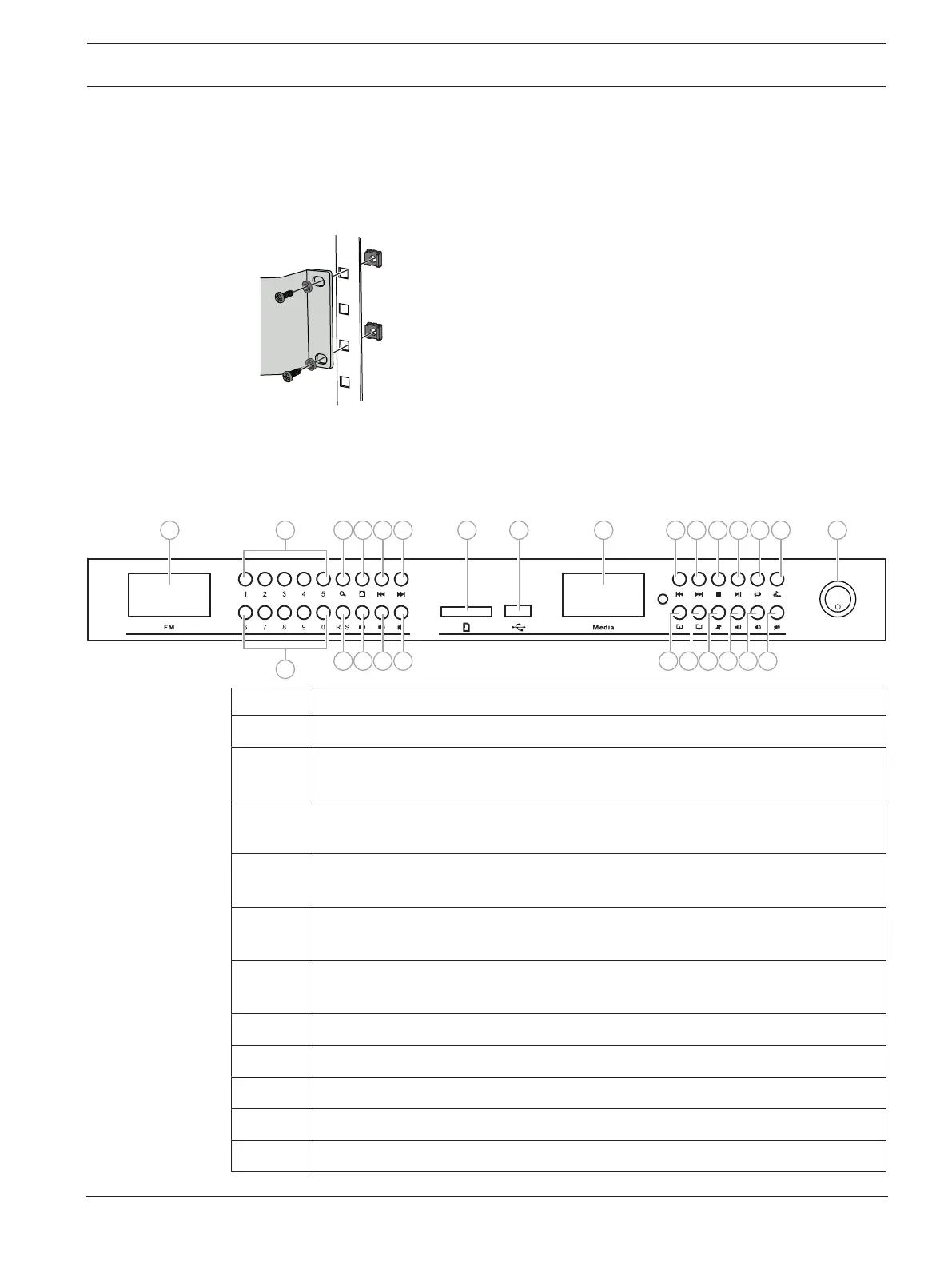
The product can be placed on a desk or mounted in a 19” rack. For rack mounting the 19"
brackets must be attached first.
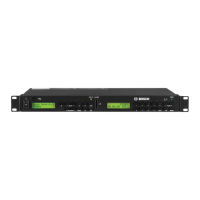
3.3 Indicators and connections
3.3.1 Front panel
16
2
23 24 25 26
1 3 4 5 62
7 8 9
17 18 19
222110
11 12 13 14 15 20
Number Description
1 Display (FM radio): LCD panel shows information related to FM radio
2 Digits 0-9 for preset (favorite) radio station selection or for playing a specific FM
frequency
3 Scan the FM radio stations
Display shows the frequency for the stations while scanning is in progress
4 Store a specific frequency channel as preset (favorite), in combination with the
digit keys
5 Short press: previous radio channel
Long press: decrease frequency for fine tuning
6 Short press: next radio channel
Long press: increase frequency for fine tuning
7 RDS information
8 Decrease radio volume
9 Increase radio volume
10 Mute FM radio audio output
11 SD card socket


 To Next Page