10 en | Product introduction
06.2022 | V01 | F01U397942
User manual
Bosch Security Systems B.V.
Number Description
12 USB socket
Note: Do not use the front and rear panel USB sockets at the same time
13 Display (media): LCD panel shows relevant information for media inputs USB, SD
and Bluetooth®
14 Short press: previous track
Long press: fast backward
15 Short press: next track
Long press: fast forward
16 Stop
17 Play or pause
18 Repeat a track or a list
19 Media source selection from USB, SD or Bluetooth®
20 Power on/off
21 Short press: previous folder
22 Short press: next folder
23 Tone control (Equalizer, Bass, Treble, Balance and Loudness)
24 Decrease media volume
25 Increase media volume
26 Mute media audio output
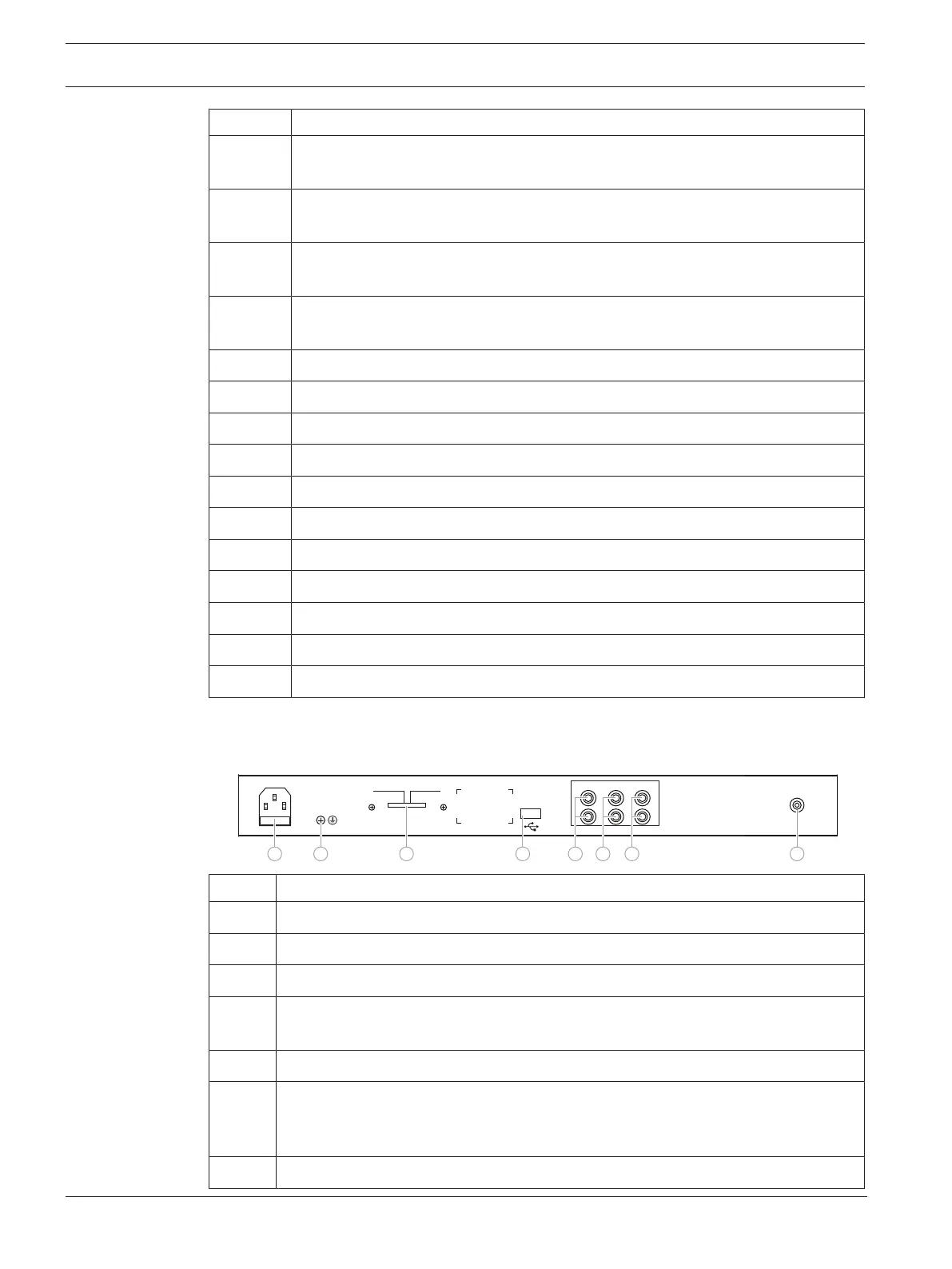
3.3.2 Rear panel
L
FM Antenna
FMMedia
Voltage Selector
110-120V- 220-240V-
Combined
Output
R
27 28 30 3429 31 32 33
Number Description
27 Mains input socket with fuse folder
28 Grounding screw
29 Voltage selector switch with cover
30 USB socket
Note: Do not use the front and rear panel USB sockets at the same time
31 Media output: USB, SD or Bluetooth (stereo output)
32 Combined output: tuner, USB, SD or Bluetooth® (stereo output)
Note: Due to priority output function, when the media (USB, SD, Bluetooth®) is
active, the tuner audio output will be automatically muted
33 Tuner output socket (stereo output)


 To Next Page