40 en | Configuration using a Web browser VOT-320
DOC | V4.5 | 2010.09 Installation and Operating Manual Bosch Sicherheitssysteme GmbH
You can then view, edit and print this file with any text editor or the standard Office software.
File for system log
1. Enter the path for saving the system log here.
2. If necessary, click Browse to find a suitable directory.
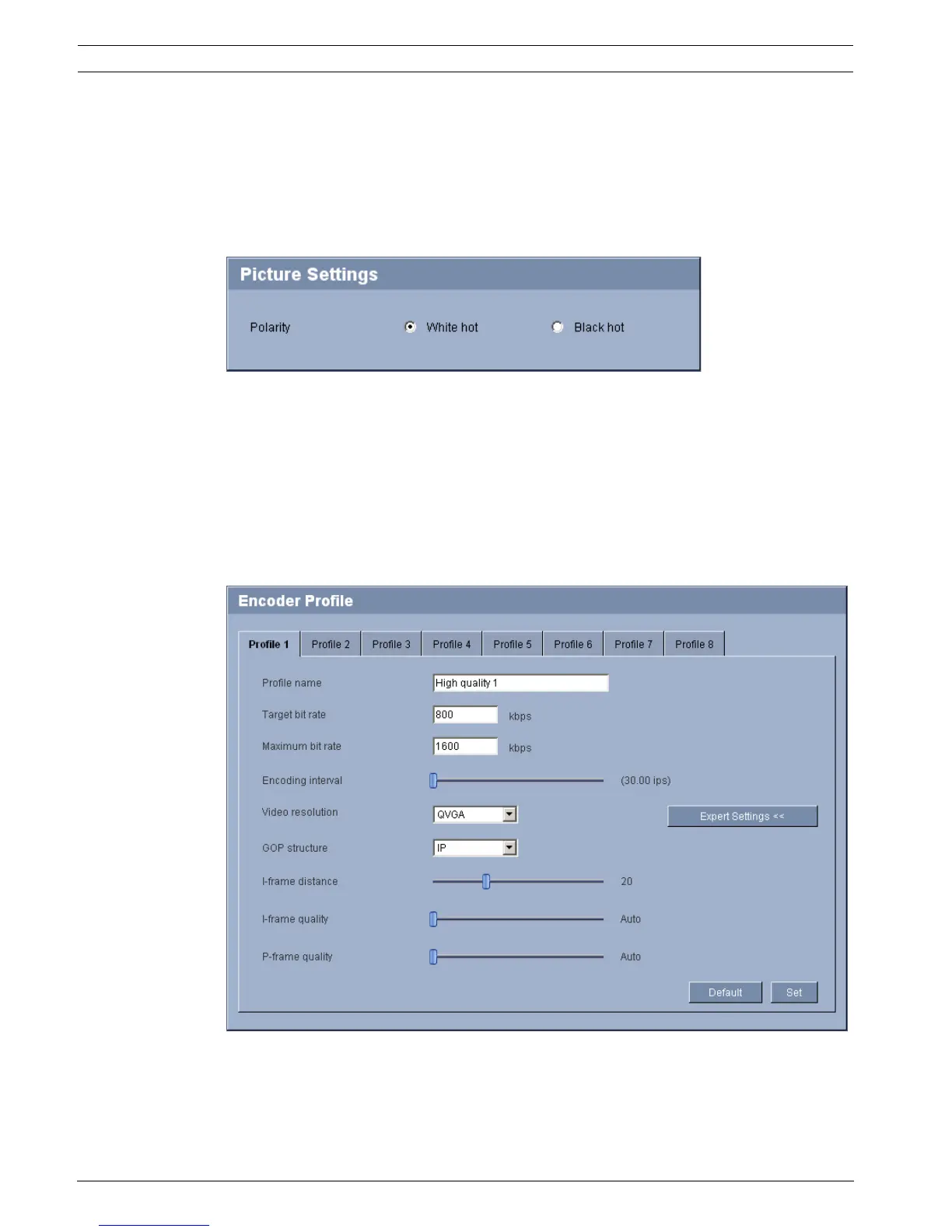
5.16 Advanced Mode: Picture Settings
You can set the polarity of the thermal image of the camera to suit your requirements. The
current video image is displayed in the small window next to the radio buttons as
confirmation. Your changes are effective immediately.
1. Select the required polarity.
2. Click View Control... under the video window to control the camera when mounted on a
pan/tilt.
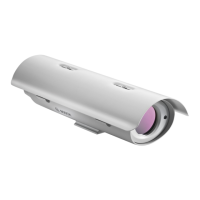
5.17 Advanced Mode: Encoder Profile
You can change the names and individual parameter values for the encoder profiles.
You can use this to adapt the video data transmission to the operating environment (for
example network structure, bandwidth, data load).





 To Next Page