19
Setting functions
Display
Display
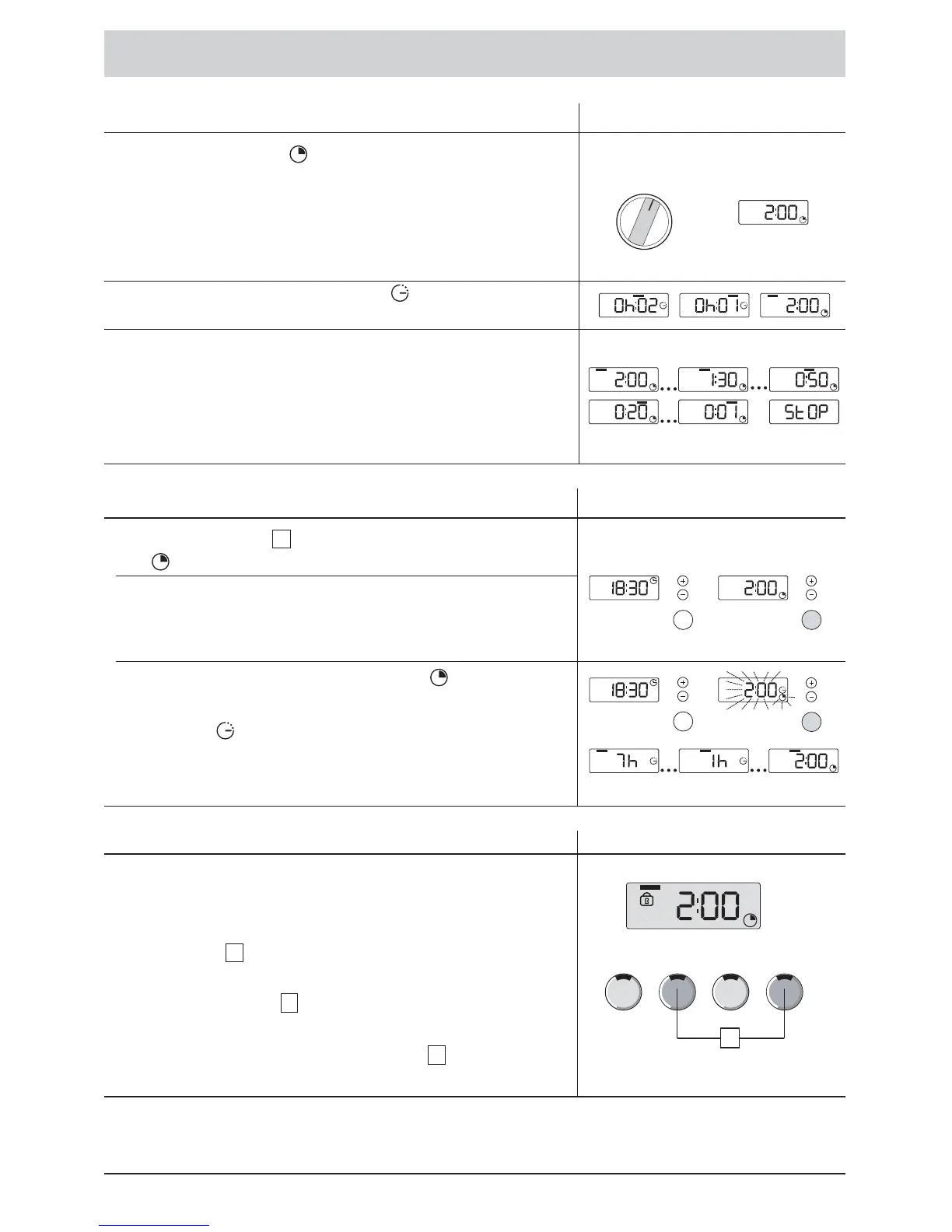
Remaining Time display
The REMAINING TIME is displayed in hours and
minutes:
•
Depending upon the programme selection, the particular
programme length is displayed.
Note-If the ENDING TIME function was selected during
the previous programme, then this remains stored.
• At the end of a DELAYED START , as soon as the
programme begins.
Until the programme ends:
• The REMAINING TIME is counted down by the minute.
• One after the other, the four upper bars indicate the
programme sequence.
• The programme has ended when STOP appears in the
display panel.
By using pushbutton
, select
the function for REMAINING
TIME .
•
If the washing machine was programmed with an ENDING
TIME, then the REMAINING TIME will be displayed during
the programme.
•
The REMAINING TIME and the symbol are illuminated
before the start of the programme.
•
The symbol flashes for a few seconds. Afterwards, the
display switches to DELAYED START. As soon as the
programme starts, the REMAINING TIME appears in the
display.
5
Selecting the Remaining Time display
You can secure your washing machine against inadvertent
changes to the set functions and prevent any undesirable
changes in the programme sequence.
• To activate, simultaneously press the highlighted option
pushbuttons
.
• To deactivate, also simultaneously press the highlighted
option pushbuttons .
The Childproof Lock can be activated or deactivated at
any time. If the programme selector is set to Aus,
then the Childproof Lock is not active.
1
6
6
Childproof Lock (depending upon the model)
Display
6







 To Next Page