36
|
ENG
BLUETOOTH CONNECTIONS
CONNECT AN ADDITIONAL MOBILE DEVICE
You can store up to eight devices in the soundbar device list, and the soundbar can be
actively connected to two devices at a time.
NOTE: You can play audio from only one device at a time.
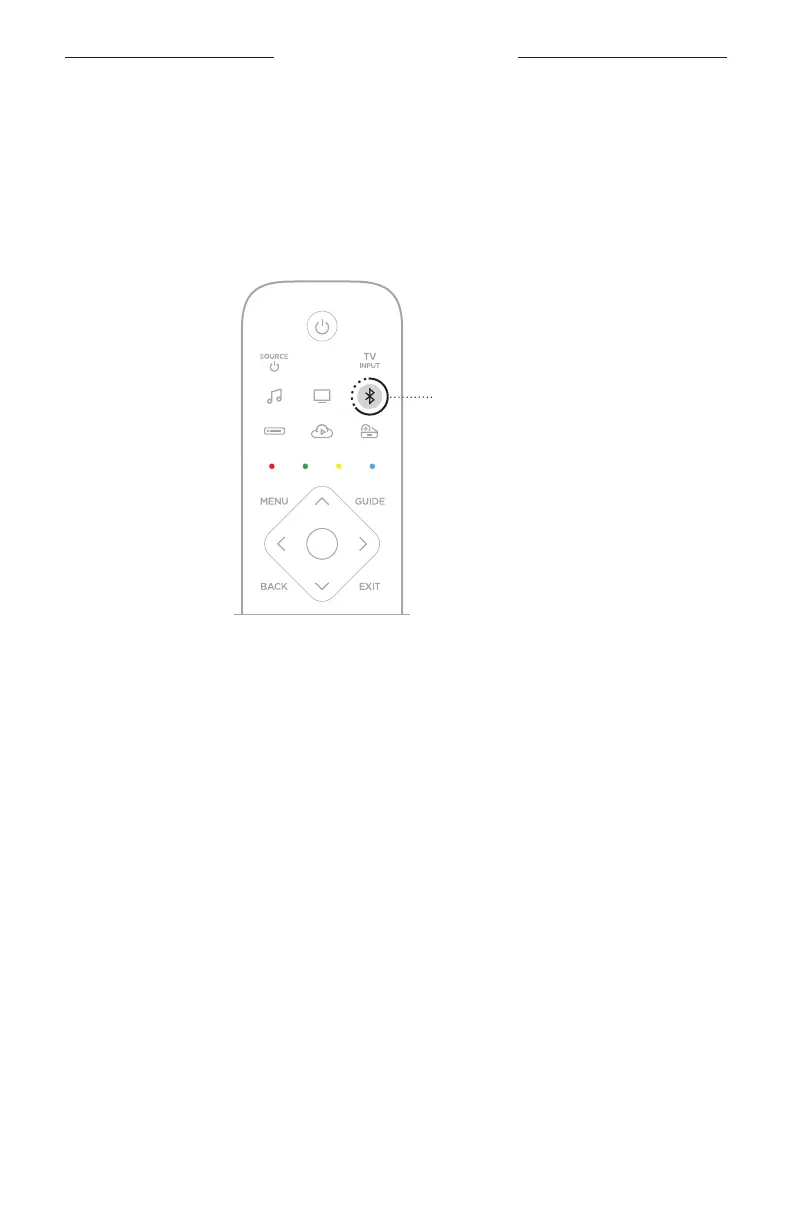
1. On the remote, press and hold the Bluetooth buon l.
Bluetooth buon
The light bar pulses blue.
2. On your mobile device, select your soundbar from the device list.
NOTE: Make sure the Bluetooth feature is enabled on your mobile device.
CLEAR THE SOUNDBAR DEVICE LIST
1. Tap and hold l for 10 seconds until the light bar pulses white twice then fades
to black.
The light bar pulses blue.
2. Delete the soundbar from the Bluetooth list on your device.
All devices are cleared, and the soundbar is ready to connect (see page 34).





 To Next Page