41
|
ENG
ADVANCED FEATURES
UPDATE THE SOUNDBAR
After you complete the setup process in the Bose app and connect the soundbar to
your Wi-Fi network, the soundbar updates automatically.
DISABLE/ENABLE WI-FI CAPABILITY
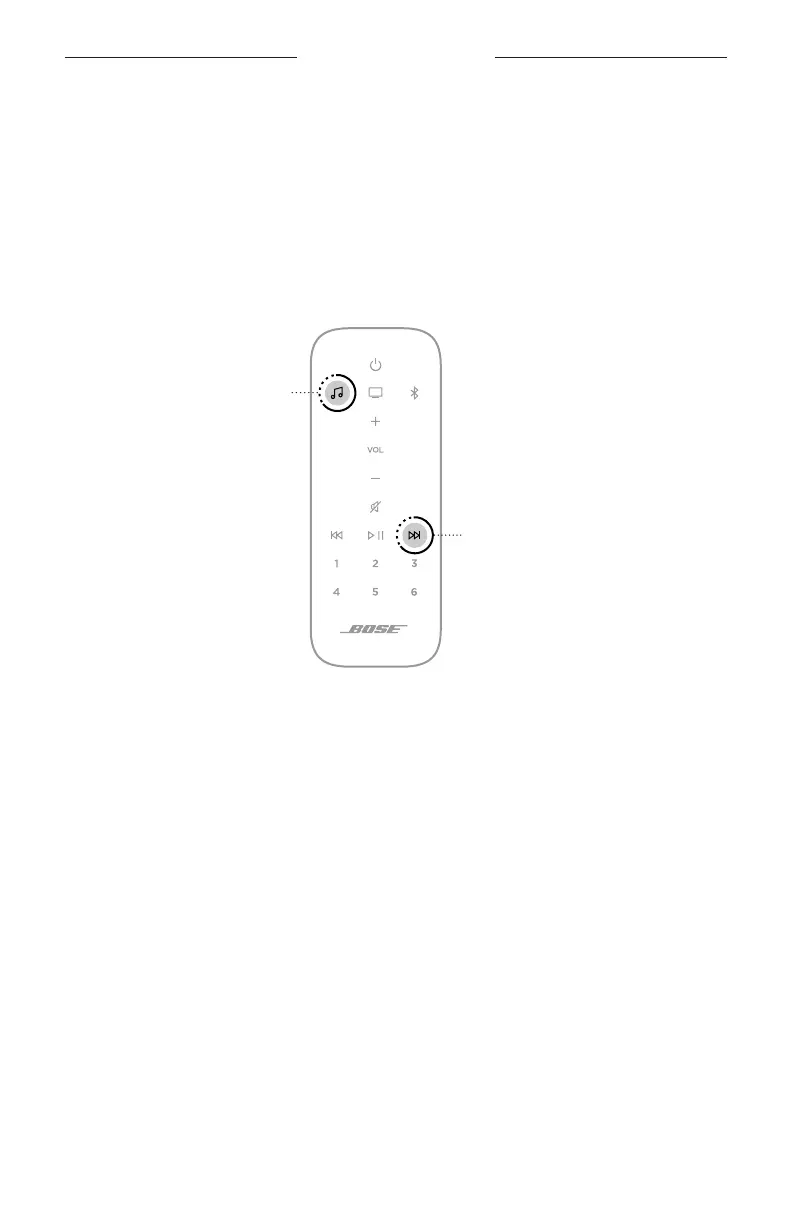
On the remote, press and hold the Bose app buon m and Skip forward buon v
until the light bar pulses white twice then fades to black.
Bose app buon
Skip forward buon





 To Next Page