42
Starting up
➡ Use only high quality leak-proof batter-
ies of the correct specifications (see
“Technical data” P. 62).
Never mix old and new batteries or
different makes.
If the batteries are not inserted cor-
rectly, the monitor will not work and this
may cause the batteries to heat up and
leak, damaging the monitor.
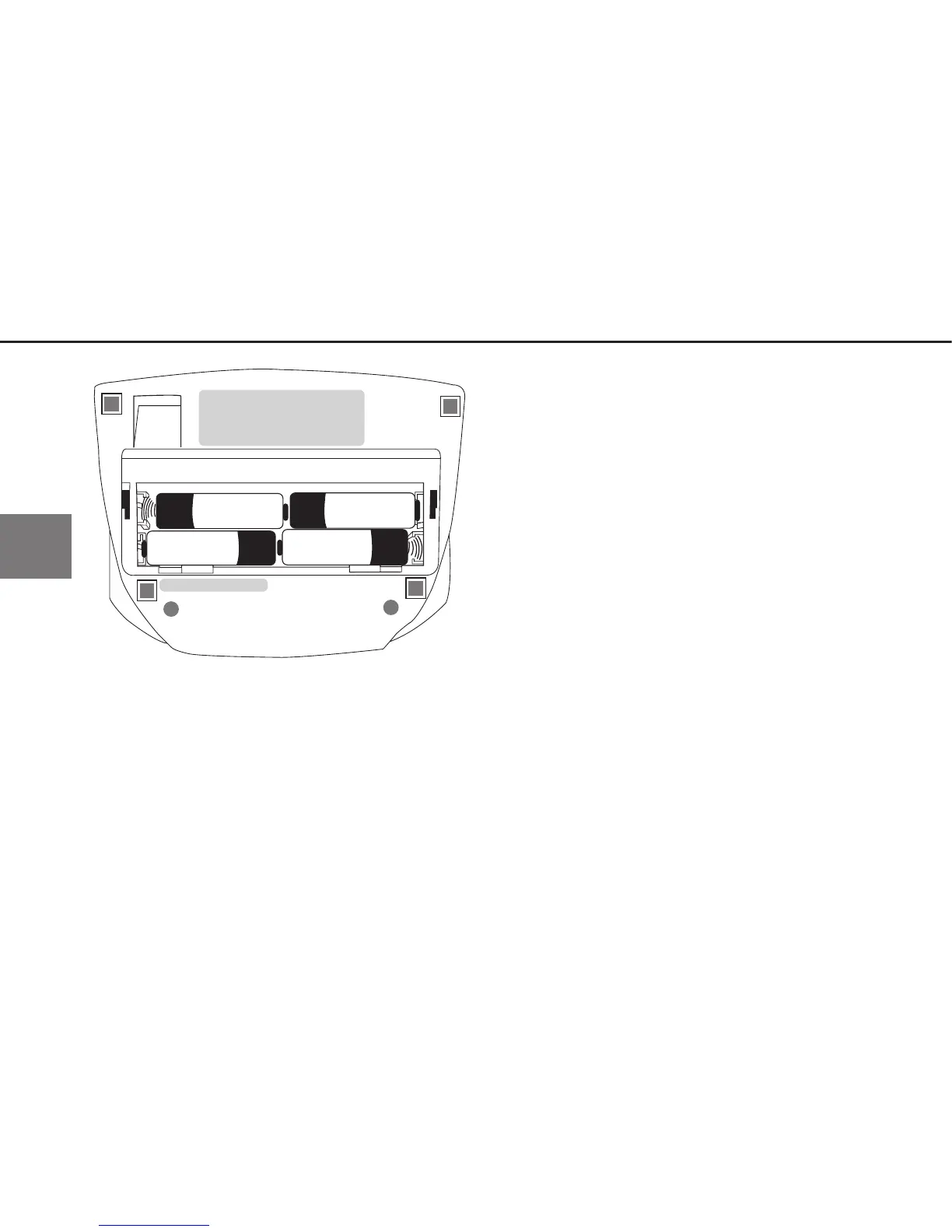
➡ Inserting the batteries
The battery compartment is located on
the underside of the monitor.Insert bat-
teries in the battery compartment as
shown in illustration 1.
➡ Remove the batteries if the monitor is
not to be used for any length of time.


 To Next Page