BOSS Electronics 7” PC TABLET User Guide
13
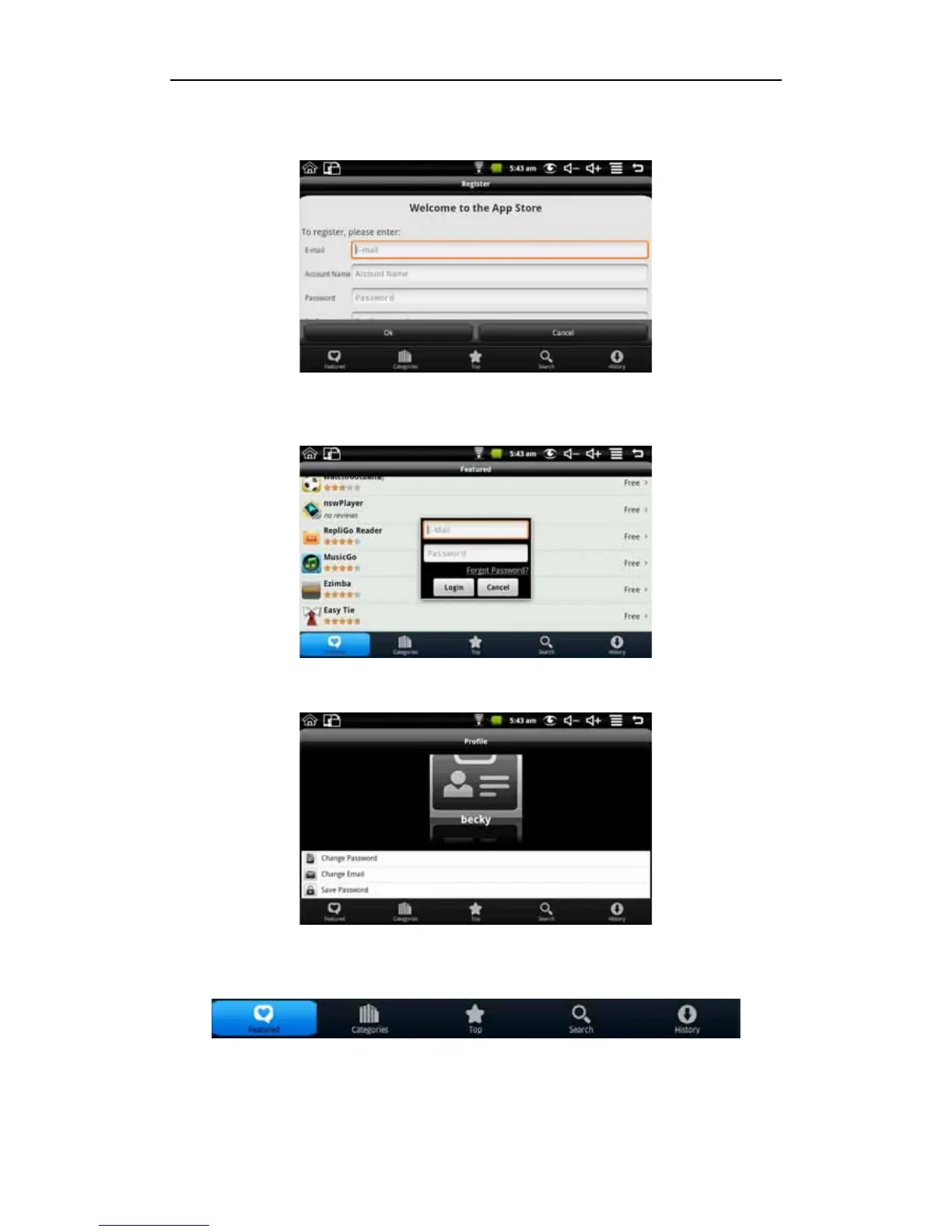
First select register. You need to enter your E-mail address, Account Name and Password.
If you previously set up a Market account, select the login, and enter the account number
and password to login
After login you can enter the following screen
You can choose to change the password, change Email and save password. If you want to
download the application software, you only need to click the icon as shown below.
For example: click featured to enter the next screen.


 To Next Page