6
Editing the Eects
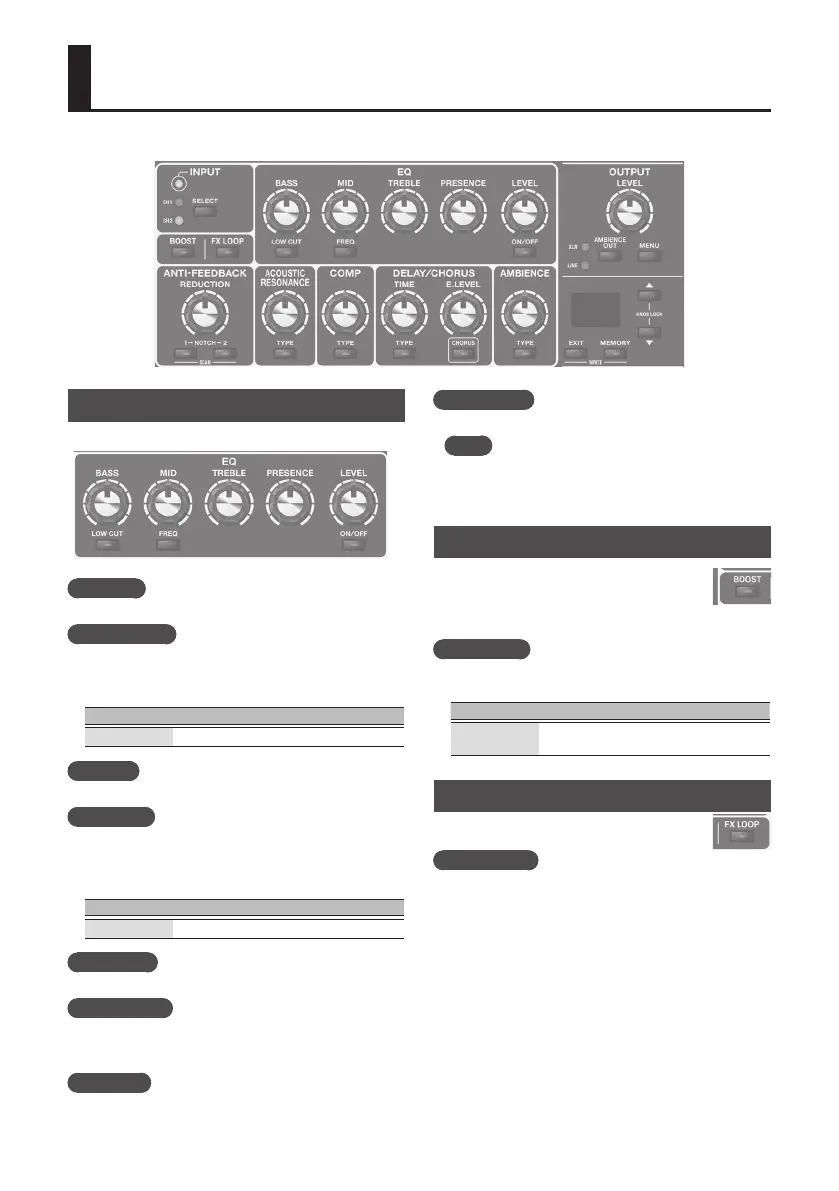
EQ (Equalizer)
Adjusts the tone.
[BASS] knob
Adjusts the sound level of the low-frequency range.
[LOW CUT] button
When this is on, the region below the specied frequency is cut.
When you press this button, the display shows the specied
frequency. Use the [
?
] [
=
] buttons to change the setting.
Value Explanation
1
–
gg
10–990 Hz
[MID] knob
Adjusts the sound level of middle-frequency range.
[FREQ] button
Species the frequency region that is adjusted by the [MID]
knob. When you press this button, the display shows the
specied frequency. Use the [
?
] [
=
] buttons to change the
setting.
Value Explanation
20
–
5.0
200 Hz–5.0 kHz
[TREBLE] knob
Adjusts the sound level of the high-frequency range.
[PRESENCE] knob
Adds lustrous outline to the mid- and high-frequency range.
This is eective when you want to improve the denition of
the sound.
[LEVEL] Knob
Adjusts the overall volume level of the equalizer.
[ON/OFF] button
Switches the equalizer on/o.
MEMO
You can specify EQ independently for GUITAR IN 1 and 2.
For details, refer to “Making Independent EQ Settings for
GUITAR IN 1 and 2” (p. 11).
BOOST
Turning this on raises the level. This is convenient
when you want to increase the level above the
backing sound such as when playing a solo, or
when you want to lower the level during a specic
section in a song.
[BOOST] button
Switches the booster on/o. If this is on, the display shows the
gain setting. Use the [
?
] [
=
] buttons to change the setting.
Value Explanation
0
–
50
–
gg
At a setting of 50, the on and o levels are
the same.
FX LOOP
Switches on/o an external eect that is connected
to the SEND, RETURN jacks (p. 2).
[FX LOOP] button
Switches the external eect on/o. If this is on, the display
shows the return level setting. Use the [
?
] [
=
] buttons to
change the setting.



 To Next Page