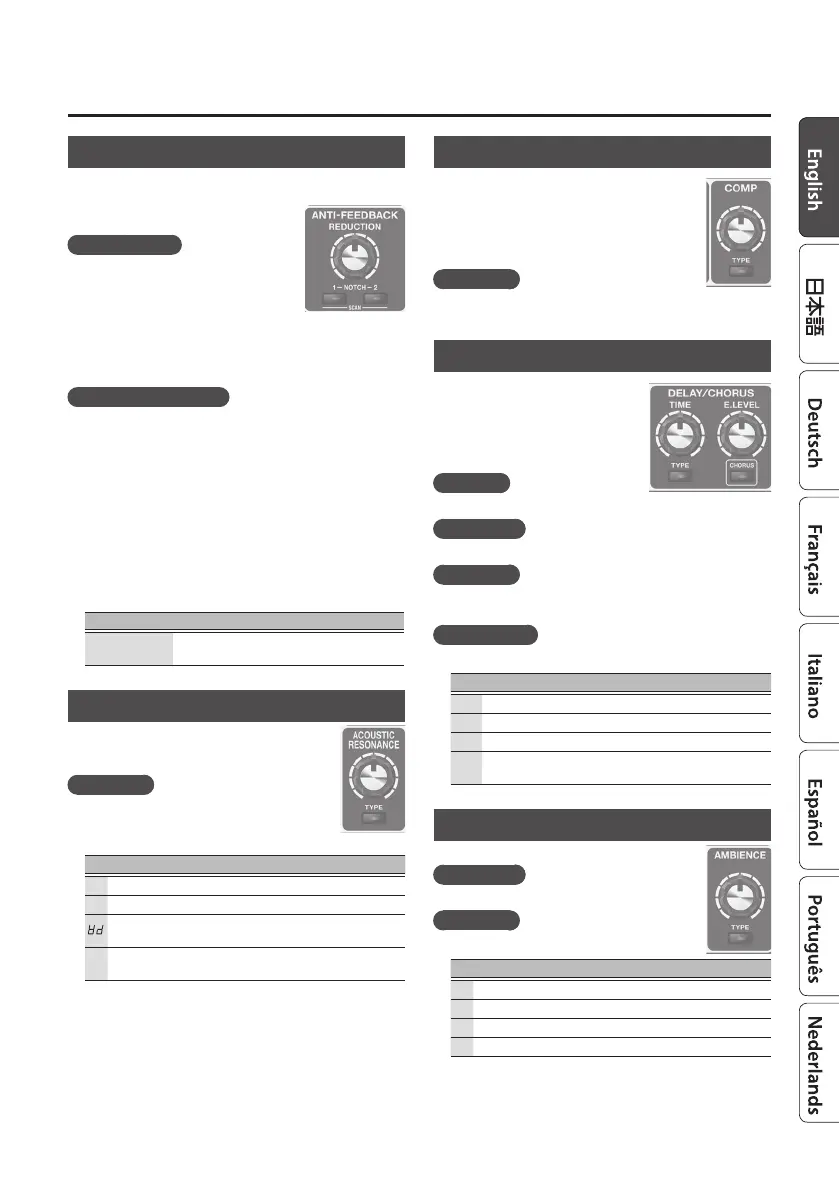
7
Editing the Eects
ANTI-FEEDBACK
This suppresses the acoustic feedback (the whine or squeal)
that can occur depending on the position of the guitar and
amp, or depending on the surrounding
environment.
[REDUCTION] knob
This is a suppression function that is
designed to have a minimal eect on the
tonal quality, and is optimized for the low-
frequency feedback that often occurs with
an acoustic guitar. Use the knob to adjust
the strength of the reduction eect.
When feedback occurs, the reduction is automatically applied
only at the specic frequency at which feedback occurs.
[NOTCH1], [NOTCH2] button
Set this to the point (notch frequency) at which you want to
reduce feedback. The AD-10 lets you specify two dierent
points: [NOTCH1] and [NOTCH2]. You can also set the notch
frequency automatically when feedback occurs.
1. Press the [NOTCH1] or [NOTCH2] button to turn it on.
Each time you press a button, it turns on/o.
2. Use the [
?
] [
=
] buttons to specify the note name of
the point at which feedback is occurring.
* If you press [NOTCH1] and [NOTCH2] simultaneously, the
point at which feedback is occurring is scanned and specied
automatically.
Value Explanation
A.1-F7
A#1–F7. “#” (sharp sign) is indicated by “.”
(decimal point).
ACOUSTIC RESONANCE
Use this knob to adjust the balance between the
body resonance eect of the acoustic guitar and
the direct sound of the pickup.
[TYPE] button
Adjusts the tonal character appropriately for the
guitar or settings you’re using.
Display Button Explanation
oF
OFF Unlit OFF
nA
NATURAL Green A natural and uncolored sound.
WIDE Orange
Mellow sound that emphasizes the
body resonance
br
BRIGHT Red
Brilliant sound with an extended
high-frequency range
COMP (Compressor)
This makes the volume of the input signal more
consistent. By suppressing the peak of the attacks,
it prevents distortion even when the input
sensitivity is raised.
Turning the knob toward the right makes the
eect stronger.
[TYPE] Button
Each time you press this button, the setting switches between
o/soft/hard.
DELAY/CHORUS
DELAY is an echo-like eect. It adds a
delayed sound to the original sound,
creating a spatially expansive feeling.
In CHORUS eect, a slightly detuned
sound is added to the original sound
to add depth and breadth.
[TIME] knob
Adjusts the delay time.
[E.LEVEL] knob
Adjusts the delay volume.
[TYPE] Button
Each time you press this button, the setting switches between
o/delay/modulation delay/reverse delay.
[CHORUS] button
Turns chorus on/o, and species the chorus type.
Display
Button
Explanation
oF
OFF Unlit OFF
nR
NORMAL Green A lustrous sound
NL
MILD
Orange
A soft sound that blends well
BR
BRIGHT Red
A chorus sound with brilliant string
resonance
AMBIENCE
This eect adds reverberation to the sound.
[E.LEVEL] knob
Adjusts the volume of the reverberation.
[TYPE] Button
Selects the length of reverberation.
Display Button Explanation
oF
OFF Unlit OFF
Sh
SHORT Green Short reverberation
ND
MID Orange Medium reverberation
LG
LONG Red Long reverberation



 To Next Page